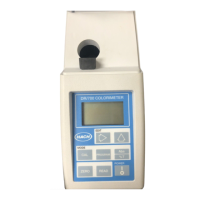
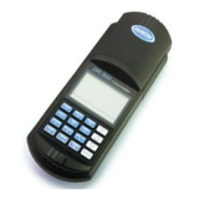
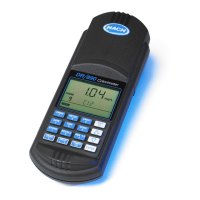
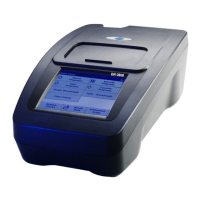
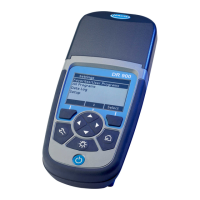
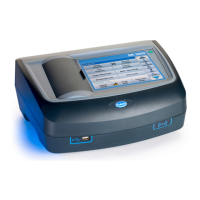
The Hach DR 1900 is a portable VIS spectrophotometer designed for water analysis in various applications, including drinking water, wastewater, and industrial settings. It measures in the wavelength range of 340 to 800 nm, making it suitable for a wide array of tests. For field use, the instrument operates on four AA batteries, providing portability and convenience.
Function Description
The DR 1900 is equipped with a comprehensive set of application programs to facilitate diverse measurement needs. These include:
- Stored Programs (Pre-installed Methods): Ready-to-use methods for Hach and Hach Lange tests.
- LCK or TNTplus Methods: Specific methods designed for LCK or TNTplus vials, offering precise and reliable results.
- User Programs: Allows users to develop and save their own methods or modify existing stored methods to suit specific requirements.
- Favorite Programs: A list where frequently used methods can be saved for quick access, enhancing workflow efficiency.
- Single Wavelength Mode: Enables readings at a specified single wavelength, suitable for basic photometric measurements.
- Multi-Wavelength Mode: Measures absorbance values at up to four different wavelengths. This mode also supports mathematical processing of results to calculate sums, differences, and relationships between measurements.
- Time Course Mode: Automatically records and displays absorbance at a chosen wavelength over a specified time period, useful for kinetic studies or monitoring reactions.
The instrument's user interface is designed for intuitive navigation. The reading screen displays essential information such as the selected mode, wavelength, unit, date and time, operator ID, and sample ID. A progress bar indicates the measurement status, and for TNTplus vials, a control bar shows the relationship between the reading result and the reading range, independent of any dilution factor.
Usage Features
- Power Management: The instrument is turned on by pushing the POWER key and shut down by holding it for 1 second. An Auto-Shutoff option is available to conserve battery life, automatically turning off the instrument after a set period of inactivity.
- Language and Time Settings: Upon first use, users can set the display language, date, and time. These settings can also be adjusted later through the SETTINGS menu.
- Program Selection: Users can easily select programs from the comprehensive list, including stored methods, LCK/TNTplus methods, user programs, and favorites. Methods can be searched by number or letter.
- Basic Program Options: Before starting a measurement, various options can be configured:
- Start Timer: Allows setting a pre-set or manual timer for reaction or wait times, ensuring accurate timing of analysis steps.
- Operator ID and Sample ID: Tags readings with specific operator and sample/location identifiers, crucial for data management and traceability.
- %T/Abs/Conc: Switches between transmittance, absorbance, or concentration readings, providing flexibility in data presentation.
- Advanced Program Options: Further customization is available for specific programs:
- Chemical Form: Selects alternate chemical forms and associated measuring ranges for factory-installed methods.
- Reagent Blank: Corrects for background color due to reagents by subtracting a blank value obtained with deionized water.
- Standard Adjust: Adjusts the calibration curve based on a known standard concentration to align results.
- Dilution Factor: Applies a corrective dilution factor to results for diluted samples.
- Standard Additions: Used to examine reading accuracy, following specific method procedures.
- Reading Modes: Beyond pre-programmed methods, users can directly access Single Wavelength, Multi Wavelength, and Time Course modes through the Photometer Functions menu, allowing for custom experimental setups.
- Data Management: All sample readings are automatically saved. The data log stores up to 500 measured values, including result, date, time, sample ID, and user ID, adhering to GLP (Good Laboratory Practice) principles. Older data points are automatically overwritten when the log is full. Data can be recalled, sent to a USB module, or printed directly to a connected printer. The entire data log can also be erased.
- Workflow Management: The "My Workflow" feature allows for parallel collection of samples at different locations. Users can select a program, specify the number of samples, and name the workflow. This streamlines measurements for multiple samples.
- Shortcuts: Navigation keys serve as shortcuts within certain programs and menus, providing faster access to common options like displaying results in different chemical forms, showing absorbance, or toggling between concentration, absorbance, and transmittance.
- Instrument Information: Provides details such as instrument name, serial number, software and database versions, memory usage, and program availability.
- Password Protection: Security options allow setting a password to restrict access to sensitive menus like setup, editing operator IDs, K factors, user programs, workflows, and deleting data logs.
- Display and Sound Settings: Users can adjust display contrast, backlight duration, and display style (high or smooth contrast). Audible sounds can be enabled for key presses and reading completion.
- System Checks: The instrument offers various performance tests:
- Optical Checks: Includes wavelength accuracy, absorbance accuracy, repeatability, and stray light checks.
- Wavelength Check: Measures wavelength accuracy at 807 nm using a test filter.
- Absorbance Check: Measures photometric accuracy and repeatability.
- Stray Light Check: Measures stray light at 340 nm.
- Instrument Verification: Utilizes an optional verification kit with precision glass filters to periodically monitor stray light, photometric accuracy, and wavelength accuracy.
- Service Time Reminder: An automatic reminder can be set for regular instrument inspections.
- λ-Check: Auto: Automatically examines the wavelength upon startup, or can be set to always check or check on next power-on.
- Rescan 100% T: When enabled, the instrument zero is automatically set for LCK or TNTplus methods.
Maintenance Features
- Cleaning the Instrument: The exterior can be cleaned with a moist cloth and a mild soap solution, then wiped dry.
- Cleaning the Cell Compartment: It is recommended to use a rubber suction bulb to carefully blow air into the cell compartment, ensuring no sample cell or adapter is present.
- Cleaning Sample Cells: Sample cells can be cleaned with most laboratory detergents, such as Liquinox, or with acid for specific tests (e.g., low-level metal tests). Thorough rinsing with deionized water and air drying are recommended. Special care should be taken to avoid scratching interior surfaces if a brush is used.
- Battery Replacement: The instrument uses four AA alkaline or rechargeable NiMH batteries. Users are advised to replace expired batteries to prevent hydrogen gas buildup and to ensure correct orientation during installation.
- Firmware Update: The firmware can be updated, with details provided in the module documentation.


 To Next Page

 General