Need help?
Do you have a question about the Häfele HBO-9FUN70L and is the answer not in the manual?
Top and bottom elements work together for convectional cooking, adjustable temperature range.
Fan and heating elements provide even heat, saving energy, suitable for roasting meats.
Fan-driven convection provides even heat circulation and cooking.
Guide on selecting cooking functions, adjusting temperature, and starting the cooking process.
How to start, pause, and cancel cooking processes.
Using the meat probe to monitor internal food temperature during cooking.
Guidelines for cleaning the oven's interior and exterior surfaces.
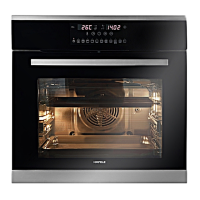
This document is the user manual for the Häfele Built-in Oven 9 Function 70L, model 495.06.309 (HBO-9FUN70L). It provides detailed information on the oven's functions, installation, operation, and maintenance.
The Häfele Built-in Oven offers 9 distinct cooking functions to cater to a variety of culinary needs:
The oven features a user-friendly interface with several control buttons and rotary knobs:
Clock Setting: Upon connecting power, the display shows "0:00". The clock can be set to a 24-hour format by adjusting hour and minute figures using K2 and the Time button. If not set, the clock will display "0:00" and the oven will not function.
Function Setting: Users select a cooking function with K1, adjust temperature with K2, and confirm with the Start button. Default temperatures are provided if not manually set. Cooking time adjustments are in 1-minute steps for 0-30 minutes and 5-minute steps for 30 minutes-9 hours. Temperature adjustments are in 5°C steps, and grill function in 30°C steps.
Lamp Setting: The oven lamp can be activated via K1 and the Start button, illuminating the interior.
Inquiring Function: During cooking, users can check the current time or set clock time by pressing the Remind button.
Child Lock Function: To activate, press the Remind button and the "II" button simultaneously for 3 seconds; a long beep confirms activation, and a lock icon illuminates. To deactivate, repeat the process.
Reminder Function: This function allows setting a reminder from 0:01 to 9:59 when the oven is in standby mode or during clock setting. The oven buzzer will sound 10 times at the set time.
Start/Pause/Cancel Function: The Start button initiates cooking. Pressing the Stop button once pauses cooking, and pressing it twice cancels the current cooking program.
Energy-Saving Function: In waiting or reminding states, pressing the Start button for three seconds turns off the LED display and enters energy-saving mode. If no operation occurs for 10 minutes in waiting state, the oven automatically enters energy-saving mode. Any key press or encoder rotation will exit this mode.
Reservation Function: Requires the clock to be set. Users can reserve a start time for cooking by setting the reservation time (0-23 hours, 0-59 minutes) using K2 and the Remind button, then selecting a function and setting cooking time and temperature. The oven will start automatically at the reserved time.
Meat Probe Function: When the meat probe is inserted, "PROB" and an icon will display. K1 is used to select a function, and K2 to adjust the target temperature (50-150°C). The oven will beep five times when the target temperature is reached. If the probe is removed, the oven reverts to waiting state. Cooking time cannot be set when using the meat probe. An "Er-3" error indicates a temperature sensor short circuit.
Accessories:
Shelf Placement Warning: Correct placement of shelves between side rails is crucial for safe operation and to prevent food items from sliding out when removing shelves or trays.
Rotisserie Accessories: The rotisserie works with the grill element to cook and brown meat or poultry evenly.
Correct Disposal of this Product: The appliance is marked according to European directive 2011/65/UC on Waste Electrical and Electronic Equipment (WEEE). It should not be treated as household waste but handed over to an applicable collection point for recycling. This ensures proper environmental handling and prevents potential negative consequences for the environment and human health.


 To Next Page
 General