6
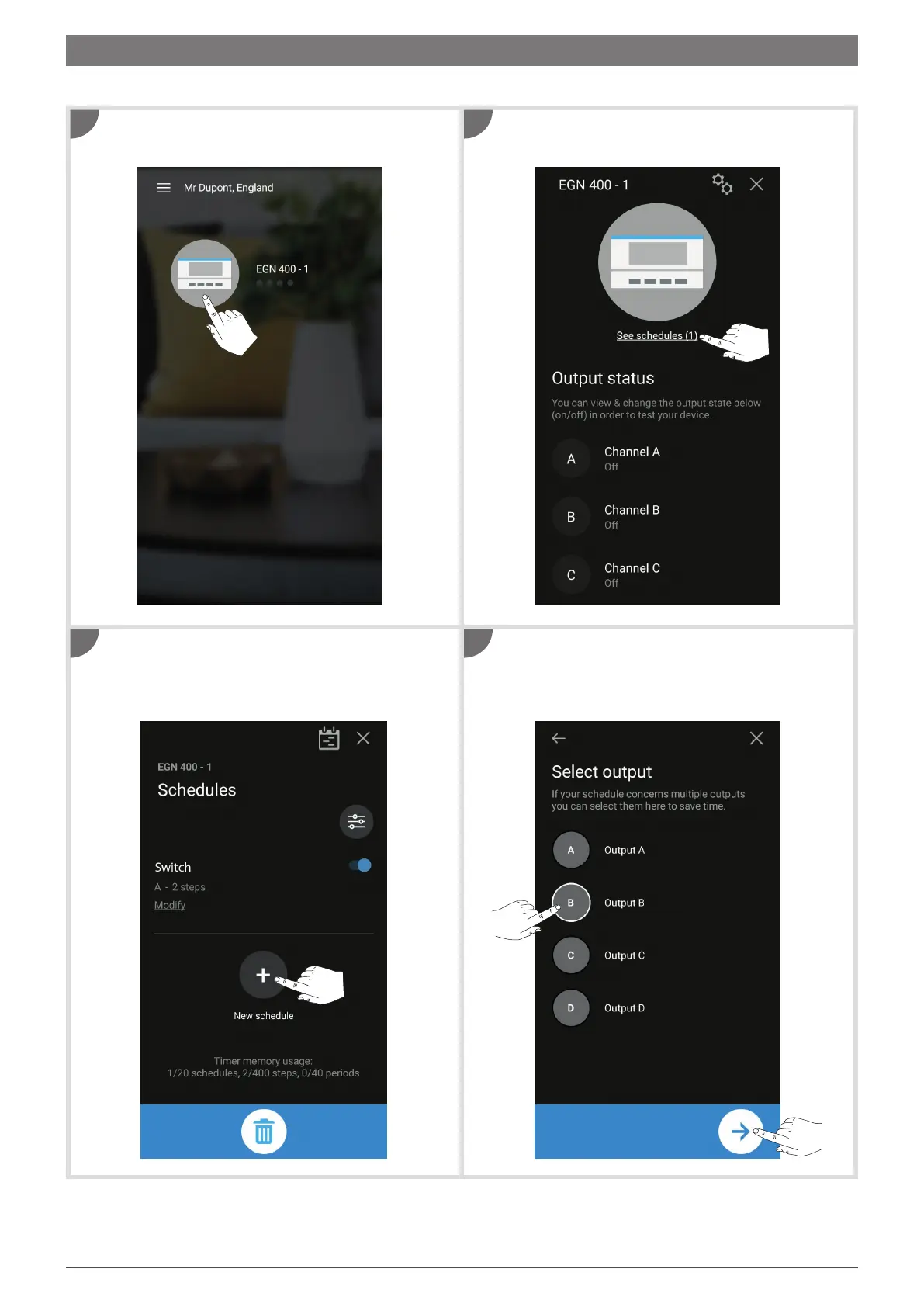
On the home screen, tap the icon of the device you
wish to programme.
Tap
+ to add a new program. You can now choose
whether to enter the program settings one by one, or
select a template. Then confirm.
Tap View programs.
Select the output(s) available for programming and
then tap the arrow (to add program steps, see section 6).
To create a new program (custom or template):
1
3
2
4
4. Create a new program


 To Next Page
 Loading...