hager
"DALI Gateway C00Cx2" software
Functional description
Seite 89 von 130
The commissioning environment of the plug-in is divided into two windows. The left window lists the
devices found in the DALI system. The right window displays the created groups. This is where the
DALI devices are assigned to the groups.
Searching for DALI devices
During the first commissioning all connected DALI devices have to be searched for and identified first.
In case the DALI Gateway had been in use at least once, the searching will only be required if new
devices have been added to the DALI system or if the ETS product database has been modified thus
completely reconfiguring the device. The DALI commissioning will be completed by writing (and thus
storing) the commissioning parameters (identified devices with short address, names of the devices,
group assignment) into the ETS database. When the commissioning environment is started the stored
data will be displayed.
During the first commissioning no DALI devices will be displayed in the left window. In order to continue
the commissioning all devices connected to the DALI line will have to be searched for first.
For the DALI Gateway to find and identify all DALI devices during the device search the DALI system
must be fully connected and switched on.
In addition, the mains voltage of the DALI Gateway must be switched on.
Click on or select the “Search for devices” button in the commissioning environment.
The DALI Gateway will search for existing DALI devices. The Gateway scans the DALI line
progressively and will identify the connected devices one after another. The search can take some
time depending on the number of connected DALI devices. The plug-in will show the progress made
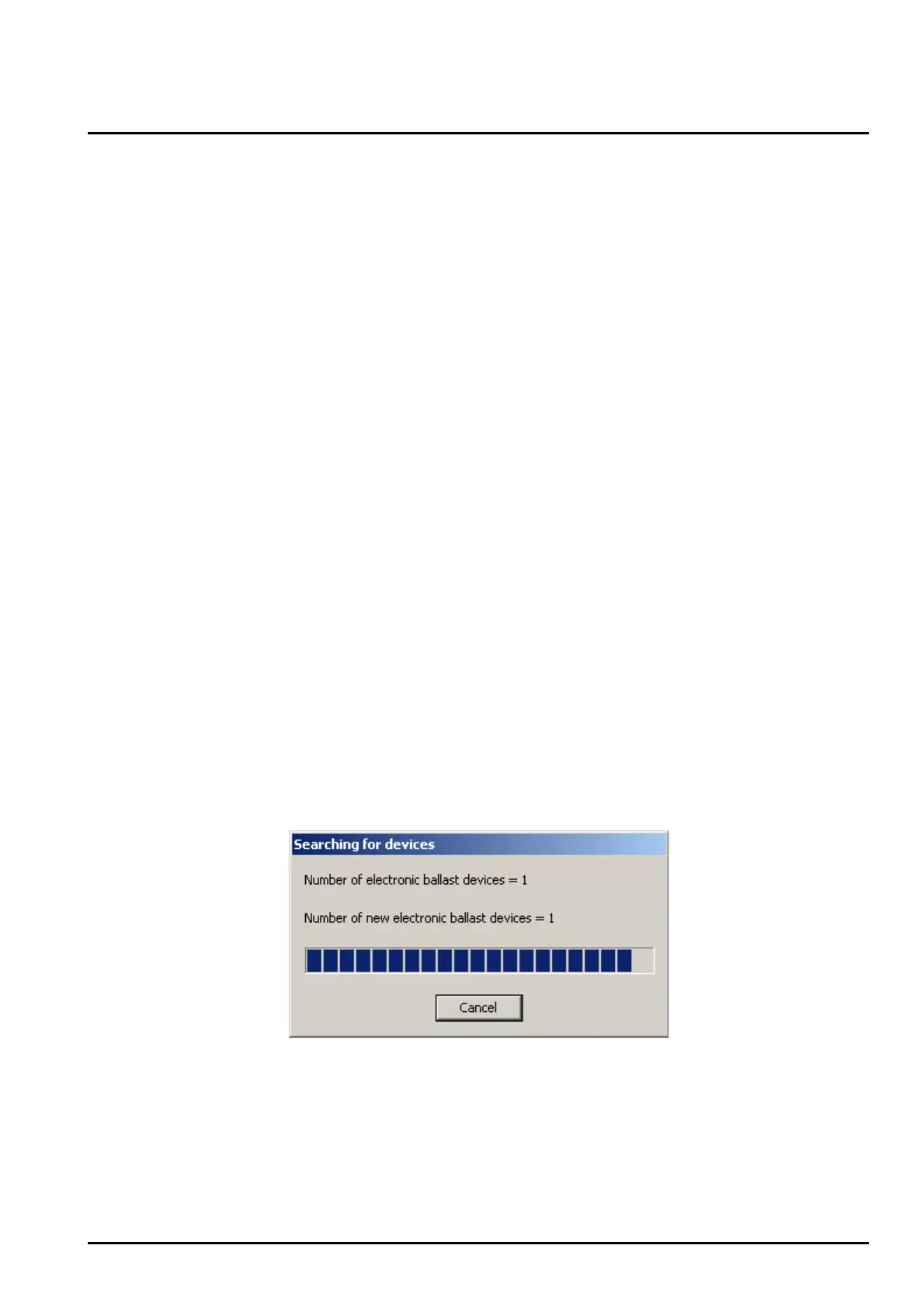
during the search (cf. figure 36). The plug-in differentiates whether a DALI device has been identified
for the first time or whether it has been identified before during a commissioning. Taking this
distinction into account the plug-in displays the devices found while the search is still in progress. If
the DALI is commissioned for the first time all devices found will be identified as ’new device’.
All identified devices (older ones as well as new ones) will be listed in the left window of the
commissioning environment once the search has been completed. Each identified DALI device will
be labelled with a unique short address which is displayed in front of the device name ([1]…max. [64]
/ cf. figure 37 on the next page).
Figure 36: Progress bar during a DALI device search


 To Next Page