hager
"DALI Gateway C00Cx2" software
Functional description
Seite 97 von 130
When opening the test environment the plug-in first attempts to communicate with the DALI Gateway
via the bus connection of the ETS and verifies whether a DALI test is possible. For this reason the
DALI Gateway must be connected to the KNX/EIB and the bus and the mains voltage supply must be
switched on if the DALI test is to be called up. In addition, the ETS 3 must have a working
communication interface to the bus (e.g. RS-232 or USB).
In case a connection to the DALI Gateway cannot be established in this situation, the plug-in will abort
the test prematurely and will not show the test environment. The following lists the possible reasons for
a faulty connection and their corresponding remedies...
– Cause: no functioning ETS 3 communication interface to the KNX/EIB.
Remedy: verify the connection in the ETS 3 under “Tools – Options – Communication" . If needed,
set up the connection.
– Cause: the physical address and the application program have not been programmed via the ETS 3.
Remedy: close the plug-in and program the physical address and the application program first.
– Cause: KNX/EIB bus voltage at the DALI Gateway or at the local data interface is not connected or
switched on.
Remedy: connect and switch on bus voltage.
– Cause: mains voltage supply on the DALI Gateway is not switched on.
Remedy: switch on the mains voltage supply on the Gateway.
Device-oriented DALI test
Once a DALI commissioning has been executed and the devices have been identified, these devices
can be checked for their proper functioning with the device-oriented DALI test. This can be done in the
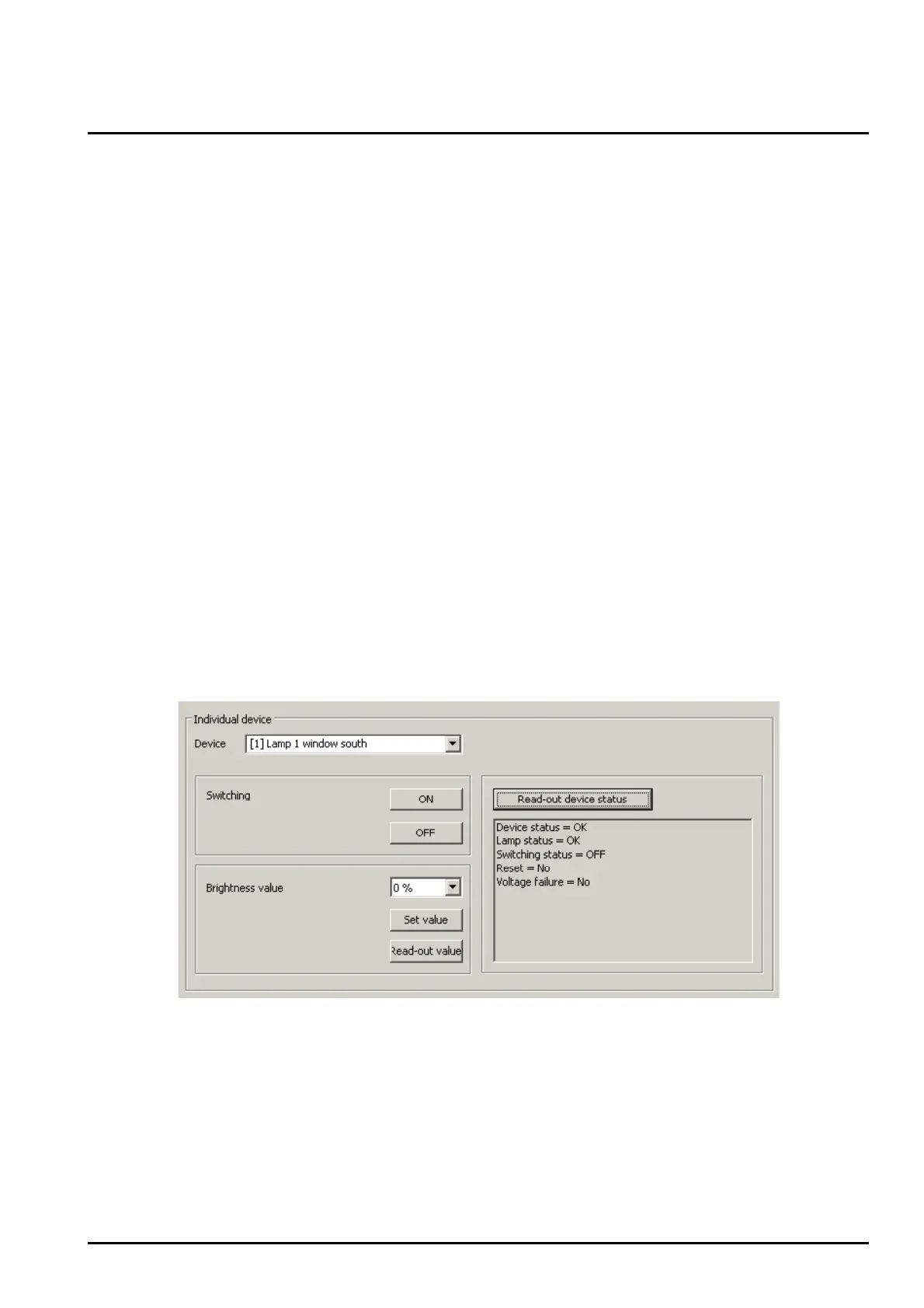
device-oriented test environment (cf. figure 44).
Figure 44: Device-oriented DALI test environment
The device to be tested must first be selected in the “Device” drop-down menu. The drop-down menu
lists all identified DALI devices – identified in square brackets by the individual short address and the
device name. Only one device at a time can be tested.


 To Next Page