EasyManua.ls Logo

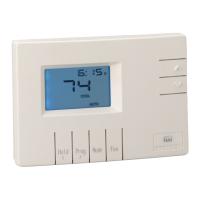
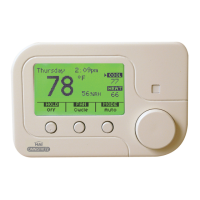
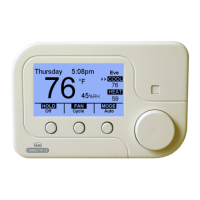
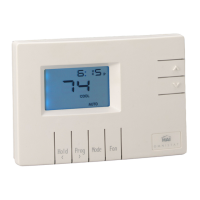
HAI RC-80 Omnistat - User Manual

HAI RC-80 Omnistat
22 pages
Print Icon
To Next Page IconTo Next Page
Loading...
O M N I S T A T
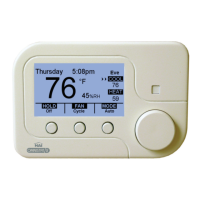
ELECTRONIC COMMUNICATING THERMOSTAT
Installation Manual
RC-80 Single Stage Heat/Cool
Document Number 13I00-1
January, 1997

Questions and Answers

  • R
    Renee JonesAug 1, 2025
    Why is the HAI Thermostat temperature reading incorrect?
    • B
      bowmankirstenAug 1, 2025
      If the HAI Thermostat displays an incorrect temperature, allow 30 minutes for the thermostat to adjust to the room temperature. You may also need to adjust the calibration offset or change the setup option to display either degrees Fahrenheit or Celsius.
  • J
    James MorganAug 7, 2025
    What to do if control by remote system is not working on HAI Thermostat?
    • R
      Richard HendersonAug 7, 2025
      If the HAI Thermostat is not working when controlled by a remote system, check the COMM connector and wiring. Also, verify the thermostat address setting, the communications mode setting, and the setup of the remote system.
  • V
    vbonillaAug 13, 2025
    Why are the fan, heat, or cool functions inoperative on my HAI Thermostat?
    • P
      Patrick AdamsAug 13, 2025
      If the fan, heat, or cool functions are inoperative on your HAI Thermostat, check for a break in the G, W, or Y wire. Ensure that the minimum off time has passed. Verify the system options for correct settings, and check if a remote system is overriding the thermostat.
  • A
    Anne RamosAug 19, 2025
    What to do if there is a display problem on HAI Thermostat?
    • C
      Courtney PerryAug 19, 2025
      If the HAI Thermostat display is malfunctioning, disconnect and then reconnect power to the thermostat. Observe the display self-test upon reconnection.
  • S
    Stephen MartinAug 26, 2025
    How to troubleshoot a dead HAI Thermostat?
    • V
      Valerie HatfieldAug 26, 2025
      To troubleshoot a dead HAI Thermostat, start by checking the power supply to the thermostat. Then, inspect the wiring diagrams and finally, check the thermostat temperature sensor.

Summary

DESCRIPTION

INSTALLATION

LOCATION

Guidance on selecting the optimal placement for thermostat installation.

REMOVING AN EXISTING THERMOSTAT

Steps to safely remove the existing thermostat from the wall.

MOUNTING

Instructions for physically attaching the thermostat base to the wall.

TYPICAL WIRING DIAGRAMS

POWER UP

DISABLE KEYS

INSTALLER SETUP

OWNERS MANUAL

QUICK-REFERENCE SETUP GUIDE

REMOTE SYSTEM WIRING DIAGRAMS

HAI AUTOMATION SYSTEMS

Connecting the thermostat to the HAI automation system.

REMOTE DAY;NIGHT SETBACK SWITCHES

OTHER SYSTEMS

TROUBLESHOOTING TIPS

HAI RC-80 Omnistat Specifications

General IconGeneral
BrandHAI
ModelRC-80 Omnistat
CategoryThermostat
LanguageEnglish

Related product manuals