EasyManua.ls Logo

Haier 1U09EH2VHA - User Manual

Haier 1U09EH2VHA
8 pages
Print Icon
To Next Page IconTo Next Page
Loading...
WARNING
!
Ductless Split Air Conditioner
User Manual
Design may vary by model number.
Ţ This system should be installed by a
HVAC professional. Do not attempt to install
the air conditioner by yourself because
incorrect installation may cause
water
leakage, personal injury or death.
Ţ When abnormalities such as a burnt-smell are
found, immediately power
the main switch
and contact a licensed contractor.
Ţ Do not obstruct or cover the ventilation grille
on the air conditioner. Do not put
or
any other things into the inlet/outlet or swing
louver.
Ţ Do not allow children to play with the air
conditioner. Children should never be allowed
to sit on the outdoor unit
Ţ Please read this manual before using the air conditioner.
Ţ Keep this user manual for future reference.
Cautions and Warnings ................................. 1
Controller Features & Settings ...................... 2
Emergency Operation & Maintenance ........... 5
Troubleshooting ............................................ 6
Limited Warranty .......................................... 7
TABLE OF CONTENTS
PAGE 1
0010586953
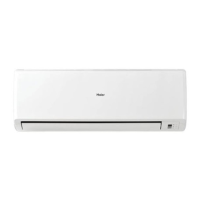
Indoor
AW09EH2VHA
AW12EH2VHA
AW18EH2VHA
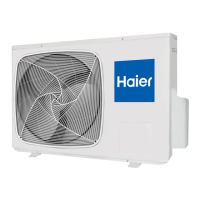
Outdoor
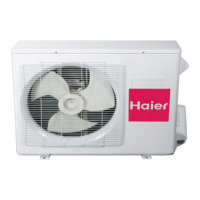
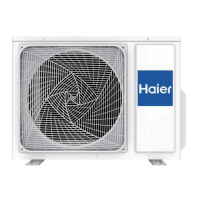
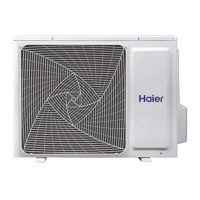
1U09EH2VHA
1U12EH2VHA
1U18EH2VHA

Other manuals for Haier 1U09EH2VHA

Questions and Answers

  • M
    Maria CarpenterJul 26, 2025
    Why is my Haier 1U09EH2VHA not cooling properly?
    • J
      Jason HessJul 26, 2025
      Poor cooling in your Haier Air Conditioner can stem from several factors. First, check if the air filter is dirty and clean it if necessary; it should be cleaned every 2 months. Ensure that nothing is blocking the unit's air inlet or outlet. Verify that the temperature is set correctly. Make sure all doors and windows are closed to prevent warm air from entering. During cooling, block direct sunlight with curtains. Limit the number of heat sources and people in the room.
  • D
    Dylan FisherAug 1, 2025
    What is that noise coming from my Haier 1U09EH2VHA?
    • S
      sheila34Aug 1, 2025
      The swishing or gurgling noise you hear during operation or when your Haier Air Conditioner stops is the sound of refrigerant flowing within the system. The cracking noise during operation is due to the casing expanding or shrinking because of temperature changes. Loud airflow noises are usually caused by a dirty air filter.
  • T
    tylerwallAug 10, 2025
    Why does my Haier 1U09EH2VHA Air Conditioner not restart immediately?
    • H
      hortonrichardAug 10, 2025
      If your Haier Air Conditioner doesn't restart immediately after being stopped, it's because the system needs to protect itself. When the unit is stopped, it will not restart again for 3 minutes. Similarly, if electricity is disconnected and then reconnected, the protection circuit will work for 3 minutes. Wait for 3 minutes before attempting to restart the system or after reconnecting the electricity.
  • J
    jeffreyhamiltonAug 16, 2025
    Why can't I change the fan speed in dry mode on my Haier 1U09EH2VHA?
    • L
      lopeztinaAug 16, 2025
      In DRY mode, when the room temperature becomes lower than the set temperature by 2°F, your Haier Air Conditioner will run intermittently at LOW speed regardless of the FAN setting.

Summary

General Safety Warnings

Installation and Operational Precautions

Highlights critical safety advice for installation and operation, including professional installation and avoiding obstructions.

Controller Features and Settings

Power Button Operation

Explains how to use the power button on the remote control to start and stop the air conditioner unit.

TURBO;QUIET Button Functionality

Details the use of the TURBO/QUIET button for fast operation or quiet mode, including their icons and effects.

COOL Mode Operation

Describes how the unit operates in COOL mode, including automatic fan speed adjustment and display icon.

HEAT Mode Operation

Explains operation in HEAT mode, including cold-air prevention and automatic fan speed adjustment.

DRY Mode Operation

Details the DRY mode function for reducing humidity, intermittent operation, and display icon.

Temperature Adjustment Buttons

Explains the use of Temperature +/- buttons to adjust the set temperature and the operating range.

AUTO Mode Functionality

Describes AUTO mode, where the unit selects operation based on set temperature and adjusts fan speed.

FAN Button for Speed Selection

Explains how to select fan speed using the FAN button and the AUTO fan speed adjustment.

Louver SWING Button - Vertical

Describes how to adjust the vertical airflow direction using the SWING UP/DOWN button.

Louver SWING Button - Horizontal

Explains how to adjust the horizontal airflow direction using the SWING UP/DOWN button.

Timer ON Button

Details how to set a timer for the unit to turn ON, including time increments and confirmation.

Timer OFF Button

Details how to set a timer for the unit to turn OFF, including time increments and confirmation.

SLEEP Button and Mode

Explains how to activate SLEEP mode, its operation during COOL/DRY and HEAT modes, and its limitations.

EXTRA FUNCTION Button Options

Covers additional functions accessed via EXTRA FUNCTION button, including Intelligent Airflow and temp mode shift.

Emergency Operation and Maintenance

Emergency Operation Procedure

Explains how to operate the unit manually when the remote control is defective or lost, with specific modes.

Inserting the Batteries

Instructions for inserting batteries into the remote control, including notes on battery life and troubleshooting.

Optimizing Performance Tips

Provides tips for optimizing performance, such as closing doors/windows and not blocking air inlets/outlets.

Cleaning the Air Filter

Step-by-step guide on how to clean the air filter, including frequency and attachment instructions.

Troubleshooting Common Issues

Normal Performance Inspection

Lists common operational noises, smells, and mist/steam issues, with their causes and solutions.

Conditions to Check for Poor Cooling

Provides a checklist of conditions to verify when experiencing poor cooling, such as power, filter, and obstructions.

Limited Warranty Information

Parts and Compressor Warranty Coverage

Details the 5-year parts and 7-year compressor warranty, including coverage and proof of purchase requirements.

Warranty Exclusions and Limitations

Lists what the warranty does not cover, such as improper installation, misuse, and consequential damages.

Haier 1U09EH2VHA Specifications

General IconGeneral
Cooling Capacity9000 BTU/h
Energy Efficiency Ratio (EER)3.21
RefrigerantR32
Indoor Unit Weight9 kg
InverterYes
Power Supply220-240V/50Hz/1Ph
Heating Capacity9500 BTU/h

Related product manuals