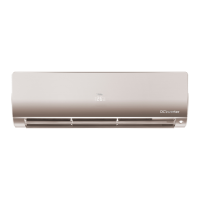
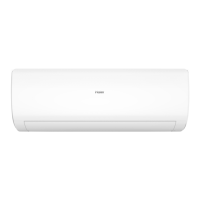
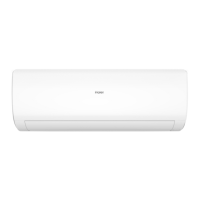
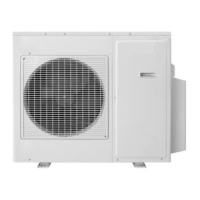
EasyManua.ls Logo

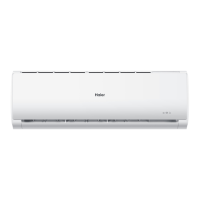
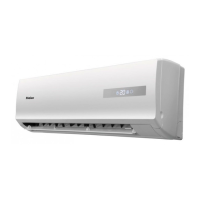
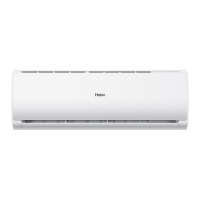
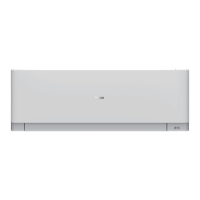
Haier AS35S2SF1FA-S - User Manual

Haier AS35S2SF1FA-S
53 pages
Print Icon
To Next Page IconTo Next Page
Loading...
SERVICE MANUAL
Wall Mounted Type
DC Inverter
AS25S2SF1FA-S Model No.
This service information is designed for experienced repair technicians only and is not designed for use by the general public.
It does not contain warnings or cautions to advise non-technical individuals of potential dangers in attempting to service a product.
Products powered by electricity should be serviced or repaired only by experienced professional technicians. Any attempt to service or
Repair the product or products dealt with in this service information by anyone else could result in serious injury or death
WARNING
All rights reserved. Unauthorized copying and distribution is a violation of law
Version V1 Date 2021-01-04
AS35S2SF1FA-S
Question and Answer IconNeed help?

Do you have a question about the Haier AS35S2SF1FA-S and is the answer not in the manual?

Summary

1.2 Safety Cautions

1.2 Safety Cautions

General safety precautions for technicians, covering warnings and cautionary advice for repair work.

1.2.1 Embedded Wire Installation Checks

Guidelines for verifying embedded wire suitability and connection before commencing installation.

1.2.2 Repair Safety Precautions

Specific warnings and crucial cautions to follow during repair activities to prevent hazards.

3 Technical Specifications

7 Functions and Control

7.1 Main Functions and Control Overview

Provides a comprehensive overview of the unit's primary operational functions and control specifications.

7.1.2 Cooling Operation Mode

Explains the cooling mode, including temperature control, fan speed, and defrosting functions.

7.1.3 Dehumidifying Operation Mode

7.1.4 Heating Operation Mode

7.1.4 Heating Operation Mode

Details the heating mode, including temperature compensation, fan control, and cold air prevention.

7.1.10 Urgent On;Off Input

7.1.11 Low Load Protection Control

Describes the protection mechanism to prevent indoor heat exchanger frosting during low load conditions.

7.1.12 High Load Protection Control

7.1.12 High Load Protection Control

Details the protection mechanism designed to prevent damage caused by high load operating conditions.

10 Service Diagnosis

10.1 Diagnostic Precautions

Essential warnings and precautions that must be observed before commencing any diagnostic procedures.

10.2 Problem Symptoms and Solutions

Lists common operational issues, symptoms, necessary checks, and recommended troubleshooting measures.

10.3 Error Codes and Display Indicators

10.3.1 Thermistor Related Abnormalities

10.3.2 EEPROM Malfunctions

10.3.3 Indoor Fan Motor Malfunction

10.3.4 Outdoor DC Fan Motor Faults

10.3.5 IPM Protection Errors

10.3.6 Compressor Over-Current Issues

10.3.7 IPM to Outdoor PCB Communication Faults

10.3.8 Power Supply Over;Under Voltage Faults

10.3.9 Discharge Temperature Overheat Protection

10.3.10 Indoor-Outdoor Communication Faults

10.3.11 Inverter Synchronism Detection Failure

10.3.12 High Work-Intense Protection

Removal Procedure: Front Panel

2. Removing the Front Panel

Step-by-step instructions for safely detaching and removing the front panel of the indoor unit.

2. Lifting the Control Box Cover

2. Lifting the Control Box Cover

Procedure detailing how to lift the cover protecting the control box.

3. Removing the Control Box Cover

Instructions for completely detaching and removing the control box cover.

4. Disconnecting Wires and Releasing Pivots

4. Disconnecting Wires and Releasing Pivots

Steps to disconnect wires and release pivots for the safe removal of the front panel.

Remove the air filters

Instructions for lifting and pulling out the air filters from the unit.

Remove the casing

Removal Procedure: Horizontal Flap & Stepper Motor

Removal Procedure: Horizontal Louver & Control Box

Removal Procedure: Heat Exchanger

Removal Procedure: Fan Rotor & Motor

1. Remove Fan Motor Assembly

Summary

1.2 Safety Cautions

1.2 Safety Cautions

General safety precautions for technicians, covering warnings and cautionary advice for repair work.

1.2.1 Embedded Wire Installation Checks

Guidelines for verifying embedded wire suitability and connection before commencing installation.

1.2.2 Repair Safety Precautions

Specific warnings and crucial cautions to follow during repair activities to prevent hazards.

3 Technical Specifications

7 Functions and Control

7.1 Main Functions and Control Overview

Provides a comprehensive overview of the unit's primary operational functions and control specifications.

7.1.2 Cooling Operation Mode

Explains the cooling mode, including temperature control, fan speed, and defrosting functions.

7.1.3 Dehumidifying Operation Mode

7.1.4 Heating Operation Mode

7.1.4 Heating Operation Mode

Details the heating mode, including temperature compensation, fan control, and cold air prevention.

7.1.10 Urgent On;Off Input

7.1.11 Low Load Protection Control

Describes the protection mechanism to prevent indoor heat exchanger frosting during low load conditions.

7.1.12 High Load Protection Control

7.1.12 High Load Protection Control

Details the protection mechanism designed to prevent damage caused by high load operating conditions.

10 Service Diagnosis

10.1 Diagnostic Precautions

Essential warnings and precautions that must be observed before commencing any diagnostic procedures.

10.2 Problem Symptoms and Solutions

Lists common operational issues, symptoms, necessary checks, and recommended troubleshooting measures.

10.3 Error Codes and Display Indicators

10.3.1 Thermistor Related Abnormalities

10.3.2 EEPROM Malfunctions

10.3.3 Indoor Fan Motor Malfunction

10.3.4 Outdoor DC Fan Motor Faults

10.3.5 IPM Protection Errors

10.3.6 Compressor Over-Current Issues

10.3.7 IPM to Outdoor PCB Communication Faults

10.3.8 Power Supply Over;Under Voltage Faults

10.3.9 Discharge Temperature Overheat Protection

10.3.10 Indoor-Outdoor Communication Faults

10.3.11 Inverter Synchronism Detection Failure

10.3.12 High Work-Intense Protection

Removal Procedure: Front Panel

2. Removing the Front Panel

Step-by-step instructions for safely detaching and removing the front panel of the indoor unit.

2. Lifting the Control Box Cover

2. Lifting the Control Box Cover

Procedure detailing how to lift the cover protecting the control box.

3. Removing the Control Box Cover

Instructions for completely detaching and removing the control box cover.

4. Disconnecting Wires and Releasing Pivots

4. Disconnecting Wires and Releasing Pivots

Steps to disconnect wires and release pivots for the safe removal of the front panel.

Remove the air filters

Instructions for lifting and pulling out the air filters from the unit.

Remove the casing

Removal Procedure: Horizontal Flap & Stepper Motor

Removal Procedure: Horizontal Louver & Control Box

Removal Procedure: Heat Exchanger

Removal Procedure: Fan Rotor & Motor

1. Remove Fan Motor Assembly

Haier AS35S2SF1FA-S Specifications

General IconGeneral
Cooling Capacity (BTU)12000
RefrigerantR32
Power Supply (V/Hz/Ph)220-240/50/1
Cooling Capacity (kW)3.5
Noise Level (Outdoor)50

Related product manuals