33
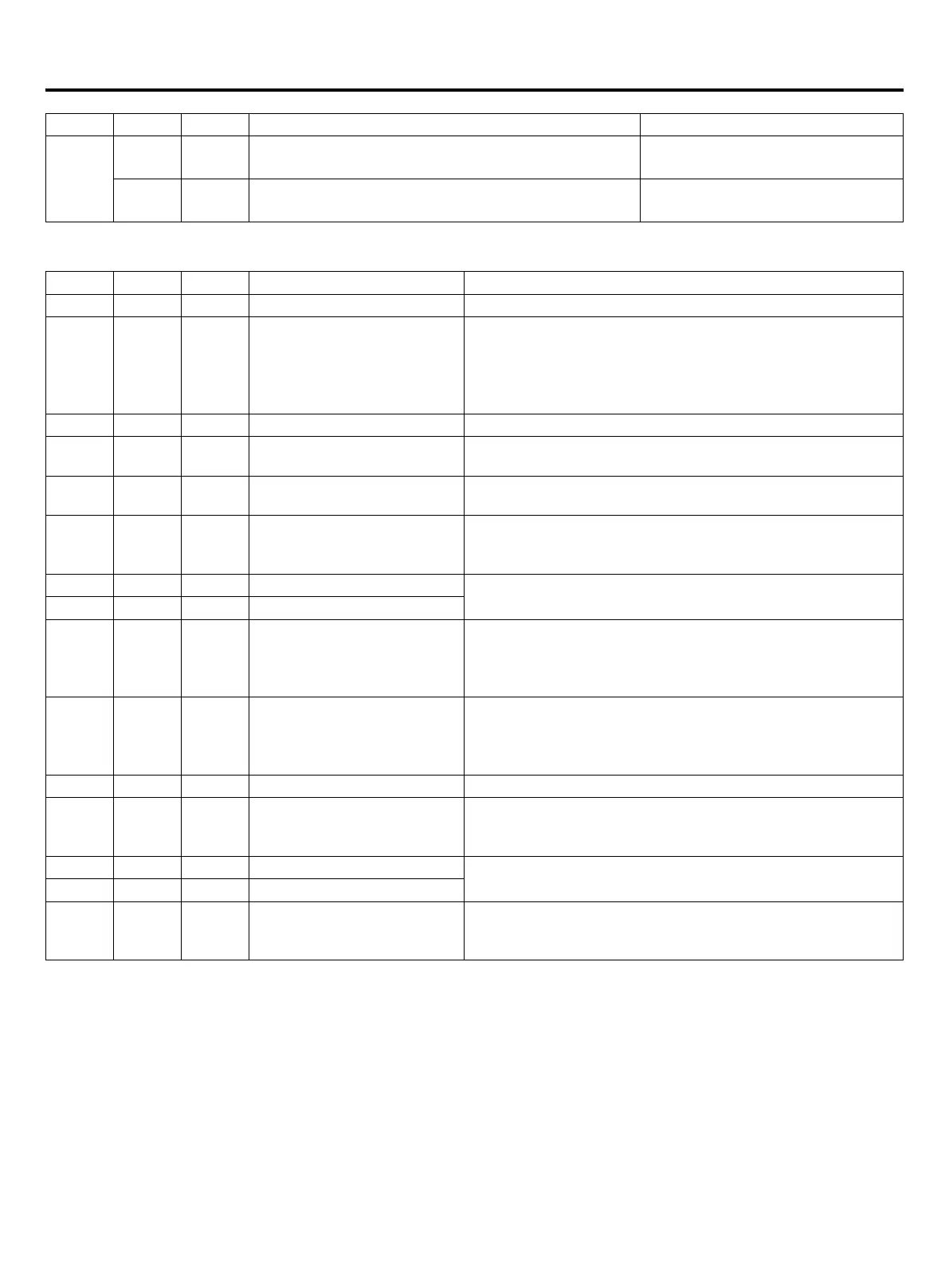
SW1 SW2 SW3 function Digital tube LD1 ~ 4 display
Outdoor
unit
address
0-3
14
(
E
)
15
(
F
)
Frequency converter INV1 module temperature Unit: degree
15
(
F
)
15
(
F
)
Frequency converter INV2 module temperature Unit: degree
③
System status display and control (host)
④
E2 control parameters display and setting
SW1 SW2 SW3 function Digital tube LD1 ~ 4 display
0 0 2 Refrigerant type 410A represents 410A refrigerant
0 1 2
The same outdoor unit total
number and total capacity
LD1
:
The total number of outdoor unit
LD2
:
Display “-”
LD3/ LD4
:
Total outdoor unit capacity (unit: Horse)
For example: 3-48 said 3 outdoor machines, with a total
capacity of 48 horses
0 2 2 Total indoor unit capacity 50 represents 50 horses
0 3 2
The indoor units within the
same system
For example: 64
0 4 2
Number of indoor unit
working
Temperature sensor ON as a sign of the work of the indoor
unit
0 5 2
With the outdoor unit running
mode the same indoor unit
number
For example: 13
0 6 2 Cooling target temperature
Unit: degree
0 7 2 Heating target temperature
0 8 2
Automatic recovery of
refrigerant
Note: the end of the recovery
must be canceled or reset
When the outdoor stops, press START (SW5) for 2 seconds,
display 1111, start. (the outdoor is set to work in a state of
operation)
Press STOP (SW6) for 2 seconds, display 0000, stop
0 10
(
A
)
2
Test run setup
Note: the end of the test run
must be canceled or reset
When the outdoor stops, press START (SW5) for 2 seconds,
display 1111, start. (the outdoor is set to work in a state of
operation)
Press STOP (SW6) for 2 seconds, display 0000, stop
0 11
(
B
)
2 Outdoor unit mode 0-normal C-only cool H-only heat
0 12
(
C
)
2
Indoor unit expansion valve
fully open
Press START (SW5) for 2 seconds, display 1111, indoor
valve fully open 2 minutes, 2 minutes after the automatic
shutdown valve
0 13
(
D
)
2 All the indoor unit for cooling
Press START (SW5) for 2 seconds, display 1111, fully open
;
Press STOP (SW6) for 2 seconds, 0000, closed
0 14
(
E
)
2 All the indoor unit for heating
0 15
(
F
)
2
Cancel all manual control
(running class)
Press START (SW5) for 2 seconds, display 1111 cancel; or
press STOP (SW6) for 2 seconds, display 0000, cancel
Remove all manual control (part), closed indoor unit
Each need to be set, setting method:
(1)Press START (SW5) for 2 seconds, display 1111, enter the set state, ashing display the current value
(2)According to UP (SW4) or DOWN (SW7) adjustment parameters
(3)After the adjustment is completed
<A> In the current state of the code, effectively set the time by pressing STOP (SW6) for 2 seconds, showing 0000,
keeping the current settings and exit the set state, stop ashing display, waiting for 2 minutes after the power off and then
re power up
<B> The current set time is not set by STOP (SW6) or change the dial selection, do not save the current set value, exit
the set state, stop ashing display
<C> Effective time setting: the machine with the contract number and set off a low temperature automatic operation
function for 10 minutes, the other for 30 seconds.
Electric wiring and the application


 To Next Page