43
①
Equipment installation
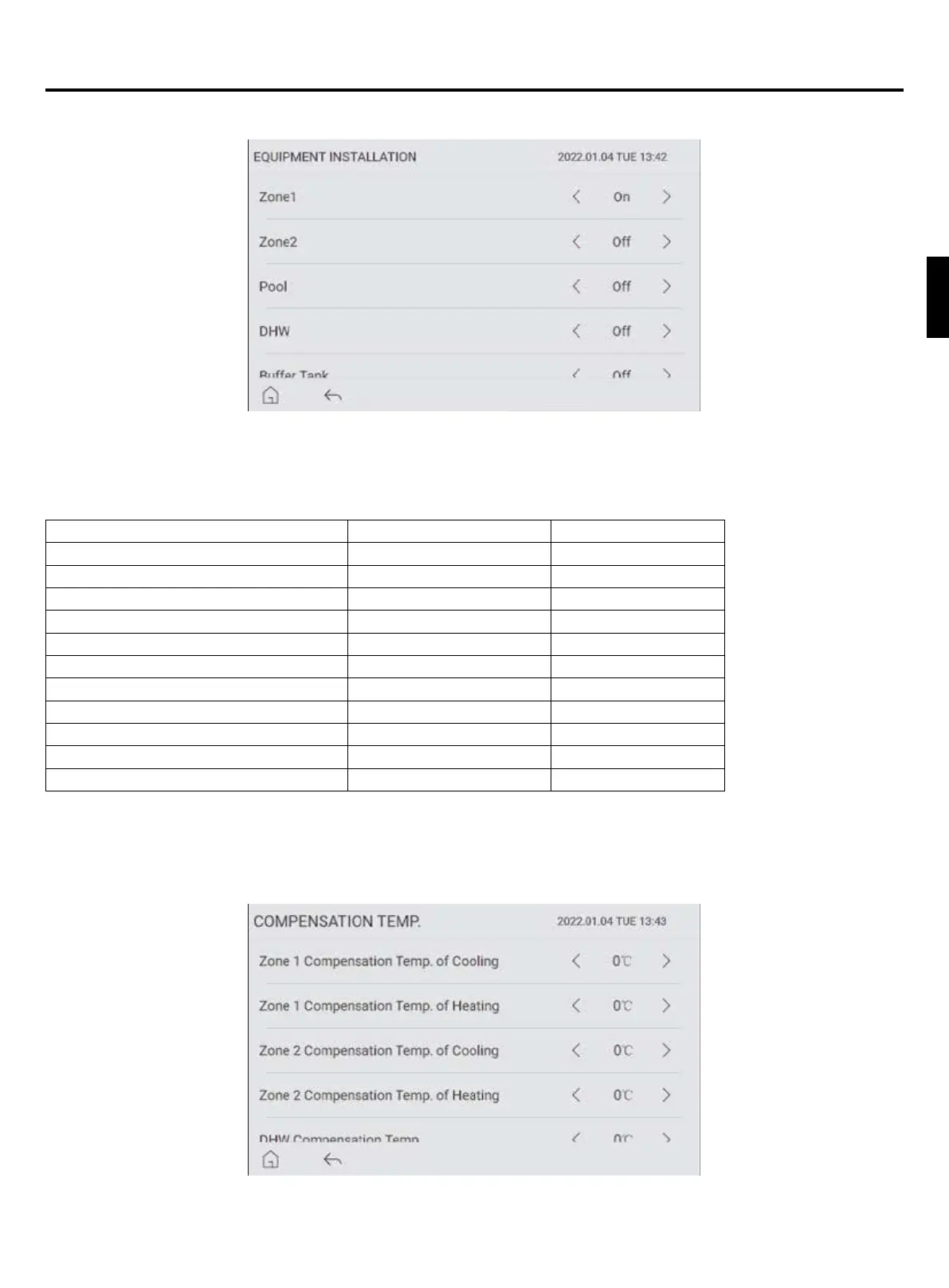
Picture 23
Tap “EQUIPMENT INSTALLATION” icon to enter the unit conguration interface. You can turn on or off the
corresponding functions in this interface.
Function Parameter Range Default
Zone 1 On/Off On
Zone 2 On/Off Off
Pool On/Off Off
DHW On/Off Off
Buffer Tank On/Off Off
Solar Thermistor On/Off Off
Allow Cool Mode On/Off On
Allow Cool Mode of Zone2 On/Off Off
SG Ready Control. On/Off Off
Bivalent Connection On/Off Off
Bivalent Temp. -20°C~20°C -10°C
Note: If one Zone in the system, set Zone 1 on; If two zones in the system, set Zone1 on and Zone 2 on.
②
Compensation Temp.
Tap “COMPENSATION TEMP.” icon in Picture 22 to enter the compensation temperature setting interface. You can set
the compensation temperature for each control object.
Picture 24
Operation instructions for controller
English


 To Next Page