EasyManua.ls Logo

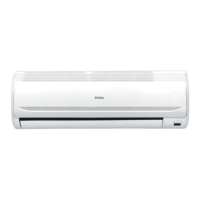
Haier HSU-05LEA03 - User Manual

Haier HSU-05LEA03
48 pages
Print Icon
To Next Page IconTo Next Page
Loading...
Please read this operation manual before using the air conditioner.
SPLIT TYPE ROOM AIR CONDITIONER
OPERATION MANUAL
HSU-05LEA03
HSU-09LEA03U
HSU-09LEA03
HSU-12LEA03
HSU-09LEA03G
HSU-07LEA03
HSU-12LEA03G
HSU-18LEA03U
HSU-18LEA03
HSU-22LEA03
HSU-18LEA03G
HSU-12LEA03U
HSU-22LEA03G
HSU-24LEA03
HSU-22LEA03U
0010517097
HSU-12HEA03
HSU-18HEA03
HSU-22HEA03

Questions and Answers

  • A
    andreagarciaAug 18, 2025
    Why is my Haier HSU-05LEA03 Air Conditioner cooling poorly?
    • C
      Courtney Meyer PhDAug 18, 2025
      Poor cooling in your Haier Air Conditioner can stem from several factors. Check if the air filter is dirty and clean it if needed, as it should be cleaned every 15 days. Ensure there are no obstructions blocking the air inlet or outlet. Verify that the temperature is set correctly and that all doors and windows are closed. If direct sunlight is entering the room, use curtains to block it. Finally, reduce the number of heat sources and people in the room.
  • A
    Aaron KimAug 20, 2025
    Why is my Haier HSU-05LEA03 not cooling well?
    • A
      amanda03Aug 20, 2025
      Several factors can impact the cooling performance of your Haier Air Conditioner. Check if the air filter is dirty and clean it every 15 days. Ensure there are no obstructions blocking the inlet and outlet. Verify that the temperature is set correctly and that all doors and windows are closed. Direct sunlight can also affect cooling, so use curtains. Finally, consider if there are excessive heat sources or too many people in the room.
  • M
    Maurice MorganAug 23, 2025
    What to do if my Haier HSU-05LEA03 doesn't restart immediately?
    • S
      Sara WarrenAug 23, 2025
      When your Haier Air Conditioner is stopped, it won't restart immediately for about 3 minutes. This is a protection mechanism for the system. If the electric plug is pulled out and reinserted, the protection circuit will activate for 3 minutes to protect the air conditioner.
  • E
    earmstrongAug 26, 2025
    How to change fan speed in dry mode on Haier HSU-05LEA03?
    • Y
      ybarrAug 26, 2025
      In DRY mode, when the room temperature is lower than the set temperature plus 2 degrees Celsius, your Haier Air Conditioner will run intermittently at LOW speed, regardless of the FAN setting.
  • B
    Benjamin TaylorAug 28, 2025
    Why is my Haier HSU-05LEA03 Air Conditioner making noise?
    • M
      Matthew NelsonAug 28, 2025
      Your Haier Air Conditioner may produce noise for several reasons. A swishing or gurgling sound, especially noticeable in the first few minutes of operation, is normal due to refrigerant flow. A cracking noise during operation is also normal, caused by the casing expanding or shrinking with temperature changes. However, a big noise from airflow could indicate a dirty air filter, which needs to be checked and cleaned.
  • C
    cuevasduaneAug 30, 2025
    How to stop my Haier HSU-05LEA03 Air Conditioner from generating smells?
    • D
      David WilkinsonAug 31, 2025
      The Haier Air Conditioner might be circulating smells from the room's interior, such as furniture, paint, or cigarettes. To address this, ensure proper ventilation and try to reduce the sources of the odor in the room.
  • K
    Karl OrtizSep 2, 2025
    What to do if my Haier Air Conditioner does not restart immediately?
    • C
      Cole DiazSep 2, 2025
      If your Haier Air Conditioner doesn't restart immediately after being stopped, this is normal. The unit has a built-in protection feature that delays restarting for 3 minutes to protect the system. If the electric plug is pulled out and reinserted, this protection circuit will also activate for 3 minutes. Wait for 3 minutes before attempting to restart the unit.
  • J
    James FigueroaSep 4, 2025
    Why is my Haier HSU-05LEA03 Air Conditioner blowing out mist or steam?
    • C
      Carlos MurphySep 5, 2025
      During COOL or DRY operation, your Haier Air Conditioner may blow out mist due to the sudden cooling of indoor air. This is a normal phenomenon during operation, so no action is required.
  • M
    Mrs. Stacie RamirezSep 7, 2025
    Why can't I change the fan speed in dry mode on my Haier HSU-05LEA03?
    • G
      gwendolyn83Sep 7, 2025
      In DRY mode, when the room temperature becomes lower than the temperature setting +2°C, the Haier Air Conditioner will run intermittently at LOW speed, regardless of the fan setting. This is normal operation for the unit in DRY mode, and no action is required.
  • M
    michael77Sep 10, 2025
    Why does my Haier HSU-05LEA03 Air Conditioner make noise?
    • M
      Michael WeaverSep 10, 2025
      Your Haier Air Conditioner might produce a swishing or gurgling noise due to refrigerant flowing in the system, especially noticeable in the first few minutes of operation. A cracking noise can occur because of the casing expanding or shrinking with temperature changes. If there's a loud noise from airflow, the air filter might be too dirty.


Summary

Cautions

Disposal of the old air conditioner

Instructions for safely and environmentally disposing of old air conditioners.

Disposal of the packaging of your new air conditioner

Guidance on recycling and disposing of new air conditioner packaging materials.

Safety Instructions and Warnings

Important observations relating to assembly, operation, and maintenance.

Specifications

Details applicable ambient temperature ranges for cooling and heating operations.

Safety Instruction

General instructions and warnings categorized by risk level: WARNING and CAUTION.

Installation

Guidelines and warnings related to the proper installation of the air conditioner.

Parts and Functions

Indoor Unit

Identifies and illustrates the components of the indoor unit of the air conditioner.

Outdoor Unit

Shows diagrams and labels for the outdoor unit components, along with model numbers.

Remote controller

Details the buttons and display of the remote controller, including operation mode and clock setting.

Clock set

Provides step-by-step instructions for setting the clock on the remote controller.

Hints

Tips on remote controller self-check after battery replacement and notes for cooling-only units.

Operation

Remote controllers operation

Guidelines on using the remote controller, including signal transmission distance and handling.

Loading of the battery

Instructions for removing and installing batteries in the remote controller.

Power failure resume

Explains how the unit resumes operation after a power outage and precautions.

Auto Operation

How to start, select mode, set fan speed, and stop the unit in Auto operation mode.

Hints

Notes on remote controller memory, cooling-only units, and display information.

Cool Operation

Steps for starting, selecting mode, setting temperature, adjusting fan speed, and stopping in Cool mode.

Hints

Notes on remote controller memory and cooling-only units regarding Cool operation.

Dry Operation

Instructions for starting, mode selection, temperature setting, fan speed, and stopping in Dry mode.

Hints

Notes on remote controller memory and cooling-only units regarding Dry operation.

Heat Operation

How to start, select mode, set temperature, adjust fan speed, and stop in Heat mode.

Hints

Notes on remote controller memory and cooling-only units regarding Heat operation.

Fan Operation

Steps for starting, selecting mode, adjusting fan speed, and stopping in Fan mode.

Hints

Notes on FAN mode limitations, such as no cooling/heating, disabled temp. setting, and no sleep function.

Air Flow Direction Adjustment

Covers horizontal flap status, up/down air flow control via remote, and manual left/right adjustment.

Cautions

Warnings regarding manual flap adjustment, condensate water, and airflow.

Hints

Suggests adjusting airflow horizontally for better circulation in COOL mode.

Comfortable SLEEP

Explains how to use the SLEEP function for a comfortable sleep experience.

Operation Mode

Details sleep function behavior in COOL/DRY, HEAT, AUTO, and FAN modes, including timer interactions.

Power Failure Resume Function

Explains how to enable/disable power failure resume and the 3-minute compressor delay.

HEALTH Operation

How to activate, use, and cancel the HEALTH anion function.

Brief introduction to health anion function

Explains the benefits of the anion generator for air purification and health.

Timer On;Off Operation

Instructions for setting timer ON, timer OFF, and timer ON-OFF functions.

To cancel TIMER mode

How to disable timer functions by pressing the TIMER button.

Hints

Notes on resetting time after battery replacement/power failure and remote memory function for timers.

Time confirming for TIMER ON

How to confirm the ON timer setting and what the display indicates.

Time setting for TIMER OFF

Procedures for setting the OFF timer, similar to setting the ON timer.

Time confirming for TIMER OFF

How to confirm the OFF timer setting and what the display indicates.

To cancel TIMER mode

How to disable timer functions by pressing the TIMER button.

Emergency operation

How to use the unit via the emergency switch when the remote is lost or defective.

Test operation

Instructions for performing a test operation, especially in low temperatures, and its duration.

Removal of the restriction of emergency or test operation

How to terminate emergency or test operation using the switch or remote.

Maintenance

For Smart Use of The Air Conditioner

General advice for efficient and effective use of the air conditioner.

Setting of proper room temperature

Recommendation to set appropriate room temperatures for comfort.

Do not block the air inlet or outlet

Warning against obstructing airflow to maintain cooling efficiency.

Close doors and windows during operation

Advice to keep doors/windows closed during operation to maintain performance.

Use the timer effectively

Suggests utilizing the timer function for efficient operation.

If the unit is not to be used for a long time, turn off the power supply main switch.

Instruction to disconnect power when the unit is not in use for extended periods.

Use the louvers effectively

Recommends effective use of louvers for air direction control.

Remote Controller

Cleaning instructions for the remote controller.

Indoor Body

Cleaning instructions for the indoor unit's body using soft cloth and mild detergent.

Do not use the following for cleaning

Lists substances like gasoline, thinner, hot water that should not be used for cleaning.

Air Filter cleaning

Step-by-step guide for cleaning the air filter, including removal, washing, and reattachment.

Replacement of Air Purifying Filter

Detailed instructions for opening the grille, detaching, installing, and closing after air purifying filter replacement.

ATTENTION

Notes on the correct orientation of photocatalyst and bacteria-killing filters.

NOTE

Information on the usage and maintenance of photocatalyst and bacteria-killing filters.

Trouble shooting

Normal Performance inspection

Common phenomena like no restart, noise, smells, and their causes or checks.

Multiple check

Troubleshooting for poor cooling, including checks for power, filter, obstacles, settings, and room conditions.

Haier HSU-05LEA03 Specifications

General IconGeneral
BrandHaier
ModelHSU-05LEA03
CategoryAir Conditioner
LanguageEnglish

Related product manuals