EasyManua.ls Logo

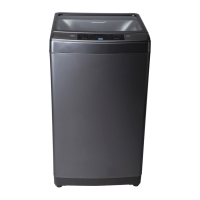
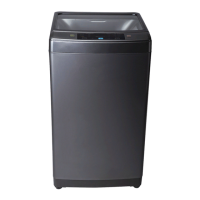
Haier HWM70-10 - User Manual

Haier HWM70-10
20 pages
Print Icon
To Next Page IconTo Next Page
Loading...
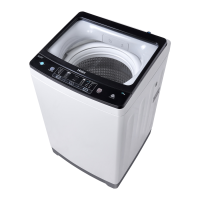
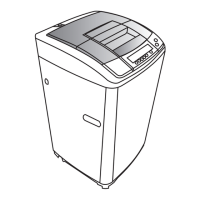
Full Automatic Washing Machine
With Pump
User's manual
This manual is for
Please read this manual
carefully before using.
Retain it for future reference.
HWM70-10
User's manual

Questions and Answers

  • J
    Jose MartinezJul 29, 2025
    What to do if my Haier HWM70-10 displays 'E1' and isn't draining properly?
    • D
      deleonthomasJul 29, 2025
      If your Haier Washer displays 'E1' and the draining is slow or not working, the drain hose might be blocked or frozen. Clean any foreign material from the drain hose. If frozen, thaw it. Opening and closing the top lid once may also help. If the pump has been running for a long time in hot weather, the power may have been cut off automatically for safety reasons. The machine will continue to work after some minutes.
  • V
    Victoria EvansAug 14, 2025
    Why does my Haier Washer ring and display 'E0' after starting the reservation?
    • N
      Nicole GarciaAug 14, 2025
      If your Haier Washer rings and displays 'E0' after starting the reservation, it's likely because the top lid is not closed properly. Make sure to close the top lid completely.

Summary

Safety Precautions

Electrical Safety

Covers plug usage, power cord care, and grounding for safe operation.

Environmental & Laundry Restrictions

Advises against damp places, hot water, blocking vents, and washing waterproof items.

Additional Safety Precautions

Operational Safety Warnings

Warns against reaching into the machine, self-repair, heavy items, volatile materials, and use by children/handicapped.

Installation and Adjustment

Installing Lint Filter and Bottom Plate

Guides on fitting the lint filter and attaching the bottom plate securely.

Water Inlet Hose Installation

Connecting Hose to Tap

Provides step-by-step instructions for attaching the inlet hose jointer to the water faucet.

Loading and Detergent Usage

Operation Buttons and Indicators

Button Functions Overview

Describes the purpose of indicator lights and key buttons like Water Level and Program Selection.

Advanced Operation Controls

Start, Pause, Power, and Numeral Tube

Details the function of START/PAUSE, POWER ON/OFF buttons, and numeral tube indicators.

Step-by-Step Operation

Guided Washing Procedure

Illustrates the sequence of pressing buttons for program selection and wash start.

Program Details and Water Level

Program Timing and Start

Troubleshooting and Common Issues

Resolving Specific Breakdowns

Lists phenomena, their causes, and solutions for common operational errors.

Haier HWM70-10 Specifications

General IconGeneral
BrandHaier
ModelHWM70-10
CategoryWasher
LanguageEnglish

Related product manuals