6
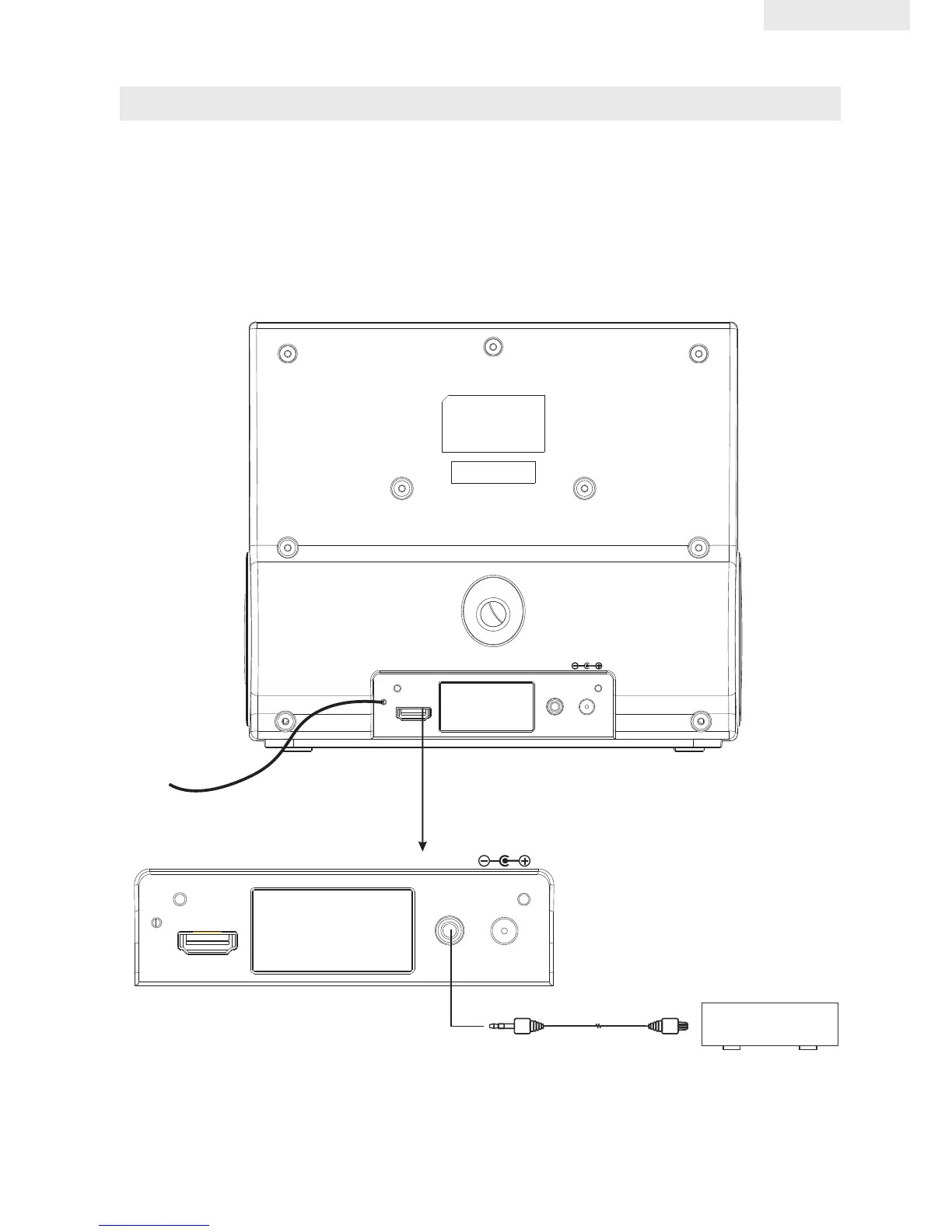
CONNECTING EXTERNAL DEVICES
Plug x 1 Plug x 1
Cable(not supplied)
EXTERNAL DEVICE
NOTE: If an iPod, iPhone, iPad is docked, it must be removed before you can listen to the
AUX input.
Complete the connections as shown below:
• VIDEO connection requires a HDMI cable(not supplied). See “Video Operation” for
details.
• AUX connection requires a 3.5mm audio cable(not supplied) to connect your external
audio source to the AUX input on the back of the main unit.
FM ANT.
AUX IN
DC IN 8.5V
HDMI
FM ANT.
AUX IN
DC IN 8.5V
HDMI
ENGLISH



 To Next Page