EasyManua.ls Logo

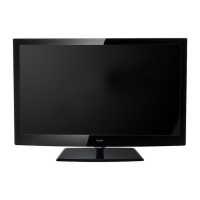
Haier L39Z10A - User Manual

Haier L39Z10A
24 pages
Print Icon
To Next Page IconTo Next Page
Loading...
MODEL:
L39Z10A
LCD TV RECEIVER
USER MANUAL
Please read this manual carefully before
using your television and keep this manual
in a good place for future reference.

Other manuals for Haier L39Z10A

Question and Answer IconNeed help?

Do you have a question about the Haier L39Z10A and is the answer not in the manual?

Summary

Cautionary Information

Electrical Shock Hazard Warning

Alerts users to the risk of electric shock from un-insulated dangerous voltage.

Important Information Warning

Indicates important operating and maintenance instructions in the accompanying literature.

Safety Information

Mains Supply Precautions

Ensuring correct voltage (100-240V AC) and avoiding damage from incorrect sources.

Mains Plug Safety

Guidelines for handling mains plugs, including cutting off and fuse replacement.

Safe Use and Care

Advice on safe operation, handling spills, damage, and unattended use.

Ventilation Requirements

Proper placement and spacing for ventilation to prevent overheating and fire risk.

Additional Safety Information

Mains Lead Protection

Ensuring the mains lead is not walked on, crushed, chafed, cut, or trapped.

Stand and Slot Insertion Warnings

Prohibiting makeshift stands and insertion of objects into slots to prevent injury.

Servicing and Repair Advice

Recommending qualified service agents for any malfunctions, not self-repair.

Thunderstorm Precautions

Unplugging the TV and disconnecting the aerial lead during thunderstorms.

General Safety Warnings and Cautions

Covers explosion risk from batteries, liquid exposure, flame sources, and domestic use.

Accessories & Technical Specifications

TV Connections Guide

Remote Control Operation

Remote Control Basics

Explains pointing the remote towards the TV and its effective range and angle.

Remote Control Button Functions (Part 1)

Details functions of power, source, number, and menu navigation buttons.

Remote Control Button Functions (Part 2)

Explains picture, sound, sleep, display, mute, channel, and volume controls.

Basic Operation

Power On;Off Procedure

Step-by-step instructions for turning the TV on and off using the power button.

Input Source Selection

How to select the input source menu and choose the desired input using the remote.

Basic OSD Menu Navigation

Guide to accessing the OSD menu, selecting main menus, and submenus.

CHANNEL Menu Operations

Auto Tuning Function

Steps to initiate and cancel the automatic channel tuning process.

ATV Manual Tuning

Guide to manual tuning for analogue TV, including channel selection and fine-tuning.

PICTURE Menu Settings

Picture Adjustment Parameters

Details on adjusting Contrast, Brightness, Color, Tint, and Sharpness in User mode.

SOUND Menu Settings

Audio Adjustment Controls

Adjusting Treble, Bass, Balance, and Auto Volume for preferred sound.

Multimedia Operation

Simple Troubleshooting

No Power Issues

Steps to resolve power-related problems, checking connections and buttons.

No Picture or Sound Problems

Troubleshooting steps for issues with picture or sound reception.

Summary

Cautionary Information

Electrical Shock Hazard Warning

Alerts users to the risk of electric shock from un-insulated dangerous voltage.

Important Information Warning

Indicates important operating and maintenance instructions in the accompanying literature.

Safety Information

Mains Supply Precautions

Ensuring correct voltage (100-240V AC) and avoiding damage from incorrect sources.

Mains Plug Safety

Guidelines for handling mains plugs, including cutting off and fuse replacement.

Safe Use and Care

Advice on safe operation, handling spills, damage, and unattended use.

Ventilation Requirements

Proper placement and spacing for ventilation to prevent overheating and fire risk.

Additional Safety Information

Mains Lead Protection

Ensuring the mains lead is not walked on, crushed, chafed, cut, or trapped.

Stand and Slot Insertion Warnings

Prohibiting makeshift stands and insertion of objects into slots to prevent injury.

Servicing and Repair Advice

Recommending qualified service agents for any malfunctions, not self-repair.

Thunderstorm Precautions

Unplugging the TV and disconnecting the aerial lead during thunderstorms.

General Safety Warnings and Cautions

Covers explosion risk from batteries, liquid exposure, flame sources, and domestic use.

Accessories & Technical Specifications

TV Connections Guide

Remote Control Operation

Remote Control Basics

Explains pointing the remote towards the TV and its effective range and angle.

Remote Control Button Functions (Part 1)

Details functions of power, source, number, and menu navigation buttons.

Remote Control Button Functions (Part 2)

Explains picture, sound, sleep, display, mute, channel, and volume controls.

Basic Operation

Power On;Off Procedure

Step-by-step instructions for turning the TV on and off using the power button.

Input Source Selection

How to select the input source menu and choose the desired input using the remote.

Basic OSD Menu Navigation

Guide to accessing the OSD menu, selecting main menus, and submenus.

CHANNEL Menu Operations

Auto Tuning Function

Steps to initiate and cancel the automatic channel tuning process.

ATV Manual Tuning

Guide to manual tuning for analogue TV, including channel selection and fine-tuning.

PICTURE Menu Settings

Picture Adjustment Parameters

Details on adjusting Contrast, Brightness, Color, Tint, and Sharpness in User mode.

SOUND Menu Settings

Audio Adjustment Controls

Adjusting Treble, Bass, Balance, and Auto Volume for preferred sound.

Multimedia Operation

Simple Troubleshooting

No Power Issues

Steps to resolve power-related problems, checking connections and buttons.

No Picture or Sound Problems

Troubleshooting steps for issues with picture or sound reception.

Haier L39Z10A Specifications

General IconGeneral
Screen Size39 inches
Aspect Ratio16:9
USB Ports1
Refresh Rate60 Hz
Sound Output10W x 2
Resolution1366 x 768 pixels
Built-in TunerYes

Related product manuals