EasyManua.ls Logo

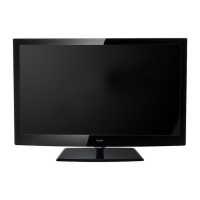
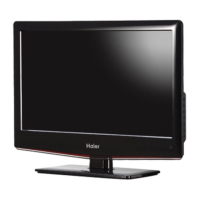
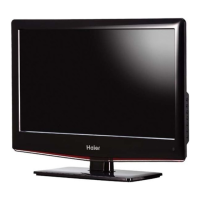
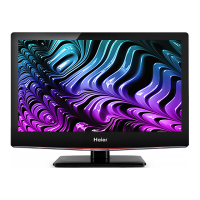
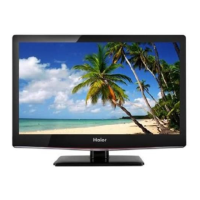
Haier L1920A-C - User Manual

Haier L1920A-C
34 pages
Print Icon
To Next Page IconTo Next Page
Loading...
USER'S MANUAL
LCD TV RECEIVER
Please read this manual carefully before
using your television and keep this manual
In a good place for future reference.
MODEL:
L1510A-C,L1920A-C

Questions and Answers

Summary

Safety Notice Items

General Safety Precautions

Key safety instructions for installation, usage, and cleaning to prevent hazards.

Connection Options

Remote Control Key Functions

Remote Control Buttons

Detailed list and description of each button on the remote control.

Remote Control Usage

Remote Control Precautions

Important precautions for optimal remote control performance and signal reception.

Connection Instructions

Grounding

Instructions on proper grounding methods to prevent electric shock.

PC Setup

PC Connection and Usage

Connect and configure the LCD-TV to use as a monitor for a personal computer via VGA.

Basic Operating Instructions

Powering On the TV

Steps to power on the LCD-TV and enter standby mode.

Channel Selection

How to select TV channels using number keys and the -/- button.

Menu Operations

Picture Menu Options

Adjust picture quality settings like brightness, contrast, sharpness, and color.

Picture Menu Adjustments

Detailed Picture Settings

Explanation of Brightness, Contrast, Sharpness, Saturation, Hue, Color Temp settings.

Audio Menu Options

Sound Setting Adjustments

Adjust sound settings like volume, balance, bass, treble, and audio mode.

Audio Menu Adjustments

Detailed Audio Settings

Explanation of Volume, Balance, Bass, Treble, Audio Mode, AVL settings.

Tuning Menu Options (TV Mode)

TV Tuning Parameters

Adjust TV tuning parameters: Channel, Color System, Sound System, Skip, AFC, Fine Tune.

Tuning Menu Options Continued

Basic Playback

Advanced Playback

Special Function Playback

DVD System Setup

Preference Page Settings

Settings for TV Type, Parental Control, and Password, applied when no disc is inserted.

Playable Discs

Troubleshooting Guide

Picture and Sound Issues

Troubleshooting for no picture, blank screen, no sound, or poor sound.

Channel and Color Problems

Troubleshooting for no picture in some channels or color issues.

Picture Anomalies and Control Issues

Troubleshooting for spots on picture and loss of television control.

Specifications

Summary

Safety Notice Items

General Safety Precautions

Key safety instructions for installation, usage, and cleaning to prevent hazards.

Connection Options

Remote Control Key Functions

Remote Control Buttons

Detailed list and description of each button on the remote control.

Remote Control Usage

Remote Control Precautions

Important precautions for optimal remote control performance and signal reception.

Connection Instructions

Grounding

Instructions on proper grounding methods to prevent electric shock.

PC Setup

PC Connection and Usage

Connect and configure the LCD-TV to use as a monitor for a personal computer via VGA.

Basic Operating Instructions

Powering On the TV

Steps to power on the LCD-TV and enter standby mode.

Channel Selection

How to select TV channels using number keys and the -/- button.

Menu Operations

Picture Menu Options

Adjust picture quality settings like brightness, contrast, sharpness, and color.

Picture Menu Adjustments

Detailed Picture Settings

Explanation of Brightness, Contrast, Sharpness, Saturation, Hue, Color Temp settings.

Audio Menu Options

Sound Setting Adjustments

Adjust sound settings like volume, balance, bass, treble, and audio mode.

Audio Menu Adjustments

Detailed Audio Settings

Explanation of Volume, Balance, Bass, Treble, Audio Mode, AVL settings.

Tuning Menu Options (TV Mode)

TV Tuning Parameters

Adjust TV tuning parameters: Channel, Color System, Sound System, Skip, AFC, Fine Tune.

Tuning Menu Options Continued

Basic Playback

Advanced Playback

Special Function Playback

DVD System Setup

Preference Page Settings

Settings for TV Type, Parental Control, and Password, applied when no disc is inserted.

Playable Discs

Troubleshooting Guide

Picture and Sound Issues

Troubleshooting for no picture, blank screen, no sound, or poor sound.

Channel and Color Problems

Troubleshooting for no picture in some channels or color issues.

Picture Anomalies and Control Issues

Troubleshooting for spots on picture and loss of television control.

Specifications

Haier L1920A-C Specifications

General IconGeneral
Display TechnologyLCD
Screen Size19 inches
Response Time5 ms
Viewing Angle (V)160 degrees
Input ConnectorsVGA

Related product manuals