EasyManua.ls Logo

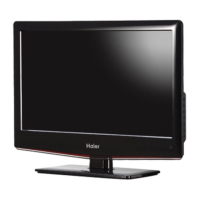
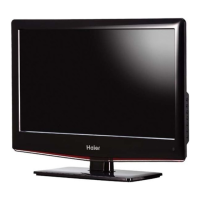
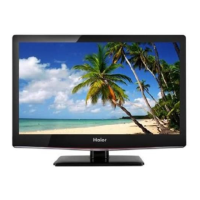
Haier LT32F6 - User Manual

Haier LT32F6
52 pages
Print Icon
To Next Page IconTo Next Page
Loading...
LCD TV RECEIVER
USER MANUAL
MODEL:
LT32F6
LTF37F6
LTF42F6
Please read this manual carefully before
using your television and keep this manual
in a good place for future reference.

Other manuals for Haier LT32F6

Questions and Answers

Summary

Important Safety Instructions

General Safety Precautions

Warnings and important information for safe appliance operation.

Remote Control Buttons

Know Your Machine

Rear Connections

Details the input/output ports on the rear of the TV.

Side Connections

Details the input/output ports on the side of the TV.

Wall Mounting

Removing the Stand

Steps for removing the stand and preparing for wall mounting.

Wall Mounting Installation

Attaching to Bracket

Instructions for attaching the TV to a wall bracket using screws.

Antenna and Power Connection

Antenna Connection

Instructions for connecting the antenna plug to the TV's input.

Power Cord Connection

Guidelines for connecting the AC power cord to the mains socket.

Tuning Menu Options

Initial Setup Wizard

Steps for initial setup, including language and country selection.

Country and Mode Selection

Selecting the country and operating mode (Home/Shop).

Tuning Menu Options - Advanced

Scan Mode and Tuner Setup

Configuring scan modes and tuner types (Antenna/Cable).

Country and Mode Settings

Selecting country and mode for initial setup.

Tuning Menu Options - Scanning

Channel Scan Initiation

Options to start or skip the channel scan process.

Other Connections - PC & HDMI

VGA Input for PC Monitor

Using the TV as a monitor for a personal computer via VGA.

HDMI Input

Connecting HDMI devices for high-definition video and audio.

Menu Operation

OSD Menu and Picture Settings

Accessing OSD and adjusting picture settings like brightness, contrast, colour, tint, sharpness.

Sound, TV, and Features Settings

Configuring sound modes, TV channels, languages, and special features.

Menu Operation - Picture Details

Smart Picture Modes

Selecting predefined picture settings like Standard, Vivid, Movie, Eco, Personal.

Picture Adjustments

Fine-tuning Brightness, Contrast, Colour, Tint, and Sharpness.

Menu Operation - Sound Options

Sound Mode and Equalizers

Selecting sound modes and adjusting bass, tenor, neutral, treble, descant.

Digital Audio Output

Selecting digital audio output type (Off, Dolby Digital, PCM).

Menu Operation - TV Settings

Tuner Mode and Country

Selecting tuner mode and country for optimal reception.

Channel Management Menu

Accessing sub-menu for channel scanning and editing.

Menu Operation - Channel Scanning

Update Scan and Single RF Scan

Performing automatic updates or single RF scans for channels.

Analogue Manual Scan

Manually tuning analogue channels by frequency.

Menu Operation - Parental Controls

Parental Lock and Guidance

Blocking channels and controlling access based on age ratings.

Photo Viewing

Connecting USB Device

Connecting a USB storage device for photo viewing.

Browsing Photos

Navigating USB files and selecting photos for display.

Photo Viewing - Slideshow Options

Full Screen Photo Display

Viewing selected photos in full screen mode.

PVR Recording & Viewing

PVR Recording & Viewing - Playback

Time Shift Function

Time Shift Overview

Pausing and recording watched digital programs.

Recording DTV Programs

Steps to pause and record DTV programs to USB.

Troubleshooting

Picture and Sound Issues

Solutions for problems like no picture, abnormal colours, or no audio.

Specifications

Summary

Important Safety Instructions

General Safety Precautions

Warnings and important information for safe appliance operation.

Remote Control Buttons

Know Your Machine

Rear Connections

Details the input/output ports on the rear of the TV.

Side Connections

Details the input/output ports on the side of the TV.

Wall Mounting

Removing the Stand

Steps for removing the stand and preparing for wall mounting.

Wall Mounting Installation

Attaching to Bracket

Instructions for attaching the TV to a wall bracket using screws.

Antenna and Power Connection

Antenna Connection

Instructions for connecting the antenna plug to the TV's input.

Power Cord Connection

Guidelines for connecting the AC power cord to the mains socket.

Tuning Menu Options

Initial Setup Wizard

Steps for initial setup, including language and country selection.

Country and Mode Selection

Selecting the country and operating mode (Home/Shop).

Tuning Menu Options - Advanced

Scan Mode and Tuner Setup

Configuring scan modes and tuner types (Antenna/Cable).

Country and Mode Settings

Selecting country and mode for initial setup.

Tuning Menu Options - Scanning

Channel Scan Initiation

Options to start or skip the channel scan process.

Other Connections - PC & HDMI

VGA Input for PC Monitor

Using the TV as a monitor for a personal computer via VGA.

HDMI Input

Connecting HDMI devices for high-definition video and audio.

Menu Operation

OSD Menu and Picture Settings

Accessing OSD and adjusting picture settings like brightness, contrast, colour, tint, sharpness.

Sound, TV, and Features Settings

Configuring sound modes, TV channels, languages, and special features.

Menu Operation - Picture Details

Smart Picture Modes

Selecting predefined picture settings like Standard, Vivid, Movie, Eco, Personal.

Picture Adjustments

Fine-tuning Brightness, Contrast, Colour, Tint, and Sharpness.

Menu Operation - Sound Options

Sound Mode and Equalizers

Selecting sound modes and adjusting bass, tenor, neutral, treble, descant.

Digital Audio Output

Selecting digital audio output type (Off, Dolby Digital, PCM).

Menu Operation - TV Settings

Tuner Mode and Country

Selecting tuner mode and country for optimal reception.

Channel Management Menu

Accessing sub-menu for channel scanning and editing.

Menu Operation - Channel Scanning

Update Scan and Single RF Scan

Performing automatic updates or single RF scans for channels.

Analogue Manual Scan

Manually tuning analogue channels by frequency.

Menu Operation - Parental Controls

Parental Lock and Guidance

Blocking channels and controlling access based on age ratings.

Photo Viewing

Connecting USB Device

Connecting a USB storage device for photo viewing.

Browsing Photos

Navigating USB files and selecting photos for display.

Photo Viewing - Slideshow Options

Full Screen Photo Display

Viewing selected photos in full screen mode.

PVR Recording & Viewing

PVR Recording & Viewing - Playback

Time Shift Function

Time Shift Overview

Pausing and recording watched digital programs.

Recording DTV Programs

Steps to pause and record DTV programs to USB.

Troubleshooting

Picture and Sound Issues

Solutions for problems like no picture, abnormal colours, or no audio.

Specifications

Haier LT32F6 Specifications

General IconGeneral
Screen Size32 inches
Display TypeLED
HDMI Ports2
USB Ports1
Aspect Ratio16:9
Refresh Rate60 Hz
Built-in SpeakersYes
Resolution1366 x 768 pixels

Related product manuals