Features
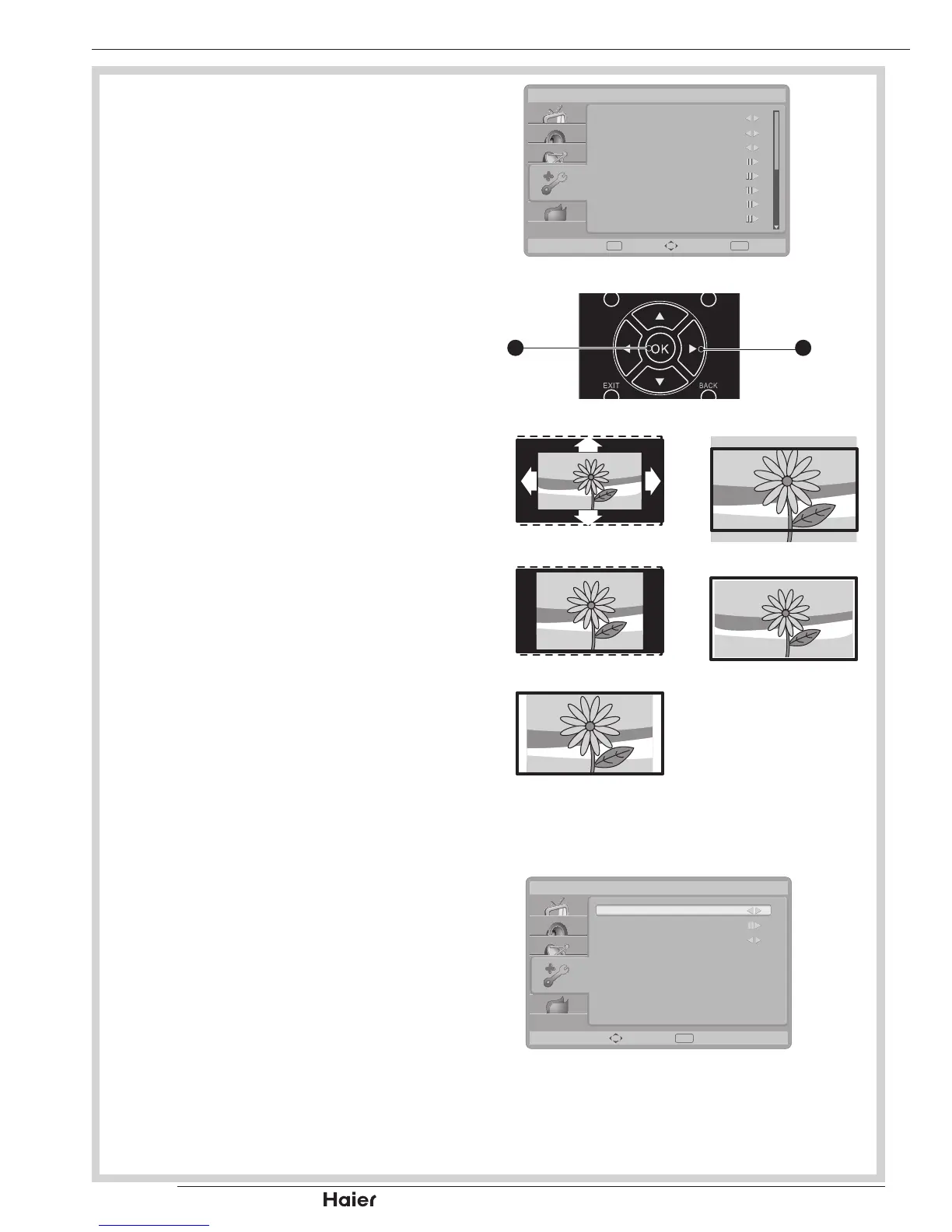
Menu Language
To select the on-screen display menu •
language.
See g. 57.
4:3 mode
Select aspect ratio behavior for Auto •
mode. When 4:3 is selected, the picture
size will follow WSS or Scart Pin8
Spec. If 16:9 is selected, the picture
format will change to wide screen.
Picture Format
Auto: • DTV and HDMI input will
automatically display the correct format,
while ATV and SCART will need to be
set.
See g. 59.
Nomal:• Displays the classic 4:3 format.
ZOOM 2:• Scales the classic 4:3 format
to 16:9.
Wide screen: • Stretches the classic 4:3
format to 16:9.
ZOOM 1: • Scales the classic 4:3 format
to 14:9.
Native (only in HDMI mode):•
Performed all content without
underscan.
Time
Time zone:• To select the time zone you
are in.
See g. 60.
Time:• To set the time and date or
select auto synchronisation.
Tip: Before setting the time and
date manually, make sure Auto
synchronisation is Off.
MENU OPERATION


 To Next Page