TELETEXT
(Designed for Europe PAL/SECAM/DVB-T
systems only)
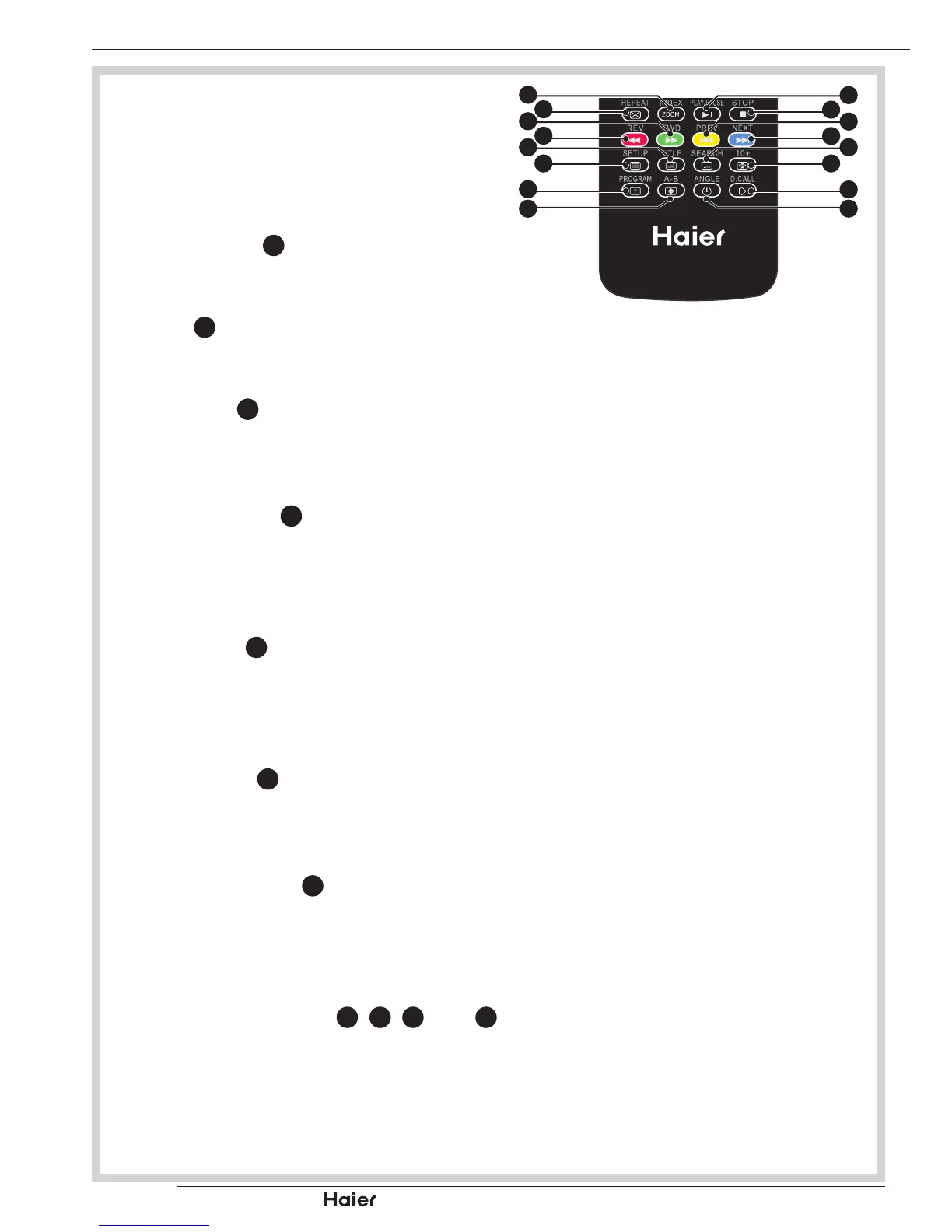
See g. 88.
Index
Press INDEX •
14
to return to page 100.
Mix
Press •
18
to active teletext with TV.
Text
Press Text •
19
to activate Teletext. Press
again to turn off Teletext.
Reveal
Press REVEAL •
20
to display hidden
information such as answers to a quiz
and MHEG CANCEL function.
Size
Press SIZE •
21
to change the screen
size: Full screen, Top half and Bottom
half.
Hold
Press HOLD •
24
to stop the scrolling of
pages, press again to continue.
Subcode
Press SUBCODE•
25
to select the
subpage when the current page
contains subpage(s).
Colour Buttons (R/G/Y/B)
Press Colour Buttons •
17
,
16
,
27
, and
26
to select from on screen options, which
have the same coloured text.


 To Next Page