Connecting to Power
Check that the voltage marked on the product corresponds with your supply
voltage.
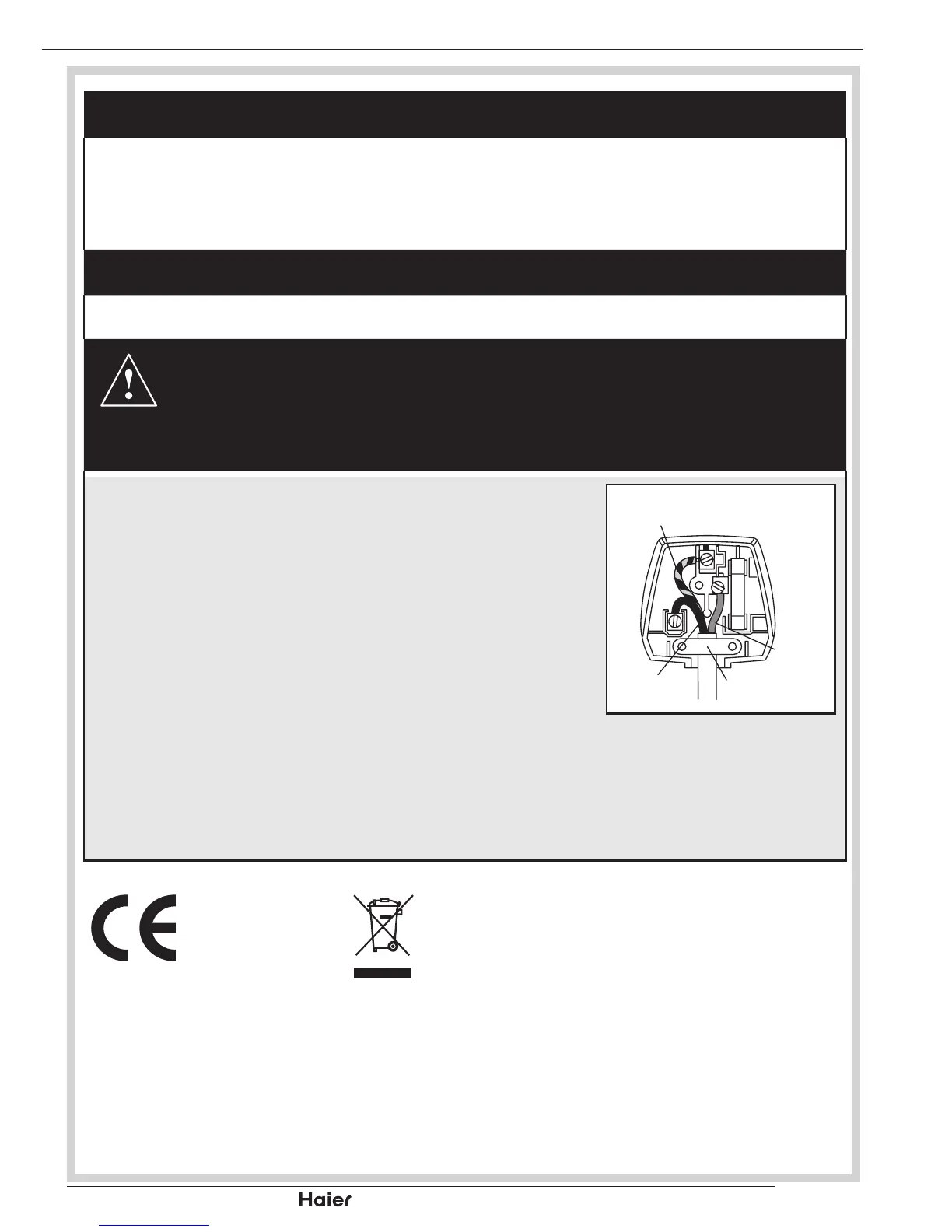
This product is tted with a 10A plug complying with BS1363. If this plug is
unsuitable or needs to be replaced, please note the following :
Plug Replacement
If you need to replace the tted plug, refer to the notes below:
WARNING :
Never connect live or neutral wires to the earth terminal of the plug.
Only t an approved 13 Amp BS1363/A plug and the correct rated fuse.
If in doubt, consult a qualied electrician.
IMPORTANT
The wires in this mains lead are coloured as follows:
Blue-Neutral
Brown-Live
As the colours of the wires in the mains lead of this
apparatus may not correspond with the coloured
markings identifying the terminals in your plug,
proceed as follows:
The wire which is coloured blue must be connected to
the terminal which is marked with N or coloured blue. The wire which is coloured
brown must be connected to the terminal which is marked L or coloured brown.
Always ensure that the plug cord grip is fastened correctly.
If a 13A (BS1363) fused plug is used it must be tted with a 3A fuse conforming
to BS1362 and be ASTA approved. If in doubt contact a qualied electrician.
The shipped version of this device compiles with
requirements of EEC directives 2004/108/CE
“Electomagnetic compatibility and 2006/95/EC “Low
voltage directive”.
TPV Technology Group
Lahnstrasse 86 A, 12055 Berlin, Germany


 To Next Page