VGA INPUT
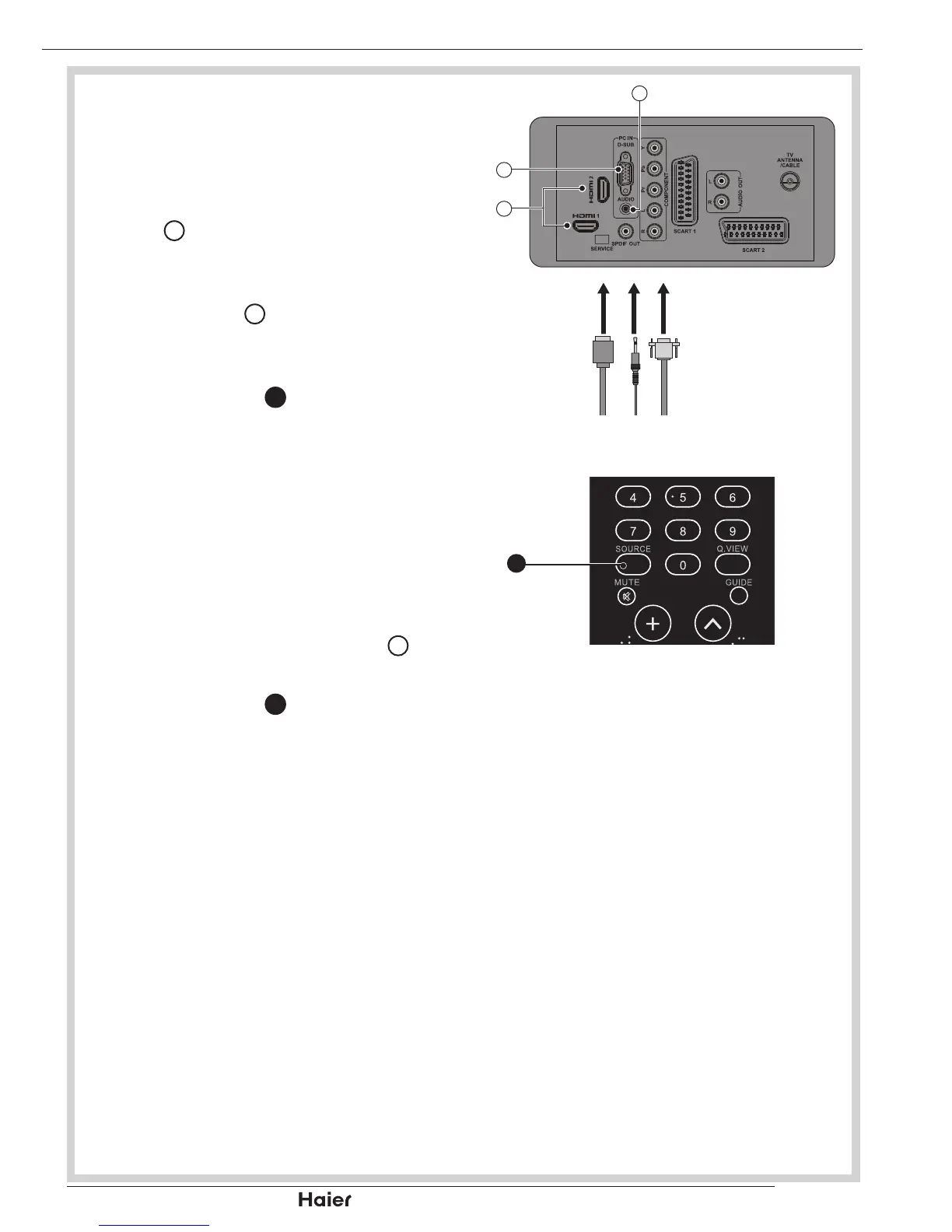
You can use your TV as a monitor for •
your personal computer.
Connect the D type 15-pin VGA 1.
interface cable (not supplied) to VGA
Input
24
.
See g. 25.
Connect the audio cable (not supplied) 2.
to Audio Input
20
on the back of the TV
(if necessary).
See g. 25.
Press SOURCE 3.
8
to select the PC
input.
See g. 26.
HDMI INPUT
CAUTION: You must ensure both
devices are switched off before
connection.
Connect the cable from the HDMI 1.
devices to the TV HDMI Input
23
.
See g. 25.
Press SOURCE 2.
8
to select the HDMI
input.
See g. 26.
Operate the corresponding external 3.
equipment. (Refer to external
equipment operating guide.)
OTHER CONNECTIONS


 To Next Page