AV INPUT
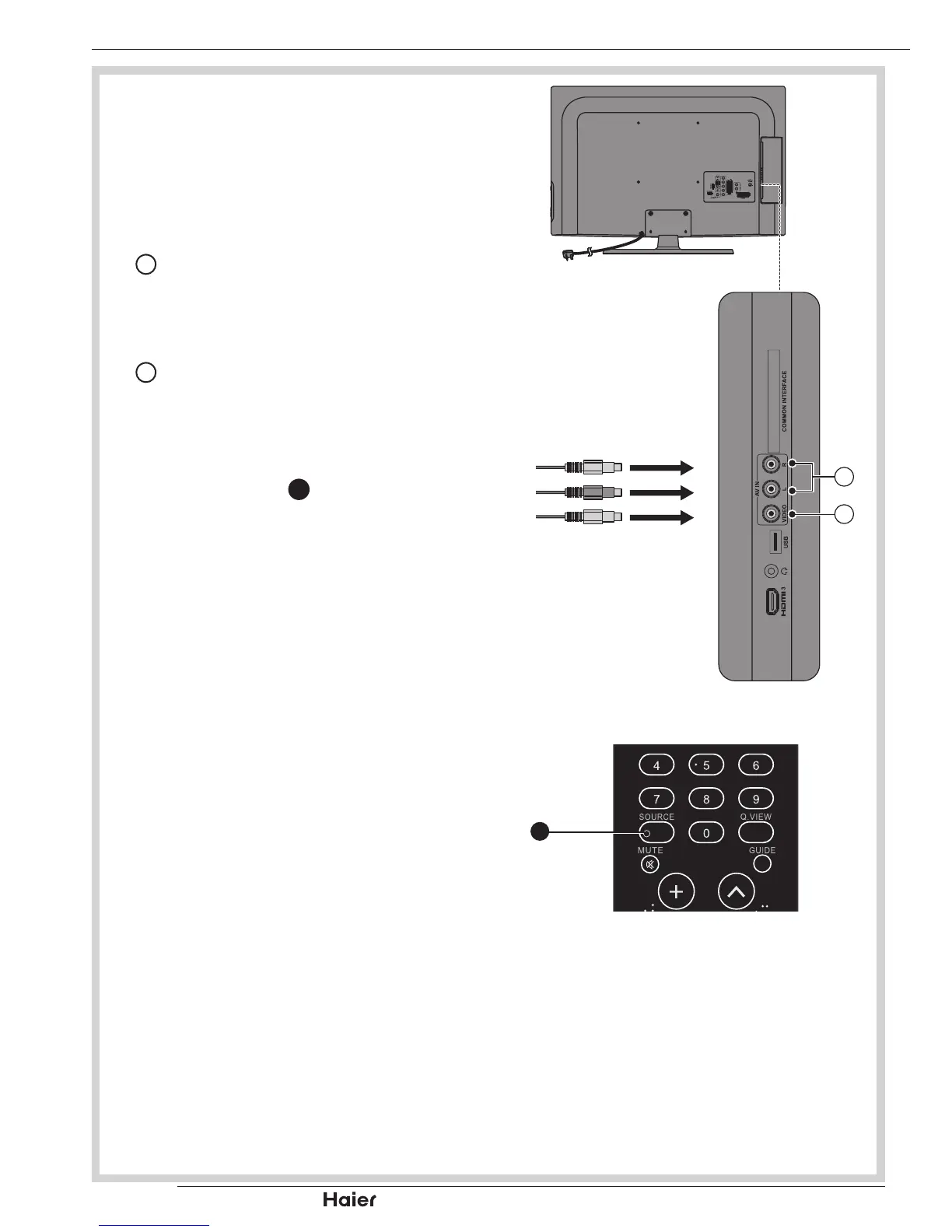
For connecting an AV device.•
Make sure that the power of the TV and 1.
the AV device are off.
Connect the audio cables from the AV 2.
device’s output jacks to the Audio Input
11
.
See g. 27.
Connect the video cables from the AV 3.
device’s output jacks to the Video Input
12
.
See g. 27.
Turn on the TV rst, and then turn on 4.
the AV device.
Press SOURCE 5.
8
to select the AV
input.
See g. 28.
OTHER CONNECTIONS


 To Next Page