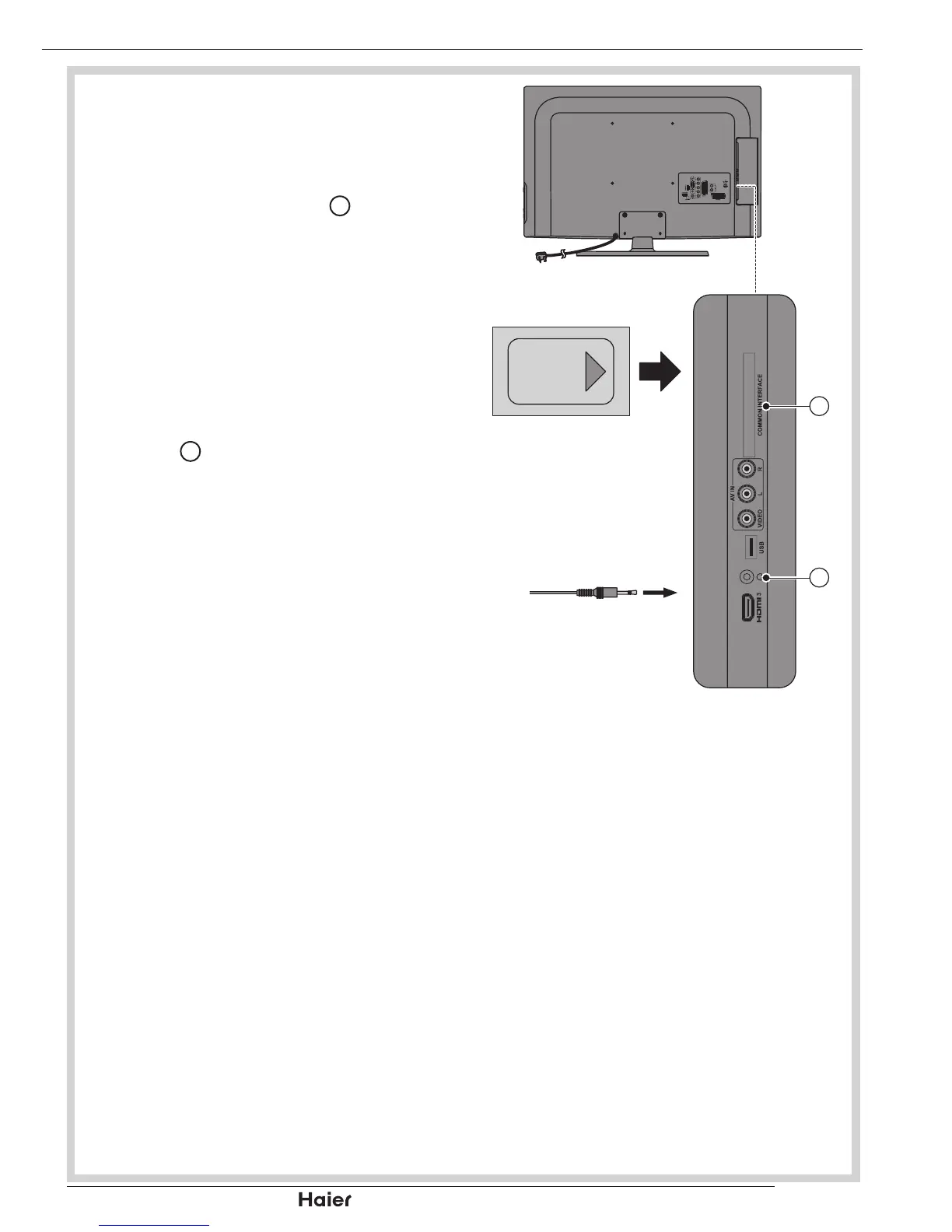
COMMON INTERFACE SLOT
You can use a Conditional Access •
Module (CAM) card to view a Pay TV.
Insert the CAM card (not included) in 1.
Common Interface Slot
10
.
See g. 29.
Please refer to the COMMON 2.
INTERFACE section for more detailed
information.
HEADPHONE OUTPUT
Connect a set of stereo headphones 1.
(not included) to the Headphone
Output
14
for private listening. When
headphones are in use, the speakers
will be automatically muted.
See g. 29.
IMPORTANT: When using headphones,
always set the volume control to a low
level before you put the headphones
on; then put the headphones on and
gradually increase the volume to a
comfortable listening level.
OTHER CONNECTIONS


 To Next Page