Introduction
EN-4 TV LED-TFT Owner’s Manual
Introduction
Controls
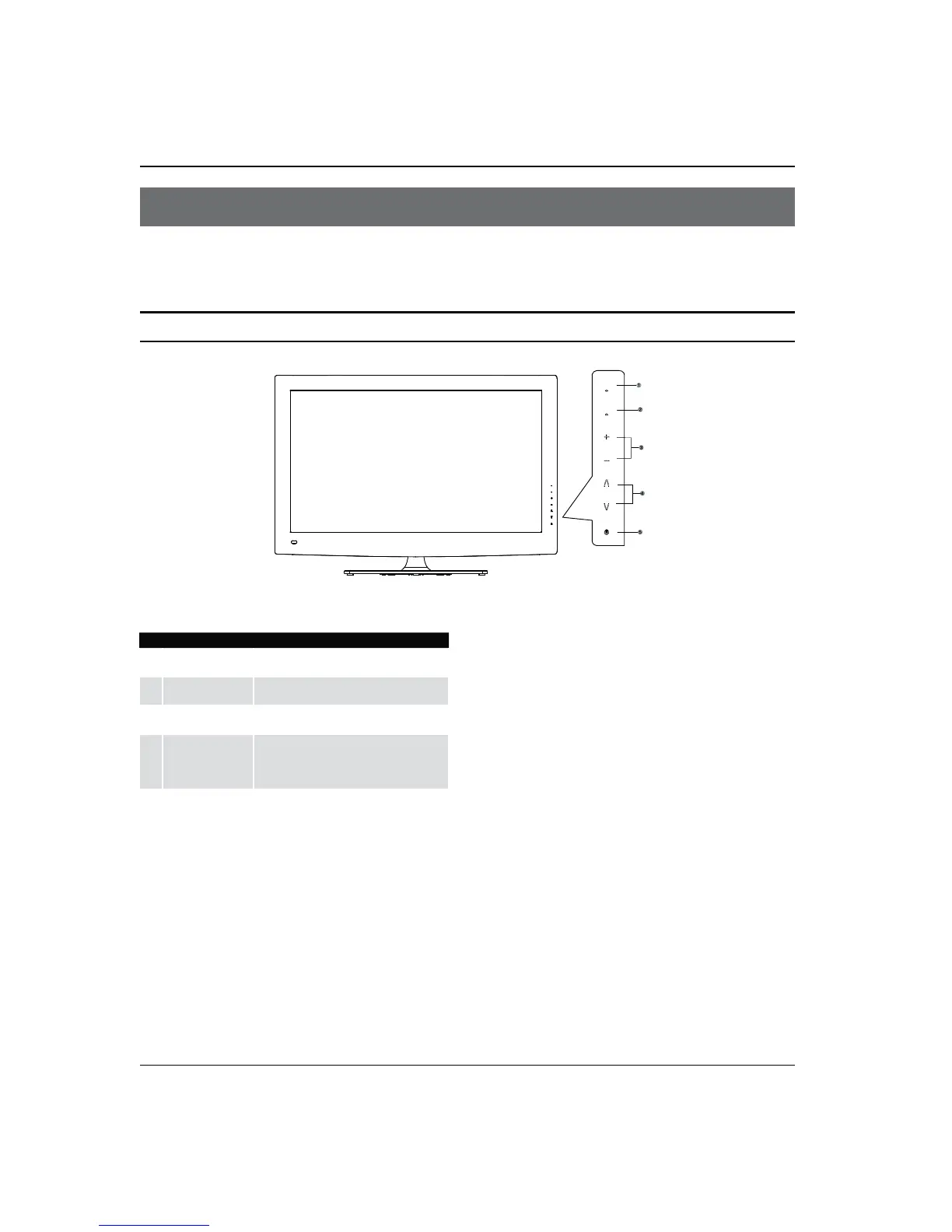
This is a simplied representation of the TV front panel, side panel control buttons and side inputs.
TV Side panel controls
MENU
CH
VOL
INPUT
1
INPUT
Press this key to open/close signal source
options menu.
2
MENU
Menu display. Press to access the on-screen
menu display.
3
VOL +/-
Press to adjust the volume. In the MENU screen,
these buttons serve as right/left buttons.
4
CH +/-
Press to scan through channels. To scan quickly
through channels, press and hold down either
+/- . In the MENU screen, these buttons serve
as up/down buttons.
5
POWER
Press to turn on and o the TV.



 To Next Page