NOTE:
1).Tint is available in NTSC system only.
2).Manually adjusting picture settings will automatically
change the Picture Mode to User.
TV OPERATION
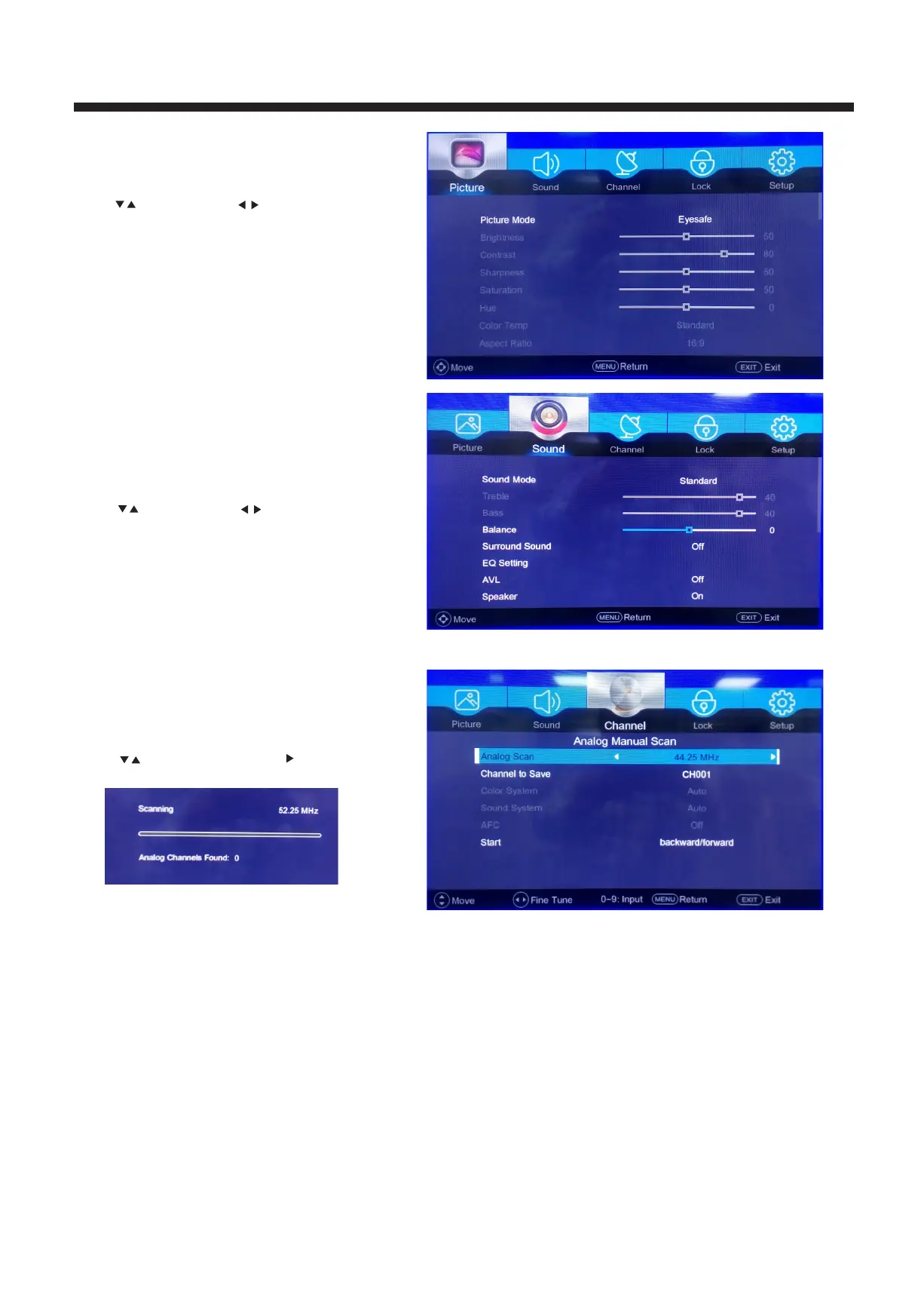
1. PICTURE MENU
The first item of the MENU is PICTURE MENU.
You can adjust picture effect here, such as contrast,
brightness, etc.
Press to move, pres
s to adjust.
Press to move, pres
s to adjust.
2. SOUND MENU
The second item of the MENU is the SOUND
MENU.
You can adjust the sound effect here such as
treble, bass, balance etc.
1. CHANNEL MENU
The third item of the MENU is CHANNEL MENU
You can search channels and edit programs here.
Press to move, press OK or button to enter .
11
Power audio (PA): This control helps to increase/
decrease speaker output of external speakers.
EQ Setting: Equalizer settings are predefined and
locked for Audio Modes: Standard/ Movie/
Music. User can change these options as per
his requirement in User' sound mode only.



 To Next Page