EasyManua.ls Logo

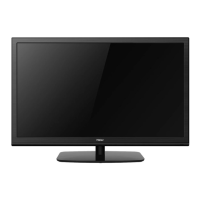
Haier LED TV LE32C13200 - User Manual

Haier LED TV LE32C13200
32 pages
Print Icon
To Next Page IconTo Next Page
Loading...
MODELS:
LE32C13200
LE40C13800
LED TV
OWNER'S MANUAL
Please READ this manual carefully before
operating your TV, and keep it for future
reference.

Questions and Answers

  • A
    alan00Jul 29, 2025
    What to do if my Haier LE32C13200 LED TV has no power?
    • S
      stephensonchristopherJul 29, 2025
      First, ensure that the AC power cord of your Haier LED TV is securely plugged into the mains socket. If it is, unplug the TV, wait for 60 seconds, then plug it back in and turn the TV on again.
  • G
    Glenda Anderson DDSAug 3, 2025
    Why does my Haier LED TV have good picture but no sound?
    • T
      tamaralewisAug 4, 2025
      First, increase the volume. If that doesn't work, check if the TV is muted by pressing the MUTE button on the remote control.
  • A
    Alicia DawsonAug 8, 2025
    Why does my Haier LED TV have no picture?
    • M
      Michelle YoungAug 8, 2025
      Check the antenna connections at the rear of the TV to ensure they are properly connected. Try changing to another channel. Also, adjust the contrast and brightness settings. Finally, check the Closed Captions control, as some TEXT modes could block the screen.
  • K
    katelynbarkerAug 13, 2025
    Why does my Haier LED TV have good sound but poor color?
    • T
      timothyfrancisAug 13, 2025
      Adjust the contrast, color, and brightness settings on your Haier LED TV.
  • M
    Mr. Matthew MossAug 18, 2025
    What to do if my Haier LE32C13200 is not responding to the remote control?
    • H
      Hannah BrownAug 18, 2025
      First, check the batteries in the remote; replace them if necessary. If that doesn't work, clean the remote control sensor lens on the TV. You can also use the buttons on the front of your TV. Make sure that your remote control is set to TV mode.
  • K
    Kenneth MosleyAug 23, 2025
    Why does my Haier LE32C13200 LED TV have a snowy picture and noise?
    • A
      alexandra93Aug 23, 2025
      Check the antenna connection to your Haier LED TV.

Summary

Product Safety and Setup

Television Transition Notice

Information regarding the transition to digital TV broadcasting.

For Your Safety

Essential safety guidelines and warnings before operating the TV.

Important Safety Instructions

Critical safety instructions for operating the appliance.

Preparation and Connections

Preparation and Installation

Steps for base attachment and preparing for wall mounting.

Peripheral Connection Guide

Guide to connecting various external devices and audio/video sources.

Operating Instructions

Using Controls

How to use the TV's front panel and remote control.

Menu Navigation

Accessing and adjusting TV, Video, Audio, Setup, and VGA menus.

Advanced Features

Setup Menu Options

Options for language, time, password, and parental controls.

Multimedia and USB Playback

Accessing photos (JPEG) and music (MP3) from USB devices.

Technical Information and Support

Regulatory Notices

FCC and Canadian compliance statements and notices.

Product Specifications

Detailed technical specifications of the TV models.

Troubleshooting and Warranty

Common issues, solutions, and warranty details.

Haier LED TV LE32C13200 Specifications

General IconGeneral
Screen Size32 inches
Resolution1366 x 768
Display TypeLED
HDMI Ports2
USB Ports1
Aspect Ratio16:9
Display ResolutionHD
Backlight TypeLED
Built-in SpeakerYes
Operating SystemNo
Smart TVNo
Weight4.5 kg

Related product manuals