Need help?
Do you have a question about the Haier LE42F2280 and is the answer not in the manual?
Key safety instructions for operating the television safely.
Explains safety symbols and provides environmental protection advice.
Illustrates various safety precautions for TV placement and usage.
Step-by-step guide for attaching the base stand to the television.
Details the available input/output ports on the rear and sides of the TV.
Diagnose and resolve common problems related to picture quality and sound.
Details the warranty period, terms, and conditions for the Haier television.
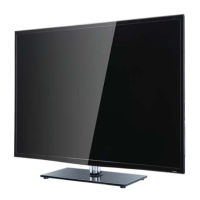
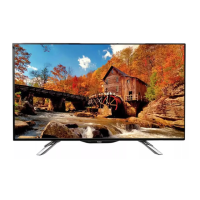
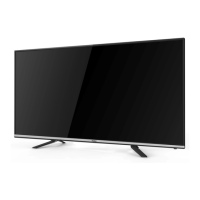
This document serves as a user manual for a Haier LED Television, specifically models LE42F2280. It provides comprehensive instructions for setup, operation, and maintenance, ensuring users can maximize their viewing experience and troubleshoot common issues.
The manual begins with crucial safety and warning information, emphasizing the importance of reading and following all instructions to prevent electric shock, fire, or injury. It advises against exposing the television to rain or moisture, blocking ventilation openings, or placing it near heat sources. Users are cautioned to protect the power cord, use only manufacturer-specified attachments, and unplug the TV during lightning storms or extended periods of disuse. All servicing should be referred to qualified personnel, especially if the television has been damaged. The document highlights that the mains plug acts as the disconnect device and should remain readily operable. It also warns against impeding ventilation with items like newspapers or curtains and advises against placing naked flame sources on or near the TV. Environmental aspects of battery disposal are mentioned, and the use of the television in moderate climates is specified. The manual explicitly states that the TV should not be exposed to dripping or splashing, and no liquid-filled objects should be placed on it. Safety symbols are explained, indicating dangerous voltages and important operating instructions. A warning about excessive sound pressure from earphones causing hearing loss is also included. The document also provides information on Haier's commitment to recycling electronic products and materials, offering a contact for recycling services in the United States.
Further safety guidelines include warnings against opening the cabinet due to high voltages and advising against standing on, leaning on, or pushing the television or its stand, particularly with children present, to prevent serious injury from falls. It reiterates not to expose the TV to rain or moisture to prevent fire or electrical shock. Users are advised not to place the television on unstable surfaces to avoid damage or injury from falls. The manual also cautions against dropping or pushing objects into the TV's slots or openings and spilling liquids on it. For extended periods of disuse, disconnecting the AC power cord is recommended. Blocking ventilation holes on the back cover is prohibited, as adequate ventilation is crucial for preventing electrical component failure. Direct sunlight and other heat sources should be avoided, and the TV should not be placed directly on other heat-emitting products like VCRs or audio amplifiers. Placing naked flame sources near the TV is also forbidden. Minimum distances for installation in compartments or enclosures are provided to prevent heat build-up, which can reduce the TV's lifespan and pose dangers. The manual also instructs not to trap the power supply cord under the television's stand.
The "Main features" section outlines the television's core capabilities, including an integrated ATSC TV tuner for HDTV broadcast reception, high brightness for vivid pictures, deep blacks and bright whites with high contrast, a 16:9 wide screen aspect ratio for a home theater experience, HDMI input for digital connections, a VGA port for PC connection, a built-in stereo speaker system, and a full-function remote control.
The "Main parameter" section provides key specifications such as a 42-inch diagonal viewing picture size, 1920x1080 resolution, AC 100-240V 50/60Hz power supply, 80W power consumption, 2x8W audio output power, 16:9 aspect ratio, ATSC Digital and NTSC Analog TV systems, NTSC video signal system, and various receiving channels. It also lists the number and types of input/output ports, including two HDMI inputs, one Component (Y Pb Pr) video input, one Composite video input, one Analog RGB (VGA) input, two audio inputs, one headphone output, one coaxial output, and one USB input. Horizontal definition for different video input types is also specified. The HDMI logo and its associated trademarks are acknowledged.
The "Accessories" section lists the items included with the television: one power cable, one infrared remote control, one user's manual, and two AAA batteries.
The "Base Stand Assembly Instruction" provides clear steps for attaching the base stand. Users are instructed to place the TV display-side down on a flat, protected surface, position the base stand onto the stand neck, and firmly tighten the supplied screws. A note clarifies that the stand is not a swivel stand and attempts to rotate the TV should be avoided.
The "INSTALLATION" section details the front, side, and rear panel connections. The front panel includes the remote control sensor, an indicator LED (blue for power on, red for standby), and panel keys. The panel keys include SOURCE (to display input source menu), MENU (to display main menu), CH+/CH- (to change channels or select menu items), VOL+/VOL- (to adjust sound level or selected menu items), and STANDBY (to turn the unit on/off). Rear connections include the AC-INPUT, Composite Video, and Component (YPbPr) inputs, noting that AV and component share the R and L audio inputs. Side connections include HDMI1, HDMI2, USB, VGA, PC AUDIO, HEADPHONE, COAXIAL, and RF. A specific note clarifies that when HDMI receives a DVI signal, the audio input must be connected to the PC audio input.
Instructions for connecting an antenna are provided, showing how to connect an outdoor antenna, twin-lead feeder, or indoor antenna/CATV net using an adaptor (if not supplied). Steps for connecting a PC are also outlined, emphasizing that both the TV and computer should be powered off before connecting VGA and audio cables, then powering on the TV, switching to PC mode, and finally powering on the PC. A "PRESET MODE" table lists supported resolutions, vertical frequencies, and horizontal frequencies for PC input.
The "AV EQUIPMENT" section explains how to connect various audio/video devices. It notes the two HDMI ports for Blu-ray players, DVD players, or other video equipment. It also describes the component (Y, Pb, Pr) and composite (AV) video inputs for VCRs, cable boxes, or other video equipment, advising users to refer to the device's manual if needed. A diagram illustrates these connections. The section specifies that the television's inputs can connect to VCRs, multi-disc players, DVDs, camcorders, video game systems, or stereo systems, and that YPbPr supports video formats like 480i, 576i, 480p, 576p, 720p, and 1080i.
The "REMOTE CONTROL" section provides a detailed description of each button on the remote control. Key functions include POWER (on/off), NUMBER KEY (channel selection), MENU (OSD menu/return), CURSOR (navigation/adjustment), EXIT (exit menu), VOL+/- (volume adjustment), P.M (picture mode selection), SOURCE (input source menu), MUTE (sound on/off), RECALL (switch between current/previous channel), ENTER (confirm selection), TV DISPLAY (show input source info), S.M (audio modes), CH+/CH- (channel browsing), ASPECT (picture aspect ratio), CH LIST (channel list/eject disc in DVD mode), EPG (DTV Electronic Program Guide/previous chapter in DVD mode), FAV (favorite channels list/next chapter in DVD mode), HDMI (direct to HDMI input), AV (direct to AV input), DTV STRENGTH (DTV signal strength), TV (direct to TV input), YPbPr (direct to Component input), CC (closed captions on/off), VGA (direct to VGA input), MTS (NTSC TV sounds/audio languages of DTV), and COLOR KEYS (reserved).
The "OPERATION" section guides users through the TV's menu system. The "PICTURE MENU" allows adjustment of contrast, brightness, and other picture options. It includes "Advanced" settings for PC connections, such as H-Pos, V-Pos, Clock, Phase, and Auto adjustment. The "AUDIO MENU" allows adjustment of sound options like sound mode, audio language, digital output, surround sound, audio only, and auto volume. The "TIMER MENU" enables setting the sleep timer, time zone, DST, time format, and clock. The "OPTION MENU" allows adjustment of menu language, closed caption, restoring defaults, and software updates. The "Closed Caption" submenu provides options for CC Mode, Basic Selection, Advanced Selection, and Option. The "LOCK MENU" allows changing the password and adjusting vchip settings, with a default password of 0000. It includes "Change Password," "System Lock," "US" (for US rating control levels like TV-Y, TV-Y7, TV-G, TV-PG, TV-14, TV-MA, and MPAA ratings), and "Canada" (for Canadian rating control levels like E, G, 8ANS+, 13ANS+, 16ANS+, 18ANS+). The "RRT setting" and "Reset RRT" options are for ATSC digital TV mode. The "Channel MENU" allows adjustment of digital and analog TV channels, including "Air/Cable" selection, "Auto Scan" for scanning all channels (digital, analog, or both), "Favorite" for managing favorite channels, "Show/Hide" for displaying/hiding channels, and "DTV signal" for displaying signal strength.
The "TROUBLE SHOOTING" section provides a table of common problems, their symptoms (picture and audio), and suggested inspection/check actions. For "Snow" or "Ghost" picture, it suggests checking antenna position, direction, or connection. For "Interference," it points to microwave, electronic equipment, car/motorcycle, or fluorescent light. If there's a "Normal Picture" but "Mute" audio, it advises checking if mute is activated or if audio system connections are correct. If there's "No picture" and "Mute" audio, it suggests checking if the power cord is inserted, adjusting contrast/brightness/volume, and pressing the standby key on the remote. For "No color" picture with "Normal audio," it recommends checking color control and Component (YPbPr) connections. If the "Picture breaking up" with "Normal audio or weak," it suggests retuning the channel. If there's "No color" and "Noise" audio, it indicates a TV system issue. The section concludes with a note about LCD TV panel technology, explaining that while built with high precision, a few non-active pixels (fixed points of red, green, blue, black, or white) may appear on the screen but do not affect product performance.
Finally, the "WARRANTY" section details Haier's limited warranty, covering defective workmanship and materials for a specified period (one year for parts and labor). It clarifies that the warranty does not cover product appearance, exterior damage, or modifications. The warranty begins on the purchase date, requiring the original purchase receipt for service. It states that implied warranties are limited to the purchase period and that Haier's responsibility is limited to repair or replacement of defective products. The warranty explicitly excludes damages caused by unauthorized repairs and incidental or consequential economic or property damage. It also states that the warranty provides specific legal rights, which may vary by state. Additional exclusions include non-rechargeable batteries. Contact information for obtaining service, product literature, accessories, supplies, or customer assistance is provided.
 General
| Comb filter | 3D |
|---|---|
| Display diagonal | 42 \ |
| Display brightness | 400 cd/m² |
| Native aspect ratio | 16:9 |
| Native refresh rate | 60 Hz |
| Supported video modes | 1080p |
| Viewing angle, vertical | 170 ° |
| Contrast ratio (dynamic) | - |
| Viewing angle, horizontal | 160 ° |
| Supported graphics resolutions | 1920 x 1080 (HD 1080) |
| RMS rated power | 16 W |
| Number of speakers | 2 |
| Card reader integrated | No |
| USB 2.0 ports quantity | 1 |
| S-Video inputs quantity | 0 |
| On Screen Display (OSD) languages | ENG, ESP, FRE |
| Cables included | AC |
| Product color | Black |
| Panel mounting interface | 200 x 200 mm |
| Power consumption (standby) | - W |
| Power consumption (typical) | 80 W |
| Sustainability certificates | ENERGY STAR |
| Certification | RoHS |
 Weight and Dimensions
| Depth (without stand) | 82.55 mm |
|---|---|
| Width (without stand) | 1016 mm |
| Height (without stand) | 654.05 mm |
| Weight (without stand) | 25400 g |


 To Next Page