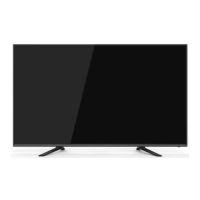
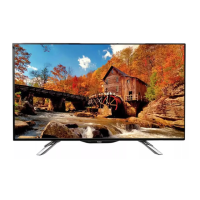
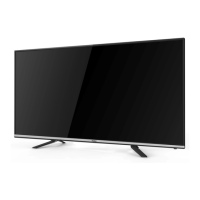
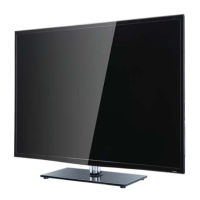
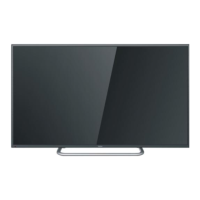
This document is a service manual for the Haier LED TV, model LE43K6500TF, which uses the MSD6486 Chassis. It provides comprehensive information for experienced repair technicians, covering general information, specifications, component locations, disassembly/assembly instructions, installation, operation, electrical parts, measurements, adjustments, and troubleshooting.
Function Description
The main board of the TV processes signals received from external equipment and translates them into a format that the LCD panel can display. The TV supports various input sources including HDMI, VGA, USB, and traditional antenna/cable connections. It features a remote control for operation and on-screen display (OSD) for user interface.
Important Technical Specifications
- Model: LE43K6500TF
- Screen Size: 43 inch
- Aspect Ratio: 16:9
- Resolution: 1920x1080
- Response Time (ms): 9 (GRAY TO GRAY)
- Angel of View: 160°/150°
- Color Display: 16.7M
- No. of Preset Channels: 510 (DTV); 100 (ATV)
- OSD Language: English
- Color System: PAL/NTSC/SECAM
- Audio System: DK, BG, I, M, L, L'
- Audio Output Power (Built-in) (W): 10W×2
- Audio Output Power (outer) (W): No
- Total Power Input (W): 75W
- Voltage Range (V): AC 100-240V
- Power Frequency (Hz): 50~60Hz
- Net Weight (KG): 8.8
- Gross Weight (KG): 11.6
- Net Dimension (MM): 892.4x63x529mm
- Packaged Dimension (MM): 1070x170x680mm
The LCD panel used is LG:LC430DUY-SHA1/3P. The LVDS connector definition specifies pins for DC power supply (12V), Ground, LVDS Signals (R1A_N, R1A_P, R1B_N, R1B_P, R1C_N, R1C_P, R1D_N, R1D_P), LVDS Clock (R1CLK_N, R1CLK_P), LVDS Option (LVDS SEL), and I2C communication (TCON_WP, SCL_I, SDA_I). LVDS OPTION can be set to HIGH (3.3V) for Normal LVDS format or LOW (GND) for JEIDA LVDS format.
Supported PC resolutions include 640x480, 800x600, 1024x768, 1366x768, 1280x1024, and 1920x1080 (for 40" models only), all at 60Hz vertical frequency. HDMI supports resolutions like 800x600, 1024x768, 1366x768, 1280x768, and 1920x1080, also at 60Hz vertical frequency.
Usage Features
The TV offers a range of operational features accessible via front panel controls, back panel controls, and a universal remote control.
Installation:
- Antenna Connection: Connects to an antenna or cable TV wall outlet using a coaxial cable. A signal amplifier can be used for poor signal areas, and a two-way splitter for connecting multiple TVs.
- PC Connection: Connects to a computer via VGA and audio cables. It's crucial to power off both TV and PC before connecting, then power on the TV (switch to PC mode) and then the PC.
- HDMI Connections: Supports HDMI and DVI sources. For HDMI, a single HDMI cable is sufficient. For DVI, an HDMI-to-DVI cable and a separate analog audio connection (to DVI Audio In port on the PC port) are required. The TV can automatically set output resolution to 1280x720p if the source supports Auto HDMI/DVI. Otherwise, manual adjustment is needed.
Operation:
- Remote Control: A comprehensive remote control (HTR-ADE) is provided with buttons for source selection, picture/sound modes, channel navigation, volume control, sleep timer, audio language, subtitle, EPG, menu, and media playback controls.
- On-Screen Display (OSD): The menu system allows users to adjust various settings including:
- Channel Menu: Auto Tuning (DVB-T/DVB-C), Manual Tuning, Programme Edit, Signal Information, CI Information, and Software Update (USB).
- Picture Menu: Picture Mode, Contrast, Brightness, Color, Sharpness, Tint, Aspect Ratio, and Screen settings.
- Sound Menu: Sound Mode, Balance, Volume, Surround Sound, Coaxial Mode, and AD Switch.
- Time Menu: Clock, On Time, Off Time, Auto Sleep, and Time Zone.
- Option Menu: OSD Language, Audio Language, Subtitle Language, Restore Factory Default, Automatic Power-down (4H), HDMI CEC, and VCOM.
- Lock Menu: System Lock, Set Password, Block Program, and Parental Guidance.
- Teletext: Provides access to information broadcasted by certain channels, with functions like TEXT, SELECTING A PAGE, DIRECT ACCESS TO THE ITEMS, INDEX, SUB PAGE, HOLD, REVEAL, MIX, EXIT, and SIZE.
- EPG (Electronic Program Guide): Allows viewing broadcast schedules for DTV and Radio channels, with options for INFO, SCHEDULE (to set reminders), RECORD, and REMINDER.
- PVR (Personal Video Recorder) Function:
- Record Program: Records DTV programs to a USB storage device.
- Play Record: Plays recorded programs from the "_MSTPVR" folder on the USB device.
- USB Storage: Supports USB devices from 128MB to 500GB, with 2GB to 500GB recommended for practical use.
- Timeshift Function: Pauses and records live digital programs to a USB storage device, allowing users to resume playback from the paused point. Requires formatting the USB device, and approximately 4GB of memory buffers offer 140 minutes of recording.
- USB Player: Plays photo (JPEG, BMP, PNG), music (MP3), text (TXT), and movie (TS - MPEG2 & H.264) files from a USB device.
Maintenance Features
The manual provides detailed instructions for troubleshooting and repair, intended for experienced technicians.
Safety Precautions:
- Always unplug the AC power cord before servicing.
- Use appropriate high voltage meters for testing.
- Do not spray chemicals on or near the receiver.
- Clean electrical contacts with a 10% Acetone and 90% isopropyl alcohol mixture.
- Ensure all solid-state device heat sinks are correctly installed before applying AC power.
- Connect test receiver ground lead to chassis ground first, and remove it last.
- Do not connect test fixture ground strap to any heat sink.
- Insulation resistance between cord plug terminals and external exposure metal should be more than 1 Mohm.
Electrostatic Sensitive (ES) Devices:
- Handle ES devices with care to prevent damage from static electricity.
- Ground yourself and the workbench when handling ES devices.
- Use a grounded-tip soldering iron.
- Do not use freon-propelled chemicals.
- Remove ES devices from their protective package only when ready to install.
- Immediately before removing protective material, touch the protective material to the chassis or circuit assembly.
Disassembly and Assembly:
- Instructions are provided for removing the pedestal, back cover, adhesive tape, main board, speaker, and remote control board.
Measurements and Adjustments:
- Factory Mode: Accessible by pressing "source-2-5-8-0" on the remote. Allows adjustments for ADC setup (YUV, VGA), picture mode (brightness, contrast), white balance, SSC (for EMC test), special set (aging test, watch dog, white pattern, reset, recorder, power-on screen display), QMAP (color quality), PEQ (sound EQ), SW information, UART DEBUG, and BMTEST (CPU check).
- Software Update: Performed via USB. Copy the "merg.bin" file to a USB memory, insert it into the TV, navigate to "update software" in the menu, and confirm. The TV will reset after the update.
- Hotel Mode: Accessible by pressing "source-1-0-0-1". Allows settings for Panel Key Lock, Max Volume, Start Source, Start Channel, Start Menu Display, Input Source Change, Save to USB (for cloning), and Volume Default.
Troubleshooting:
- Simple Check: A table outlines common trouble phenomena (e.g., snow, ghost, interfere, no picture, no color, scramble) with corresponding audio symptoms and inspection steps.
- Main Board Failure Check: Flowcharts guide technicians through diagnosing issues like "no picture but have sound" or "AV no sound but have picture" by checking voltages at specific points (e.g., +43V at PEC8, +12V at Pin35 in CN202, 3.3V at PU6 Pin5, 12V at PU6 Pin9, 3.3V at LD22, 3.3V at Q101, 1.15V at C138, 1.5V at CD85, 3.3V at R603) and signals (e.g., sound input, C245/C247, C607/C605, LD5/LD7/LD8/LD9). Solutions involve replacing specific components (PU6, QD6, PQ6, PD14, U201, UD3, UD8, Q101, U107, UD7) or the main board.
- Power Board Failure Check: Flowchart for diagnosing power board issues by checking power cord connection, 300V at EC805, and 12V at PD3. Solutions include reconnecting, replacing F800/D803/D804/D805/D807, or replacing PD3.
- Tuner Failure Check: Flowchart for "unit cannot receive T2 signal" by checking C60 (1.2V), C58 (3.3V), and replacing U7, FB3, U4, or the main chip U201.
- Panel Failure (Failure Mode): Detailed descriptions and visual examples of various panel defects, including:
- Block Defect: TCP cracking, TCP sunken, TCP lead cracking, ACF bonding short, awful environment, electric entry into LCD, mis-align between TCP and Panel.
- Dot Defect: Bright dot, dark dot.
- Polarizer Bubble: Bladder in polarizer.
- Polarizer Scratch: Tine or rigidity arose, eyewinker inside polarizer.
- Abnormal Display: Chip lose action, IC short or jointing bad, panel and VSC connect bad.
- Flashing: Bright and dark display alternately.
- White Screen/Black Screen: B/L normal, only white/black screen display, possibly caused by surge current and EDS.
- Flicker (Crosstalk): LCD Vcom imbalance, capacitance improper.
- Mechanical Noise: When turning panel, appears cacophony.
- Ripple: Concentric circle, caused by mechanism and panel.
- B/L off/dark: B/L lose action, B/L brightness darker than normal, possibly due to bad connection between wire and electrode.
- B/L wire damaged/open: Operation abnormal or systemic noise.
- B/L shut down: Short between lamp housing and wire, excessive power consumption.
- F/M: In B/L, white, black rotundity or wirelike.
- Light leakage: Brightness at bottom of LCM brighter than normal.
- Uniformity: B/L brightness asymmetric, sheet in B/L unit is uneven.
- Mount hole: Lack screw or screw damage.
The manual emphasizes that this information is for experienced repair technicians only and warns against non-technical individuals attempting repairs due to potential dangers.

 Need help?

 To Next Page
 General