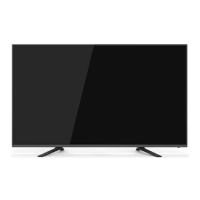
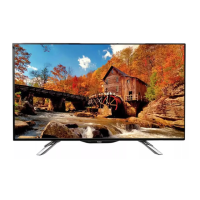
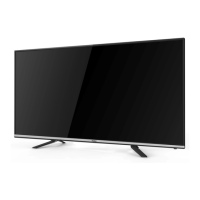
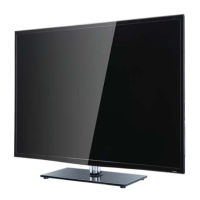
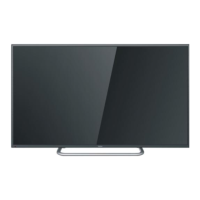
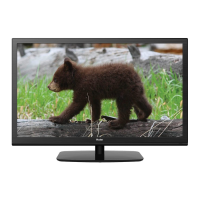
This document provides a comprehensive service manual for the Haier LED TV, model LE43K6000SF, which operates on the MSD34637 Chassis. It is intended for experienced repair technicians and emphasizes safety precautions due to the electrical nature of the product.
Function Description:
The Haier LE43K6000SF is a television designed to display visual and audio content from various external sources. Its main board processes signals received from external equipment and translates them into a format suitable for display on the LED panel. The television supports multiple input sources, including HDMI, VGA, YPbPr, AV, USB, and SCART, allowing for versatile connectivity with different devices such as DVD players, gaming consoles, and personal computers. It also features a built-in audio system for sound output and a headphone jack for private listening. The television is equipped with a remote control for convenient operation and includes a keypad for direct control.
Important Technical Specifications:
- Model: LE43K6000SF
- Screen Size: 43 inches
- Aspect Ratio: 16:9
- Resolution: 1366x768
- Response Time: 20 ms (GRAY TO GRAY)
- Angel of View: 160°/150°
- Color Display: 16.7M colors
- No. of Preset Channels: 500 (DTV); 100 (ATV)
- OSD Language: English, Russian
- Color System: PAL/SECAM
- Audio System: DK, BG, I
- Audio Output Power (Built-in): 8W x 2
- Audio Output Power (outer): No (implies no dedicated external audio output power, relies on built-in)
- Total Power Input: 45W
- Voltage Range: AC 100-240V
- Power Frequency: 50-60Hz
- Main Board Chassis: MSD34637
- LED Panel: LG:LC430DUY-SHA1/3P
Usage Features:
The television offers a range of features for user convenience and entertainment. It supports various video and audio input types, making it compatible with a wide array of media devices. The On-Screen Display (OSD) is available in English and Russian, catering to a broader user base. The remote control provides full functionality for navigating menus, changing channels, adjusting volume, and selecting input sources. The inclusion of a USB port suggests support for media playback from USB storage devices. The television's design allows for easy installation, with instructions provided for connecting external equipment. The manual also details the disassembly and assembly procedures, which are crucial for maintenance and repair.
Maintenance Features:
The service manual provides detailed guidelines for maintaining and troubleshooting the LE43K6000SF.
- General Guidelines: Emphasizes observing original lead dress, replacing overheated or damaged parts, and ensuring proper installation of protective devices like insulation barriers. It also highlights the importance of leakage current checks (cold and hot) and preventing Electro Static Discharge (ESD) to sensitive components.
- Important Notice: Stresses adherence to regulations and warnings, particularly regarding electrical shock hazards. Technicians are advised to be cautious of high voltage inside the product and to avoid exposing the TV to moisture.
- Electro Static Discharge (ESD) Precautions: Provides specific techniques to reduce component damage from static electricity, including grounding oneself, placing assemblies on conductive surfaces, using grounded soldering irons, anti-static solder removal devices, and handling replacement ES devices carefully.
- Lead-Free Solder (PbF): Specifies the use of lead-free solder for servicing and repairing the product, aligning with environmental responsibility.
- Genuine Parts: Instructs technicians to use only manufacturer-specified parts for replacements, especially for safety-critical components like fire-retardant resistors and high-quality capacitors.
- Safety Check After Repair: Outlines procedures to confirm correct reassembly, check for deteriorated parts, and verify insulation between the antenna terminal or external metal and AC cord plug blades. Insulation resistance checks using a 500V insulation resistance meter or a tester are recommended.
- Troubleshooting: Includes flowcharts and tables for diagnosing common issues such as "No picture but have sound," "AV No sound but have picture," "No sound No picture NO LED indicate," "Poor sound," "No color for some channel program," and "How to know whether the Power board is broken?" These sections guide technicians through a systematic process of checking various components and signals to identify the root cause of failures.
- Failure Mode Analysis: Detailed tables describe various panel and circuit failure modes, including dot defects, polarizer issues, abnormal display, flashing, white/black screens, flicker, abnormal color, mechanical noise, ripple, and backlight problems (B/L off, dark, damaged wire, open wire, shut down, F/M in B/L unit, light leakage, asymmetry, uniformity, mount hole issues). Each mode is accompanied by a description, phenomena, and probable failure cause, aiding in accurate diagnosis and repair.
- Disassembly and Assembly: Step-by-step instructions with illustrations are provided for removing the stand base, back cover, adhesive tape, main board, speakers, and remote control board, facilitating access to internal components for servicing.
- Wiring Connection Diagram: A visual guide to the internal wiring connections, including speaker, power, LVDS, backlight, and keyboard/remote control wires, helps technicians understand the internal layout and connections.
- Mainboard and Panel Failure Checks: Specific checks are outlined for mainboard components like PU5, PQ6, PD14, PR46, U202, UD8, U107, UD7, Q101, C138, CD86, C113, and the LVDS wire. For panel issues, checks include LED backlight output/input, mainboard output signals (On/Off to power board, LVDS to T-con board), software version, and LVDS wire integrity.
- Power Board Failure Checks: Instructions to verify power cord connection, EC805 voltage (300V), and PD3 voltage (12V) are provided.
- Software Updates: For certain issues like poor sound or no color, updating the software and performing a reboot are suggested as potential solutions.

 Need help?

 To Next Page
 General