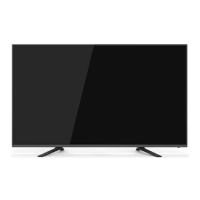
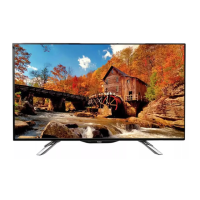
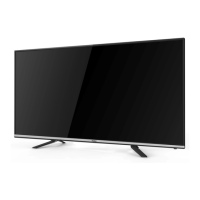
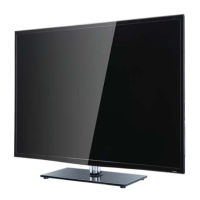
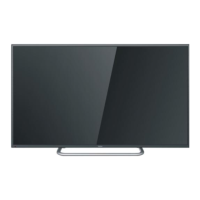
This document serves as the owner's manual for a Haier LED TV, providing essential information for its safe operation, installation, and maintenance. It guides users through the initial setup process, explains various features, and offers troubleshooting tips.
Function Description
The Haier LED TV functions primarily as a television and a display terminal. It is designed to offer a high-luminance, wide-viewing-angle experience for various content. The TV is capable of storing both Air and Cable TV programs, allowing users to access a wide range of broadcast content. It features HDMI interfaces for connecting external high-definition devices, ensuring compatibility with modern entertainment systems. Additionally, the TV includes a Multi-Media player (USB), enabling users to play media files directly from USB storage devices.
Usage Features
The TV's operation is facilitated by a remote control, which is comprehensively detailed in the manual. The remote includes standard buttons for power, volume, channel selection, and navigation, alongside dedicated buttons for specific smart TV functions like Google Assistant, Netflix, and YouTube. The Google Assistant button allows for voice commands and searches, enhancing user interaction.
The initial setup process is guided by a wizard that appears upon the first power-on. This wizard helps users configure basic settings such as language, location, Wi-Fi network connection, and Google account integration. Users can choose between "Home" mode, optimized for energy efficiency, and "Retail" mode, designed for store demonstrations. The setup also includes options for setting a device password for security and privacy.
The TV's interface is organized into several key areas:
- Apps: A screen listing all installed applications.
- Notifications: Displays system notifications.
- Inputs: Allows selection of various input sources like HDMI, Composite, Component, and TV tuner.
- Network & Internet: For setting up and managing network connections, including Wi-Fi.
- Settings: Provides access to a wide array of configurable options.
The Settings menu is extensive, covering various aspects of the TV's functionality:
- Channels: Manages channel installation modes (Antenna or Cable), auto channel updates, parental controls, and audio channel settings. Users can perform automatic or manual scans for analog and digital channels.
- Accounts & Sign-in: For managing Google accounts and related services.
- Apps: Allows users to set app permissions, view app lists, and configure special app access.
- Device Preferences: Contains detailed settings for the TV, including:
- About: Displays system information, model, version, and software details.
- Date & Time: Configures automatic or manual date and time settings, time zone, and 24-hour format.
- Timer: Sets power on/off times and types (On/Off/Once).
- Language: Selects the system language.
- Keyboard: Manages current keyboard settings and other keyboard options.
- Inputs: Configures HDMI control (CEC) and other input-related settings.
- Picture: Adjusts picture modes (Standard, Vivid, Sport, Movie, Game, Energy saving), backlight, brightness, contrast, saturation, hue, sharpness, gamma, color temperature, and advanced video settings. It also includes an option to reset picture settings to default.
- Sound: Manages sound styles (Standard, Vivid, Sports, Movie, Music, News), balance, bass, treble, sound surround, equalizer detail, speaker output (TV Speaker, External Audio System), digital output (Auto, Bypass, PCM, Dolby Digital Plus), and SPDIF delay. Auto volume control and downmix mode (Stereo, Surround) are also available, along with a sound reset option.
- Storage: Displays internal and removable storage information.
- Home Screen: Customizes channels, enables video and audio previews, reorders apps and games, and provides access to open source licenses and Android TV services.
- Retail Mode: Configures settings for retail display, including retail messaging and PQ demo options.
- Google: Manages searchable apps, SafeSearch filter, and offensive word blocking.
- Chromecast built-in: Provides information and settings related to Chromecast functionality.
- Screen Saver: Configures screen saver options, including when to start and putting the device to sleep.
- Location: Manages location status and recent location requests.
- Usage & Diagnostics: Controls the automatic sending of diagnostic information to Google.
- Accessibility: Offers settings for audio description, visually impaired, hearing impaired, captions, and high contrast text.
- Reset: Allows users to erase all settings and reset the TV to factory defaults.
- Remote & Accessories: Facilitates pairing of Bluetooth devices, including the remote control.
The TV supports various AV connections, including multiple HDMI ports, an antenna input, Mini YPbPr, earphone output, TF card slot, and USB ports on the side. Rear connections include optical output, additional USB ports, RJ45 (LAN), and more HDMI, VIDEO, and AUDIO inputs. The manual provides detailed diagrams for connecting external devices like VCRs, DVD players, camcorders, and audio receivers.
The Multi Media Player feature allows users to play video, photo, and audio files from a USB flash drive.
Maintenance Features
The manual emphasizes several safety and maintenance instructions to ensure the longevity and safe operation of the TV.
- Cleaning: Users are advised to unplug the TV and use a soft, dry cloth for cleaning, avoiding water and chemicals. It is crucial to prevent water drops from entering the product.
- Ventilation: Proper ventilation is essential. Users must not block ventilation openings and should install the TV according to instructions, avoiding heat sources.
- Power Cord: The power cord should be protected from being walked on or pinched. It is recommended to unplug the apparatus during lightning storms or when unused for long periods.
- Servicing: All servicing should be referred to qualified service personnel, especially if the apparatus is damaged.
- Battery Disposal: Attention is drawn to the environmental aspects of battery disposal, advising against exposing batteries to excessive heat.
- Troubleshooting: A dedicated section provides a table of common trouble phenomena, their potential causes (picture, audio), and inspection steps. This includes issues like snow on screen, ghosting, interference, no picture, no color, scrambling, and no audio, along with suggested solutions such as checking antenna connections, adjusting volume, or retuning channels.
- Software Updates: The TV may receive and install updates and apps from Google, the device's manufacturer, or the operator.
The manual also includes important notes regarding the product's panel, which may have a few bright or dark pixels without impacting performance, and the terms and conditions for using apps, highlighting potential limitations and changes in services.



 To Next Page
 General