EasyManua.ls Logo

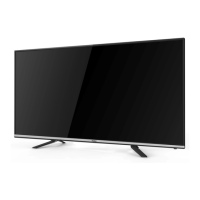
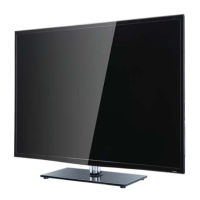
Haier LE40D3281 - User Manual

Haier LE40D3281
51 pages
Print Icon
To Next Page IconTo Next Page
Loading...
Haier
SERVICE MANUAL
LED TV
Model No. LE40D3281
MSD3391DS
Chassis
WARNING
This service information is designed for experienced repair technicians only and is not designed for use by the general public.
It does not contain warnings or cautions to advise non-technical individuals of potential dangers in attempting to service a product.
Products powered by electricity should be serviced or repaired only by experienced professional technicians. Any attempt to service or repair
the product or products dealt with in this service information by anyone else could result in serious injury or death.
©2013 Qingdao Haier Electronics Co., Ltd.
All rights reserved. Unauthorized copying and distribution is a violation of law.


Table of Contents

Questions and Answers

  • B
    Brianna JamesAug 1, 2025
    Why is my Haier LED TV screen blank?
    • R
      Richard McgeeAug 1, 2025
      If your Haier LED TV screen is blank, ensure the correct signals are being input. Try pressing the SOURCE button to switch the signal input to TV. If the issue continues, try restarting the television by disconnecting and reconnecting the power supply.
  • J
    Johnny BowenAug 7, 2025
    How to fix no sound on Haier LED TV?
    • C
      christinesandovalAug 7, 2025
      If your Haier LED TV has no sound, first check if Mute mode is active by pressing the MUTE button. If that's not the issue, switch to another channel to see if the problem persists. You can also try pressing the VOL+ button to increase the volume.
  • S
    Samantha ThompsonAug 13, 2025
    How to fix no picture on some channels on Haier LE40D3281 LED TV?
    • B
      Bobby CollinsAug 13, 2025
      If there's no picture on some channels of your Haier LED TV, first verify that you've selected the correct channel. If the channel is correct, try adjusting the antenna. You can also make adjustments using the Fine Tune and MANUAL Scan options.
  • F
    frossAug 19, 2025
    Why is my Haier LE40D3281 LED TV showing black and white on some channels?
    • N
      ncarlsonSep 12, 2025
      If you are getting a black and white picture on some channel programs on your Haier LED TV, first check if the same issue occurs on other channels. Also, check the picture and sound systems settings. Refer to the manual for instructions on how to adjust the color settings.
  • K
    kristopherrobinsonAug 25, 2025
    What to do if my Haier LE40D3281 is out of control?
    • C
      Chase DawsonAug 25, 2025
      If your Haier LED TV is out of control, try disconnecting it from the power supply, wait 10 seconds, and then reconnect it. If the problem persists, you may need to contact an authorized after-sales service for technical assistance.

Summary

Chapter 2. Specification

2-1. Specification list

Detailed technical specifications of the LE40D3281 TV model.

Chapter 3. Disassemble and Assemble

3-1. LE40 D3281

Step-by-step instructions for disassembling the LE40D3281 model.

Chapter 4. Location of Controls and Components

Chapter 7. Electrical Parts

7-1. Circuit Diagram

Provides detailed circuit diagrams for the TV's electronic components.

Chapter 8. Measurements and Adjustments

8-1. Service Mode

Instructions on how to enter and exit the TV's service or factory mode.

8-2. Measurements and Adjustments

Procedures for adjusting various settings like picture, sound, and general parameters.

Chapter 9. Trouble shooting

9-3. Mainboard Failure Check

Flowcharts for diagnosing common mainboard failures.

9-4. Pannel Failure

Describes common panel failure phenomena and their causes.

Haier LE40D3281 Specifications

General IconGeneral
Screen Size40 inches
Display TechnologyLED
Aspect Ratio16:9
HDMI Ports2
USB Ports1
Built-in SpeakerYes
Power Consumption75W
Weight6.5 kg
Resolution1920 x 1080

Related product manuals