Service Manual
Model No.: LE40D3281
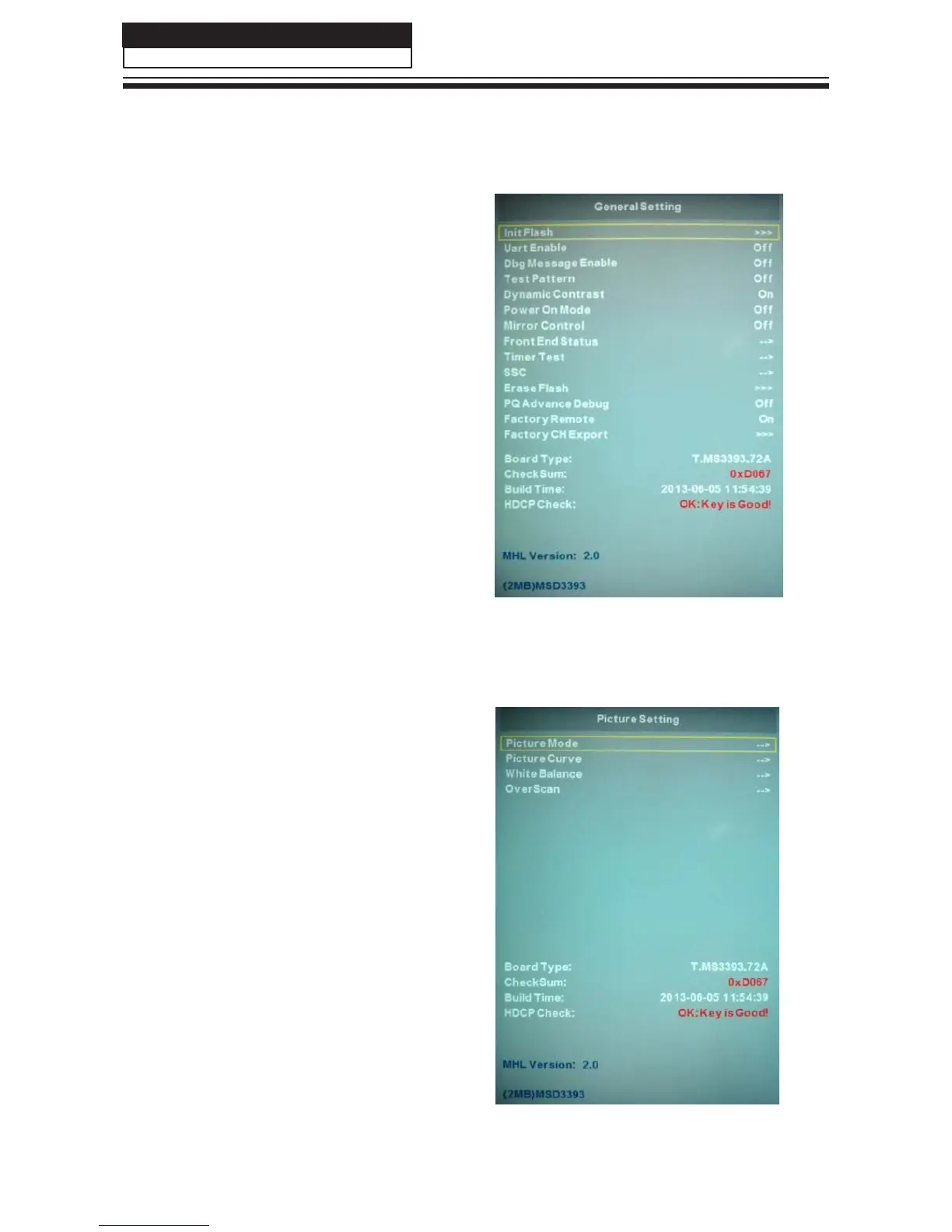
8-2-2. GENERAL SETTING
1)Init Flash;
2)Uart Enable:Choose on or off in Uart Enable;
3)Dbg Message Enable: Choose on or off in
Dbg Message Enable;
4)Test Pattern: Choose the Pattern picture;
5)Dynamic Contrast: Choose on or off in
Dynamic Contrast;
6)Power On Mode:Choose on or off in Power
On Mode;
7)Mirror Control: Choose on or off in Mirror
Control;
8)Front End Status
9)Timer Test
10)SSC
11)Erase Flash
12)PQ Advance Debug: Choose on or off in
PQ Advance Debug;
13)Factory remote:Open or close the
Factory remote;
14)Factory CH Export.
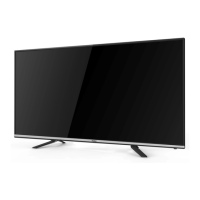
8-2-3. PICTURE
Adjust the Picture Mode,Picture Curve,
White Balance and OverScan in different
source.
32



 To Next Page