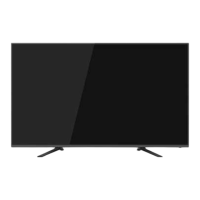
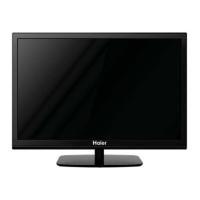
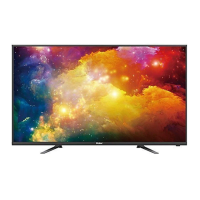
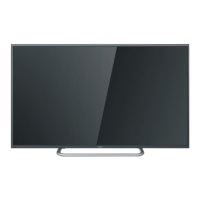
This document is a user manual for the Haier LE32D2000 LED Television, providing instructions for setup, operation, and troubleshooting.
Function Description
The Haier LE32D2000 LED Television serves as both a television and a display terminal. It is equipped with a multi-media player (USB) for playing various media files. The TV can store up to 199 analog TV programs (ATV).
Important Technical Specifications
Main Parameter:
- Viewing Picture Size (Diagonal): 80cm
- Resolution: 1366 x 768
- Aspect Ratio: 16:9
- TV System: PAL/BG
- Video Signal System: PAL/SECAM
- Frequency: TV 48.25 MHz – 863.25 MHz
- Input Power Voltage: AC 110-240V 50/60Hz
- Power Consumption: 50W
- Audio Output Power (THD≤7%): 2 x 8W
Signal Input/Output:
- PC AUDIO: 1
- VGA: 1
- RF: 1
- High-Definition Multimedia Interface (HDMI): 2
- USB: 2
- AV: 2
- AV OUT: 1
- HEADPHONE: 1
Preset Mode (PC):
The TV supports various PC resolutions and vertical frequencies:
- 720x400 @ 70Hz
- 640x480 @ 60Hz
- 800x600 @ 60Hz
- 1024x768 @ 60Hz
- 1360x768 @ 60Hz
Preset Mode (HDMI):
The TV supports various HDMI signal formats and frequencies:
- 480i/480P @ 60Hz
- 576i/576P @ 50Hz
- 720P @ 50/60Hz
- 1080i/1080P @ 50/60Hz
Usage Features
Installation:
- Stand Assembly: The TV comes with a stand base set that attaches to the bottom of the TV using four 4x18mm screws.
- Wall Mounting: The TV can be wall-mounted using two rollers fixed to the back of the television. The distance between the two holes is 160mm.
- Antenna Connection: The TV has an RF input for aerial connections, with an input impedance of 75Ω unbalanced. It can connect to an outdoor antenna, twin-lead feeder (300Ω), or an indoor CATV net.
- PC Connection: Connect a VGA and audio cable from the PC to the TV. Ensure both the TV and computer are powered off before connecting. Power on the TV, switch to PC mode, then power on the PC.
- AV Equipment Connection: The TV provides two groups of AV inputs (AV1, AV2) for connecting VCRs, DVDs, camcorders, video game systems, or stereo systems. It also has two HDMI interfaces for audio/video machines with HDMI. One video channel shares an audio channel.
- USB Connection: The TV has two USB ports (USB1, USB2) for connecting USB devices.
Remote Control:
The remote control provides comprehensive control over the TV's functions:
- Power: Turns the TV on/off.
- Source: Displays the input source menu.
- Menu: Displays the main menu.
- VOL+/-: Adjusts volume level.
- CH+/CH-: Changes channels up/down; navigates menu items.
- Number Buttons (0-9): Enters channel numbers or passwords.
- BACK/G: Returns to the previous screen (multimedia mode); enters mix mode (teletext).
- PA +/PA -: Navigates to the next/previous channel.
- FAV/FAV +/FAV -: Opens/navigates favorite channel list.
- ►II (play/pause): Plays/pauses media.
- ◄◄ (reverse)/►►► (forward): Fast forwards/reverses media playback.
- ◄◄◄◄ (previous)/►►►► (next): Navigates to previous/next playback in multimedia mode.
- ■ (stop): Stops multimedia playback.
- INFO/: Displays channel information; reveals hidden information (teletext).
- EXIT/: Closes on-screen menu; hides text (teletext).
- FREEZE: Freezes the picture in ATV, AV, & HDMI modes.
- ASPECT: Changes TV display modes.
- ECO: Turns ECO mode on/off.
- SLEEP: Sets sleep timer.
- SUBTITLE: Turns subtitles on/off in USB mode.
- SPEAKER: Turns TV speaker on/off.
- S.MODE: Selects sound mode.
- P.MODE: Selects picture mode.
- Q.VIEW: Switches to the last viewed channel.
- (Mute): Mutes/unmutes sound.
- OK: Confirms selection.
- Navigation Buttons (▲▼◄►): Navigates on-screen menus.
TV Operation:
- Picture Menu: Adjusts picture effects like contrast, brightness, sharpness, saturation, hue, color temperature, and aspect ratio. Includes an "Eyesafe" mode.
- Sound Menu: Adjusts sound effects such as treble, bass, balance, surround sound, EQ settings, AVL, and speaker output. EQ settings are predefined for Standard, Movie, and Music modes, but customizable in User mode.
- Channel Menu:
- Channel Edit: Deletes, swaps, skips, sets favorite channels, and renames channels.
- Auto Tuning: Automatically searches for all TV channels.
- ATV Manual Tuning: Manually searches and fine-tunes analog TV channels, allowing storage of selected channels.
- Lock Menu: Allows locking programs and setting a password. When System Lock is on, a PIN code is required to unlock.
- Setup Menu: Adjusts OSD Timer, Blue Screen, Eco Mode, Backlight, Time settings, HDMI CEC Control, USB Upgrade, and Reset. Reset clears all programs and passwords.
- USB Function: Accesses photo, music, movie, and text files from a plugged-in USB device. Supports FB/FF functions for movies, though audio may pause briefly for synchronization.
- Special Feature (USB to USB Copy & Delete): Allows copying and deleting files between two USB devices (USB1 and USB2) using the remote control.
- Games: Four built-in games (Boxman, Hitrat, Gobang, Tetris) are available.
Maintenance Features
Safety and Warnings:
- General Safety: Read and follow all instructions, heed warnings, and do not use near water. Clean only with a dry cloth.
- Ventilation: Do not block ventilation openings. Ensure adequate space around the TV for ventilation.
- Heat Sources: Do not install near heat sources.
- Power Cord: Protect the power cord from being walked on or pinched. Unplug during lightning storms or long periods of disuse.
- Servicing: Refer all servicing to qualified personnel. Do not remove the back cover.
- Stability: Never place the TV on an unstable surface. Pay special attention to children to prevent falls.
- Liquid/Objects: Do not drop or push objects into cabinet slots, and never spill liquids on the TV.
- Cleaning: Unplug the TV and use a soft fabric; do not use water or chemicals.
- Battery Disposal: Pay attention to environmental aspects of battery disposal.
- Moderate Climate: The apparatus is designed for use in moderate climates.
- Dripping/Splashing: The apparatus should not be exposed to dripping or splashing, and no liquid-filled objects (e.g., vases) should be placed on it.
- Waste Disposal: This product should not be disposed of with other household wastes. Recycle responsibly through return and collection systems or by contacting the retailer.
Troubleshooting:
The manual provides a troubleshooting guide for common issues:
- Snow/Ghost Picture: Check antenna position, direction, or connection.
- Interference: Caused by electronic equipment, cars/motorcycles, or fluorescent lights.
- Normal Picture, Mute Audio: Check if the mute function on the remote control is active or if the audio system is correct.
- No Picture, Mute Audio: Check if the power cord is inserted, power switch is open, and contrast/brightness/volume settings. Press the standby key on the remote control for inspection.
- No Color, Normal Audio: Check color control settings.
- Scrambled Picture, Normal/Weak Audio: Retune the channel.
- No Color, Noise Audio: Check the audio system.
Note: The remote control is not covered by the guarantee.
Customer Support:
Toll-Free No. (24X7): 1800-200-9999, 1800-102-9999.

 Need help?

 To Next Page
 General