5. Setup MENU
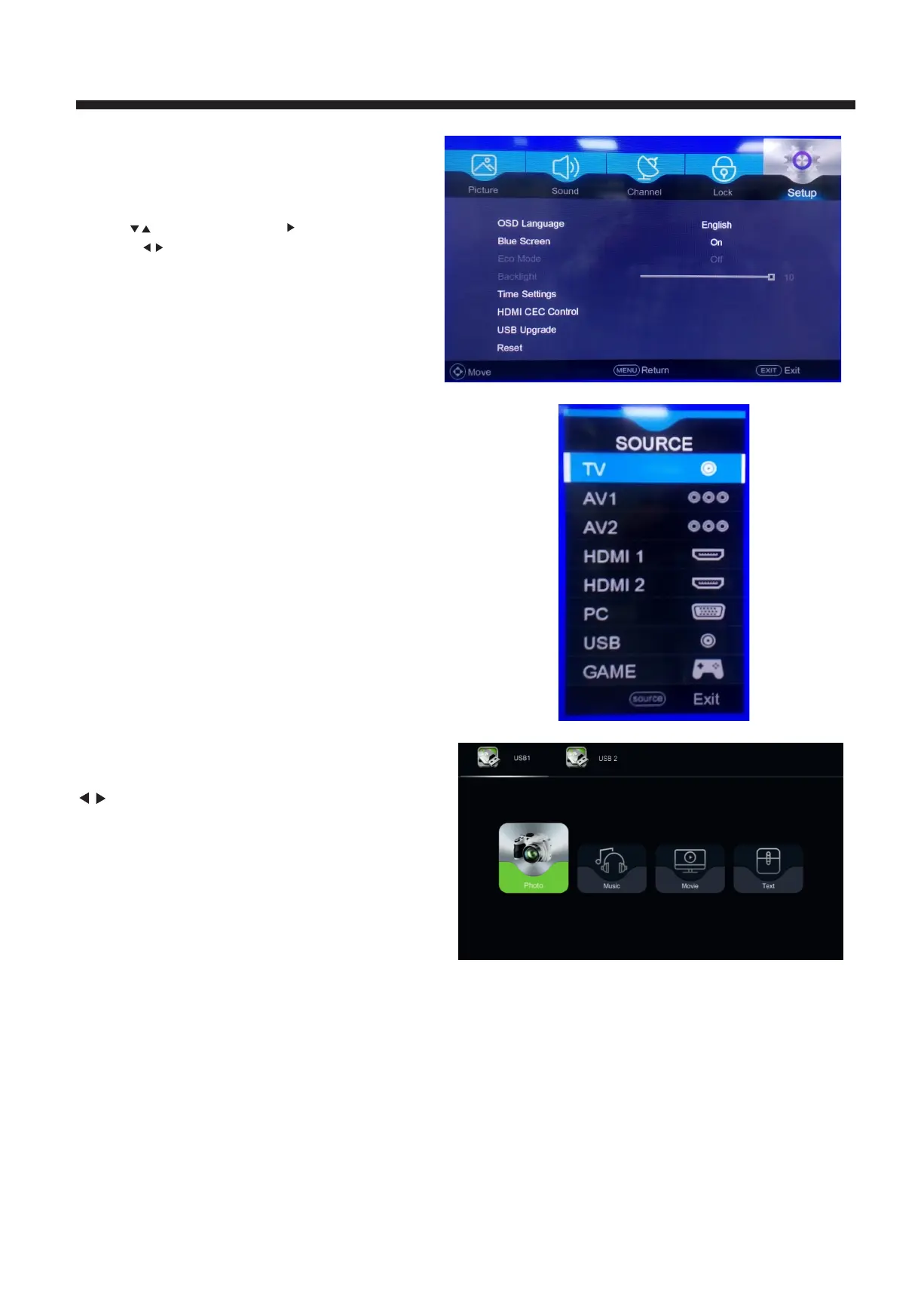
f the menu is the Setup MENU.
You can adjust OSD Timer, Blue Screen, Sleep Time
Backlight, Time setting, Reset TV etc.
Press to move, press OK / button to enter
or press to adjust.
NOTE:
Reset will clear all the programs and password.
6. USB FUNCTION
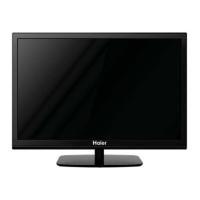
You must enter the Source menu first,then choice the
USB and press OK button,the USB menu will appear.
TV OPERATION
The fifth item o
13
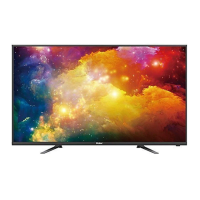
Please make sure that the USB device have plugged in
the slot. There are four item can be selected,
such as photo
, music, movie and text . Select the item
by pressing
, press OK button to enter
the disk selection menu.
In the movie mode, when you use FB, FF function, The
audio may be pause in several seconds to synchron
ize
the audio signal and video signal.
NOTE:
When the USB device isn't supported, it may be that the
power of the USB device isn't enough. Its requires more
than 500mA or 5V. Exceeding the max supported current
may result in damage or data loss.
HDMI CEC Control: This option allows to use CEC on/off
function.



 To Next Page