Service Manual
Model No.:
- 52 -
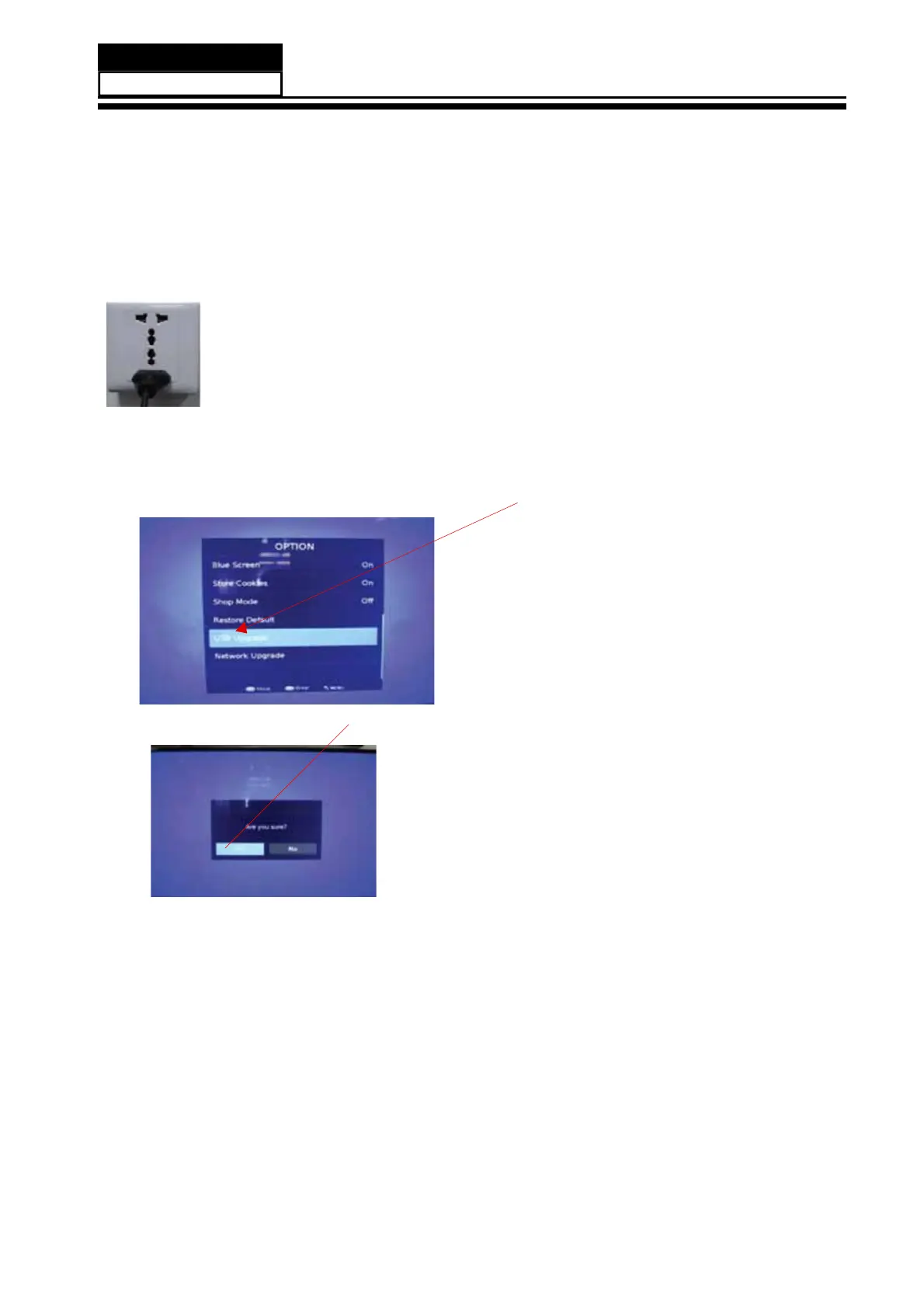
2.2,then input USB , press "MENU" and choose "USB Update", and then press "OK".
2.3,Now you should choose "Yes",TV begin to update.You should reset TV after update.
Note: When Upgrade on the process, please don’t Power-Off!
Haier 6308N upgrade with USB SOP
Step 1: Ready for F/W Upgrade
1.1 Prepare a USB memory .
&RS\WKHVRIWZDUH¿OHPHUJELQIURP\RXUFRPSXWHUWRWKH86%PHPRU\D
QGUHPRYH
it from computer’s USB port!
Step 2: F/W Upgrade
2.1 AC ON
8.2 How to update software


 To Next Page