P.07
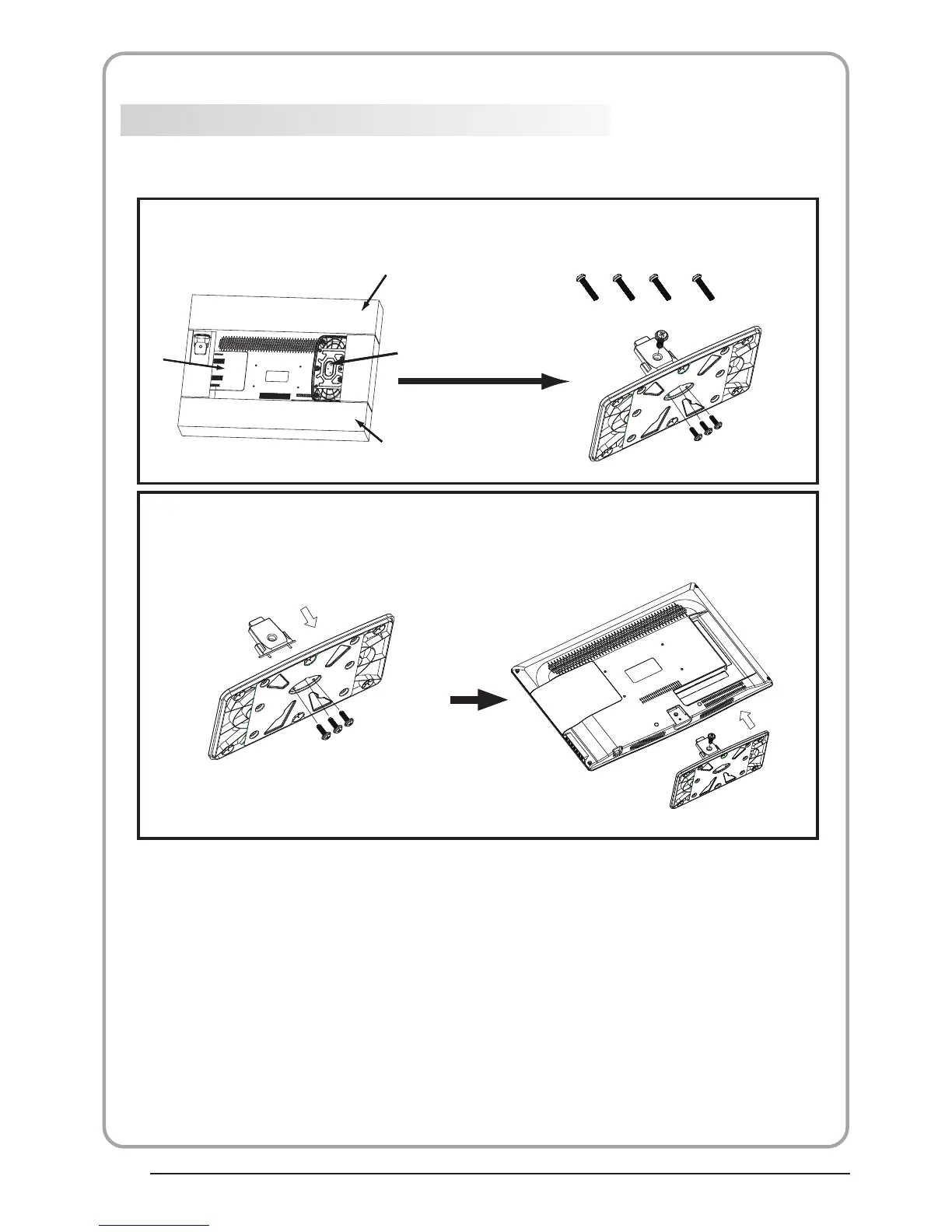
This STAND INSTALLATION GUIDE is provided to help you easily install the stand. Please carefully
follow step 1 through Step 2.
STAND INSTALLATION GUIDE
Open the box and find the parts
Open the box and find the following parts.
- Stand x1 pc
- Screws x 4 pcs
Packing
Stand
Packing
TV
Screws
Stand
1. Insert the stand support pillar into the
stand as the arrow indicated direction,
and then fastened with three screws.
2. Insert the stand Ass'y into back cover
as the arrow indicated direction,
and then fastened with one screw.
1
2
Place the stand on the TV


 To Next Page