Timer Functions
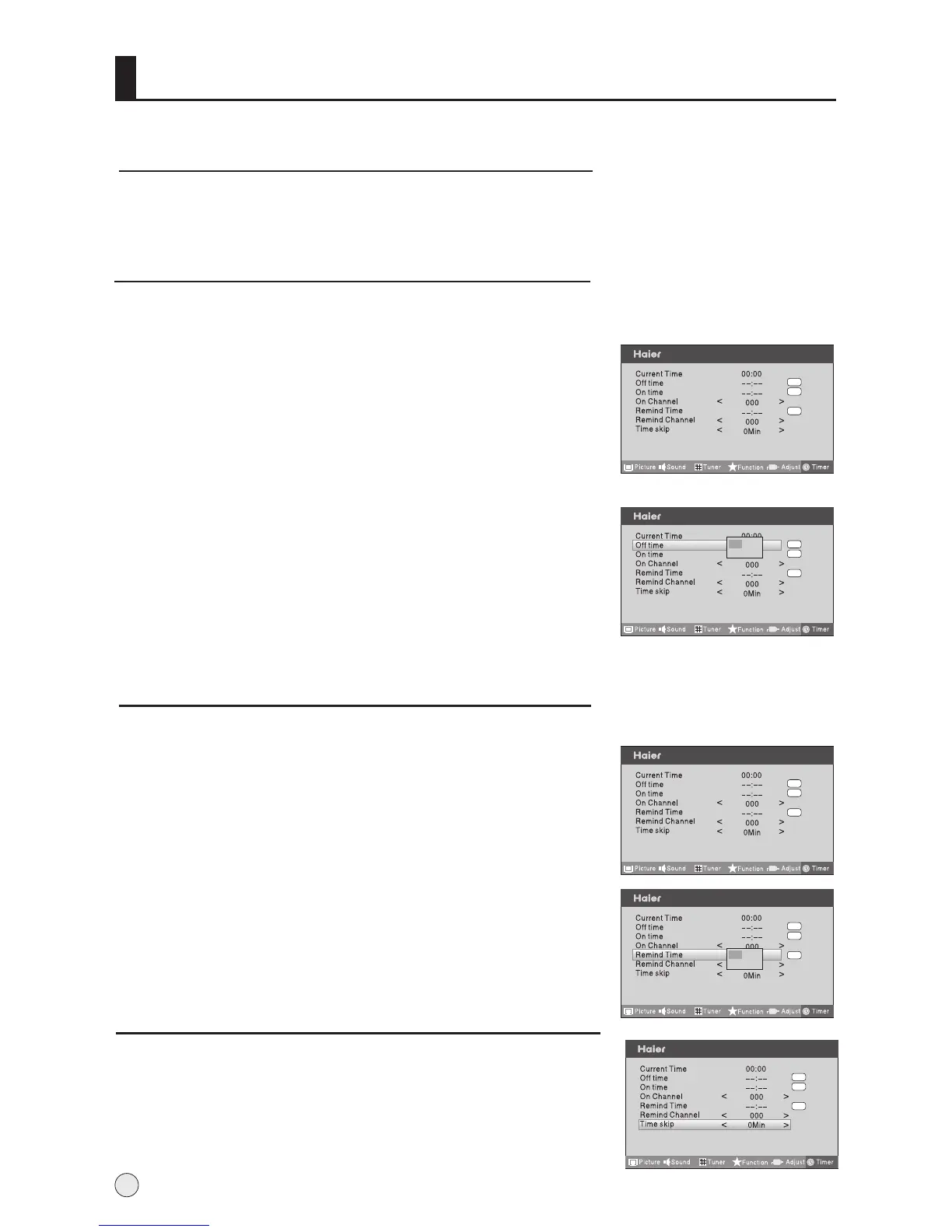
On/Off Time
Current time setting
Using on/off Time function, the TV set can automatically turn on to a preset program or
shut down in a preset time. When the set is disconnect from the power supply or is turned
off by the main power, the on/offt time looses.
1 Press MENU button and then use VOL+/- button to select
Timer menu.
2 Press CH+/- button to select On Time, press VOL+/-button
to enter submenu, and then use CH+/- button to select ON
or OFF option, when selecting ON option, and then use
VOL+/- button to hour or minute position and use CH+/-
button to set the value of hours or minutes.
3 Press CH+/- button to select On Channel, then press CH+/-
button to select your desired channel.
4 Repeat step 1-2 to set Off Time item.
5 Press MENU or OK button to return to the previous menu.
Remind Time and Remind Channel
Program remind Time, that displays an on-screen reminder prompt, when a
program on a different channel is due to start.
1 Press MENU button and then use VOL+/- button to select
Timer menu .
2 Press CH+/- button to select Remind Time, ress VOL+/-
button to enter submenu, and then use CH+/- button to
select ON or OFF option, when selecting ON option, and
then use VOL+/- button to hour or minute position and use
CH+/- button to set the value of hours or minutes.
3 Press CH+/- button to select Remind Channel, and then
VOL+/- button to select the channel number.
22
menu
Off
Off
Off
menu
Off
Off
Off
menu
Off
Off
Off
On
Off
--:--
menu
Off
Off
Off
On
Off
--:--
First, should examine that this current time and your location is consistent or not, If inconformity ,
you may carry out time in REC setup menu.(see 26 )
Time Skip
1 Press MENU button and then use VOL+/- button to select
Timer menu .
2 Press VOL+ button and then use CH+/- button to select
Time Skip, and then press VOL+ button to set the desired
time.
menu
Off
Off
Off



 To Next Page