EasyManua.ls Logo

Haier LR47T1 - User Manual

Haier LR47T1
44 pages
Print Icon
To Next Page IconTo Next Page
Loading...
MODELS: LR42T1
LR47T1
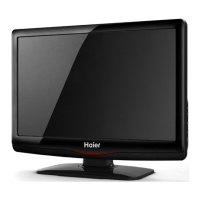
LCD TELEVISION
OWNER`S MANUAL
Please READ this manual carefully before
operating your TV, and retain it for future
reference.

Questions and Answers

  • C
    Christina ElliottAug 12, 2025
    How to fix a Haier LCD TV with no picture and sound?
    • K
      Kent OwenAug 12, 2025
      If your Haier LCD TV shows no picture and produces no sound, ensure the power supply is on and the TV is properly plugged into the power socket. Also, check that the TV's power cable is securely connected and that no other appliances are plugged into the TV.
  • J
    Jason McclainAug 16, 2025
    Why is there no sound on my Haier LCD TV but the picture is fine?
    • I
      Ian JonesAug 16, 2025
      If your Haier LCD TV displays a good picture but has no sound, first, try pressing the volume button to increase the volume. Next, check the audio frequency input signals to ensure they are properly connected and configured.
  • V
    Valerie Estes DVMAug 19, 2025
    What to do if the Haier LR47T1 remote controller is not working?
    • T
      tjenningsAug 19, 2025
      If the remote controller for your Haier LCD TV isn't working, check whether any objects are blocking the remote controller's signal from reaching the receiving window on the TV. Also, verify that the batteries in the remote controller are correctly installed and have enough power.
  • F
    Frank OlsenAug 23, 2025
    How to improve color and picture quality on Haier LR47T1 LCD TV?
    • G
      Gregory WatkinsAug 23, 2025
      If your Haier LCD TV has no color, weak color, or a poor picture, designate the color item from the Picture menu and press the volume button. Ensure the display and VCR are separated by a reasonable distance. Activate functions to store picture brightness. Also, confirm that the display and signal source are available and turned on.
  • M
    Michael ShawAug 27, 2025
    How to adjust brightness on Haier LR47T1?
    • A
      Angela BryantAug 27, 2025
      If your Haier LCD TV screen is excessively bright or dark, adjust the brightness or contrast settings to achieve a more comfortable viewing experience.
  • J
    jonathangardnerAug 30, 2025
    How to resize picture on Haier LR47T1?
    • S
      Sean RodriguezAug 30, 2025
      If the picture on your Haier LCD TV appears too big or too small, adjust the size settings in the TV's setup menu to achieve the desired display size.
  • R
    Rachel MckenzieSep 3, 2025
    What to do if one speaker is not working on Haier LR47T1 LCD TV?
    • S
      Sandra MillerSep 3, 2025
      If one speaker on your Haier LCD TV fails, try balancing the sound in the menu settings to correct the audio output.
  • R
    raymond81Sep 7, 2025
    Why is my Haier LR47T1 making a slight sound?
    • M
      michael94Sep 7, 2025
      A slight sound coming from your Haier LCD TV display is a normal phenomenon.

Summary

Important Safety Instructions

Explanation for signs

Explains warning symbols and their meanings for user safety, detailing potential hazards.

Warning instructions

Lists critical warnings regarding TV usage to prevent hazards like electric shock, fire, and damage.

Installation and Ventilation Guidelines

Provides guidelines for proper TV placement and ventilation to ensure safe operation and prevent overheating.

Usage Precautions

Offers advice on handling potential issues like screen burn-in, dark spots, and electromagnetic interference.

Interface and Controls

Panel Layouts

Identifies and describes the buttons and jacks on the front and rear panels of the TV.

Remote Control Operation

Instructions for battery loading, precautions, and an introduction to the remote control's functions.

External Connections

Antenna Connection

Guides on connecting antennas for optimal picture quality from broadcast signals.

Video and Audio Connections

Instructions for connecting devices like VCRs, DVD players, and set-top boxes using AV inputs.

PC, Audio, and Other Connections

Procedures for connecting PCs, monitors, headphones, and ensuring safe power source usage.

Basic TV Operation

Powering On;Off and Standby

Step-by-step guide to power the TV on, off, and put it into standby mode.

Menu Language and Input Source Selection

Instructions on setting the menu language and selecting the correct input source for viewing.

Channel Management

Guides for searching, tuning, editing channels, and using features like fine-tuning and skipping.

Picture and Sound Settings

Program Viewing and Sound Adjustment

How to select channels, adjust volume, and utilize quick view features.

Picture Control Functions

Customizing picture settings such as brightness, contrast, sharpness, and picture modes.

Sound Control Functions

Adjusting sound modes, volume, balance, treble, bass, and surround sound effects.

Advanced Functions and Media

Timer and Menu Functions

Setting on/off timers, reminders, time skip, and accessing various function menu options.

Adjust Menu for PC Input

Adjusting picture parameters like aspect ratio and position when the TV is in PC input mode.

Program Recording

Guides for timing and real-time recording of TV programs to USB storage devices.

Streaming Media Playback

Instructions on playing pictures, movies, and music files from connected USB devices.

Care and Troubleshooting

Cleaning and Maintenance

Instructions for cleaning the TV screen and cabinet, and preparing for extended absence.

Troubleshooting Common Problems

Solutions for common issues such as no picture/sound, remote failure, and poor picture quality.

Specifications and Formats

General Specifications

Details technical specifications like power, color system, sound system, and environmental conditions.

Product Dimensions and Formats

Provides product size details and recommended formats for various connection types.

Haier LR47T1 Specifications

General IconGeneral
BrandHaier
ModelLR47T1
CategoryLCD TV
LanguageEnglish

Related product manuals