Streaming Media Playing System
To Record and Play
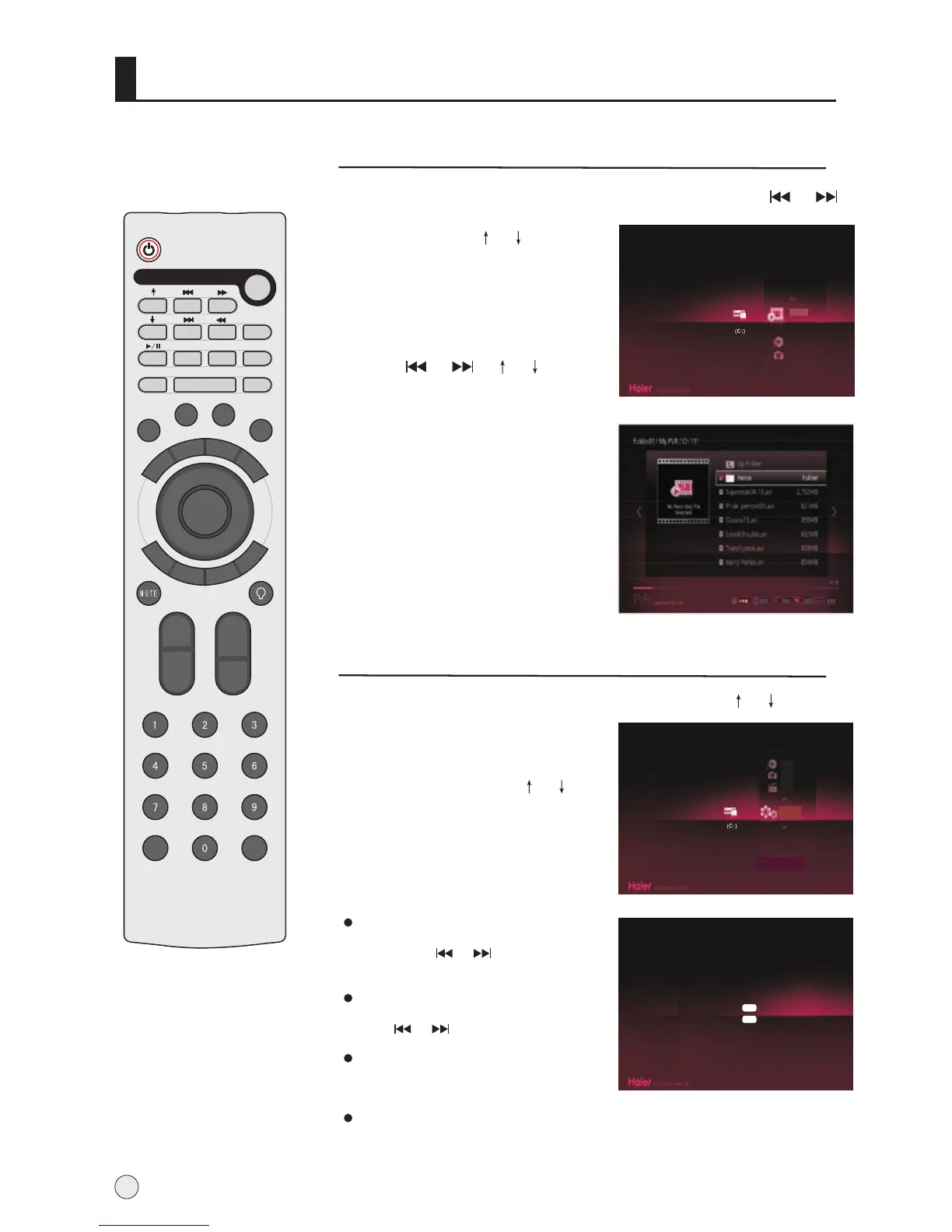
1 Press USB button to enter USB interface, and Press or
button to select disk partition,
and then press or button to
select PVR .
2 Press ENTER button to enter
playing menu.
3 Press or or or button
to select the desired program,
and then press ENTER button to
start playing program.
4 If to cancel, press RETURN
button to exit.
option
36
Move
Play
Return
Option
Music
PVR
Picture
Music
Attentions:
During playing music,
you may press HELP button to
select playing mode.
Settings
1 Press USB button to enter USB interface, press or button
to select Setting .
2 Press ENTER button to enter
submenu, and press
.
3 If to cancel, press RETURN
button to exit.
option
or
button to select the desired
item
PicturePicture
Music
Movie
Settings
Setup
Photo Slide Time < Slow >
Recording Quality < SP >
Record Device C:
Timeshift Device Internal Device
OK
OK
Photo Slide Time:
there are three modes(Slow/Middle/
Fast), press or button to
confirm it.
Recording Quality:
there are three modes(SP/HQ/LP),
press or button to confirm it.
Record Device:
If USB equipment has much disk partition,
can choose the picture recording subarea.
Timeshift Device:
there are two modes(Internal Device/External Device);
you can record program on no external device.
REC
TIME SHIFT
ENTER
ZOOM
HELP
PIP
SWAP
PIC.SIZE
DISP
LA
Y
I/II
S
CA
N
OK
S
H
U
TT
L
E
H
.L
OC
K
S
L
E
E
P
MENU
TV/AV
RETURN
USB
ZOOM/MOVE
T
IME
.S
K
IP
PSM
SM
Q.VIEW
STILL
-/--
CH-
CH+
VO
L
-
VOL+
S
CH.EDIT



 To Next Page