Buttons and interface location
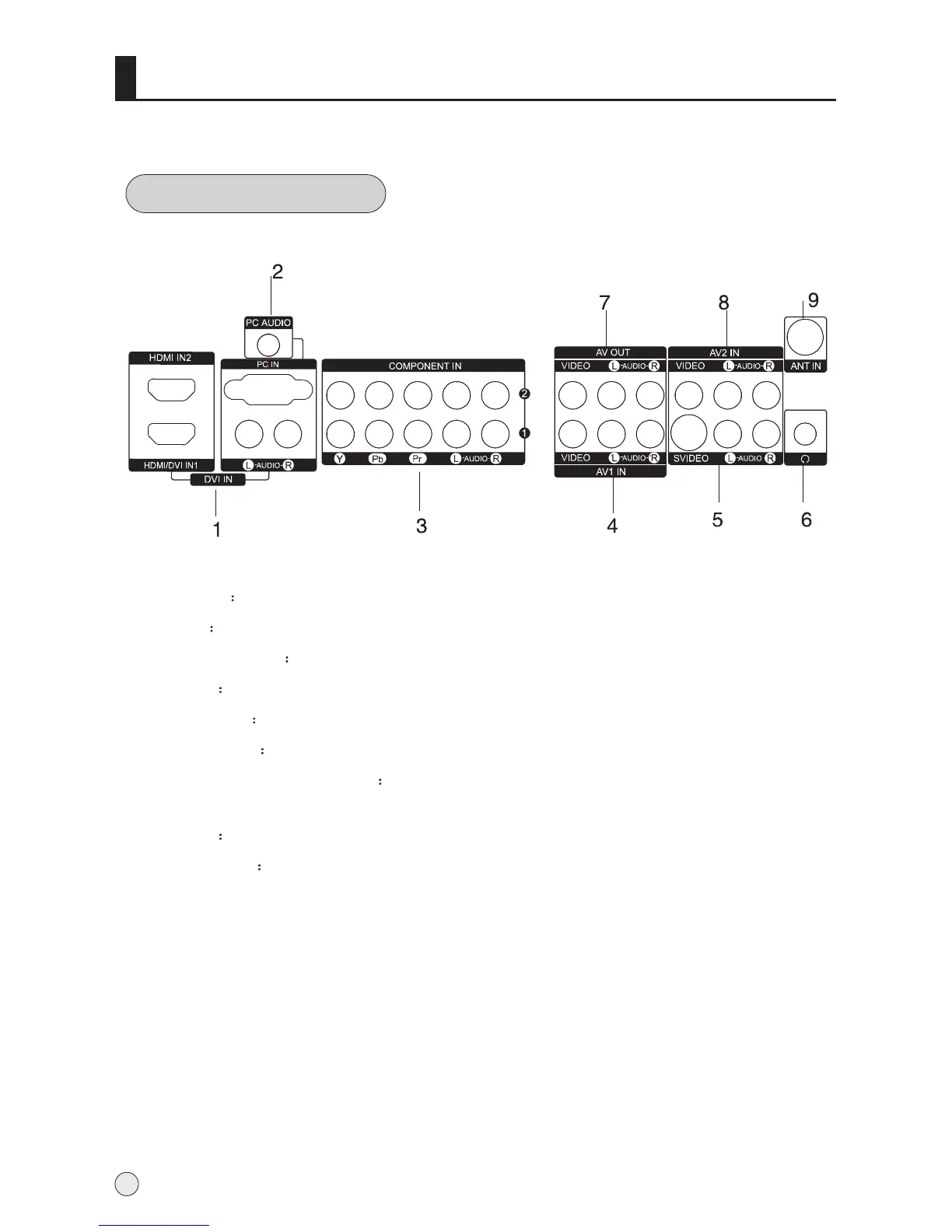
Rear panel Control
1 HDMI Input Connnect a signal to HDMI/DVI
2 PC Input
3
4 AV1
5
6
7
9
Connect the monitor output connector from a PC to the jack
Component Input Connect a component video/audiodevice to these jacks.
Input Connect audio/video out from an audio/video device to these jacks.
S-Video Input Connect S-Video out from a S-Video device to these jacks.
Earphone jack Earphone Audio output terminal
Antenna Input Connect cable or antenna signals to the TV, either directly or
through your cable box.
Video/Audio output terminal
Connect ordinary video/audio or other appliance audio input terminals.
8 Input Connect audio/video out from an audio/video device to these jacks. AV2
6



 To Next Page