7
The TV will be turned on in a minute with
display on the screen.
Power Key
flame sources, such as lighted candles,
should be placed on or in the vicinity.
Avoid heat, direct sunlight and exposure
to rain or water. The equipment shall not
be exposed to dripping or splashing.
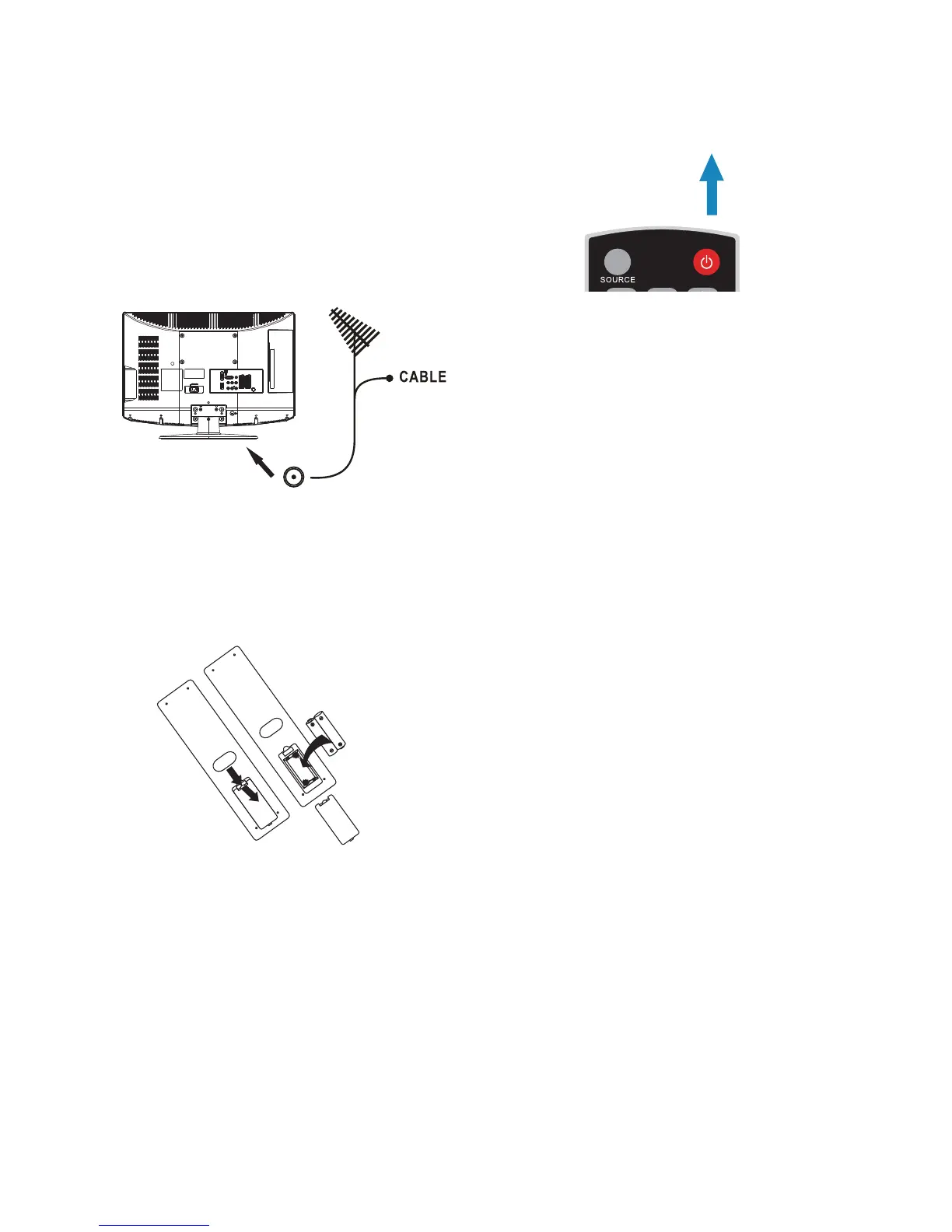
2. Connect the antenna cable or CATV cable
to the aerial socket TV ANTENNA at
the back of the TV set.
3. Remote control:
Remove the cover of the battery
compartment. Insert the 2 batteries
supplied (Type AAA 1.5V).
4. Power:
Insert the power cord in the wall socket
with AC power supply. You can see LED
states at the front panel. If the LED colour
is Blue, means the TV set is power on. If
the LED colour is Red, which means this
TV set is in standby state.
5. Turn the TV on:
Press the POWER key on the Remote
control or the side panel control knobs.



 To Next Page