10
tip!
OPERATION CONT.
Fan mode indicators
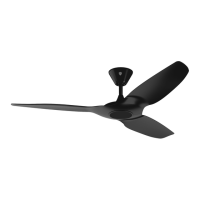
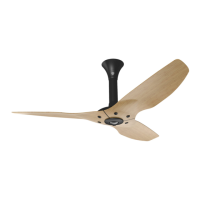
Each operating mode is indicated by a pattern on the fan mode indicator display, which is located on
the bottom of the fan and is visible from the floor. The display includes an LED (light emitting diode)
bar graph to indicate fan speed and Whoosh mode, and separate LEDs to indicate Timer mode and
Sleep mode.
All indicators automatically turn o approximately one minute after the last button is pressed to
minimize power consumption and prevent nuisance lighting at night. The indicators will display the
current speed setting by default.
The indicators can be reactivated by pressing any button on the remote control except the On/O button. This
will not change the current operating setting.
Speed indicators
When the fan is running, the Speed indicator LEDs show the current fan speed (1–6). Whoosh mode
is indicated when the highest set speed indicator is flashing. When all indicators are simultaneously
flashing, Timer mode is active. Note: The controller shows seven speed indicators; however, only six
are active on the fan.
You can toggle the display from Speed mode to Timer mode by pressing the Timer button once. To
toggle from the Timer mode to Speed mode, simultaneously press the Speed button and Whoosh
button once. See the previous page for instructions on changing fan speed.
Sleep mode indicator
The Sleep LED indicates that Sleep mode is active. A flashing Sleep LED indicates that the Timer
mode is being adjusted. See the previous page for instructions on using Sleep mode.
Timer mode indicator
The Timer LED indicates that Timer mode is active. A flashing Timer LED indicates that the Timer
mode is being adjusted. See the previous page for instructions on using Timer mode.



 To Next Page
 Loading...