Need help?
Do you have a question about the HaiLin Controls HL-ESNC-025 and is the answer not in the manual?
Turns the thermostat on or off, displaying mode and room temperature.
Allows switching between Cool, Heat, and Auto modes with visual confirmation.
Use UP/DOWN buttons to set target heating or cooling temperature.
Configure fan operation to Hi, Med, Low for continuous airflow or Auto.
Indicates when to change/clean the filter; reset by holding Fan button.
Shows outdoor temperature for 5 seconds when Mode button is held.
Prevents compressor cycling by enforcing a minimum 5-minute off-time.
Ensures heating/cooling stages run for a minimum of 3 minutes.
Manages automatic mode transitions after a 20-minute demand.
Icons indicate active heating/cooling or timer delays.
Details error codes (E1, E2, F1) for troubleshooting.
Procedure to access installer settings by holding Fan button for 15 seconds.
Enables or disables the use of an outdoor temperature sensor.
Configures the blower operation hours for filter change reminders.
Sets the display to Fahrenheit (F) or Celsius (C).
Determines if the fan output is ON or OFF when W/W1 output is ON.
Selects the indoor sensor to replace the building sensor.
Adjusts the room temperature sensor reading by +/- 5 degrees.
Enables or disables the automatic changeover between heat and cool modes.
Prevents cooling below 55°F (12°C) if an outdoor sensor is used.
Locks or unlocks the keypad, requiring a button hold to unlock.
Enforces a minimum temperature difference between heat/cool setpoints.
Selects when the reversing valve is energized in heat pump operation.
Sets minimum off-time for compressor protection (0-12 min).
Sets minimum run-time for heating/cooling stages (0-5 min).
Defines demand duration (0-20 min) for auto mode changeover.
Retains previous operating status after power is restored.
Selects between Air Conditioning (AC) or Heat Pump (HP) applications.
Illustrates connections for Air Conditioner and Heat Pump systems.
Guidelines for mounting the thermostat in a frequently used room.
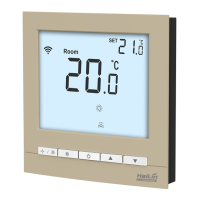
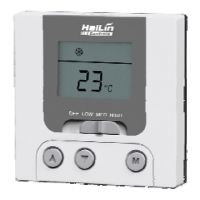
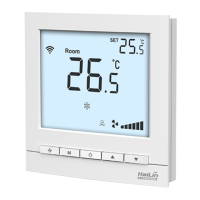
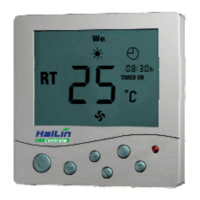
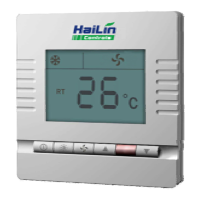
This document describes a non-programmable digital thermostat, available in two models: HL-ESNC-025 (220V) and HL-ESND-026 (24V). It features a large, easy-to-read display with a blue backlight, and supports both Fahrenheit and Celsius temperature units. The thermostat offers Cool, Heat, and Automatic Heat/Cool Changeover modes, along with a keypad lock and auto-recovery function.
The thermostat's primary function is to maintain a desired indoor temperature. It operates by controlling heating and cooling equipment based on the user-selected mode and set point.
In Heat mode, if the heating temperature is higher than the current room temperature, the thermostat will activate heating. Otherwise, it will flash a symbol, indicating that heating is off. In Cooling mode, if the cooling temperature is lower than the current room temperature, the thermostat will activate cooling. Otherwise, it will flash a symbol, indicating that cooling is off. In Auto mode, the thermostat automatically switches between heating and cooling as needed to maintain the set point. If neither heating nor cooling conditions are met, the thermostat will have no output and will stop.
The thermostat allows users to select various fan settings: High, Medium, Low, and Auto. In High, Medium, or Low modes, the fan runs continuously to improve air circulation. In Auto mode, the fan runs only when necessary to maintain the desired indoor temperature.
This feature prevents the compressor from starting unless it has been off for at least 5 minutes, protecting the equipment. This timeguard can be temporarily overridden for one cycle by simultaneously pressing the FAN mode button and the UP button.
Once a heating or cooling stage turns on, it will remain on for a minimum of 3 minutes, ensuring stable operation and preventing short cycling.
When Auto Changeover mode is selected, a change from heat to cool (or vice versa) will only occur after an opposite mode demand has existed for 20 minutes. If the set point is changed, this 20-minute requirement is deleted. This mode can also be disabled.
These icons indicate when heating or cooling is active. If an icon is flashing, it means the equipment is temporarily prevented from turning on by one of the internal timers. If the icon remains on without flashing, the equipment is actively running.
The thermostat can display the outdoor temperature for approximately 5 seconds by holding down the Mode button. This feature is only available in HL-ESND-023 and HL-ESND-024 models and requires an outdoor sensor to be connected. If "E2" is displayed, it indicates that the outdoor temperature function is not available or not properly checked.
The keypad can be locked to prevent unauthorized changes to settings. When locked, "F1" is displayed, and the keypad is locked out. To unlock, press and hold the UP and DOWN buttons simultaneously for approximately 5 seconds. The "F1" icon will disappear, and the keypad will be unlocked. If no button is pressed for a certain duration (e.g., 30 seconds), the keypad will automatically re-lock.
This feature ensures that the thermostat returns to its normal operating state after a power interruption or other event.
This option allows for calibration or deliberate miscalibration of the room temperature sensor. Users can adjust the displayed temperature by adding or subtracting up to 5 degrees from the actual temperature. This adjusted value is used for both display and control. For example, if a +2 offset is selected, an actual temperature of 72°F will read as 74°F. If the set point is 72°F, the room will control to an actual value of 70°F, which will be displayed and acted upon as if it were 72°F. A positive offset makes the room temperature lower, and vice versa. The thermostat is factory calibrated within an accuracy of plus or minus 1°F, so setting the offset to 0 provides the best accuracy.
To turn the thermostat on, press the "O" button. The mode symbol (or), "RT", and room temperature will be displayed. To turn it off, press the "D" button again; the LCD will be blank, and there will be no output.
To select Cool Setting, press the "" button until the "*" icon flashes. It will be confirmed automatically after 6 seconds. To select Heat Setting, press the "" button until the "" icon flashes. It will be confirmed automatically after 6 seconds. To select Auto Setting, press the "" button until the "&" icon flashes. It will be confirmed automatically after 6 seconds.
Press the UP or DOWN buttons until the desired heating or cooling temperature set point is displayed. Then, press the MODE button to select the second temperature setting (either HEAT or COOL).
The thermostat has a configuration mode that allows installers to set various options. These options are typically set during installation and should not be modified by homeowners. To enter configuration mode, turn off the thermostat and hold the fan button down for approximately 15 seconds. After 15 seconds, "Option 01" will appear on the display. The thermostat will automatically exit this mode if no button is pressed for 90 seconds.
The thermostat reminds you when it's time to change or clean the filter by displaying the "O" indicator.
After changing or cleaning your filter, hold the Fan button down for approximately 5 seconds to reset the timer. The "O" indicator will turn off, and the filter timer will be cleared manually.
This option in configuration mode allows selecting the number of hours of blower operation (heating, cooling, or fan) before the filter reminder appears. Time selection can range from 400 to 3600 hours by selecting numbers from 1 to 9 (where time is 400 multiplied by the selected number). The factory default is 2 (800 hours). Recommended selections are: 800 hours for disposable filters, 1200 to 1600 hours for media filters, or 1600 to 2400 hours for electronic air cleaners.
 General
| Model | HL-ESNC-025 |
|---|---|
| Category | Thermostat |
| Input Voltage | 24 VAC |
| Output Type | SPDT Relay |
| Enclosure Rating | IP20 |
| Accuracy | ±1°F (±0.5°C) |

 To Next Page