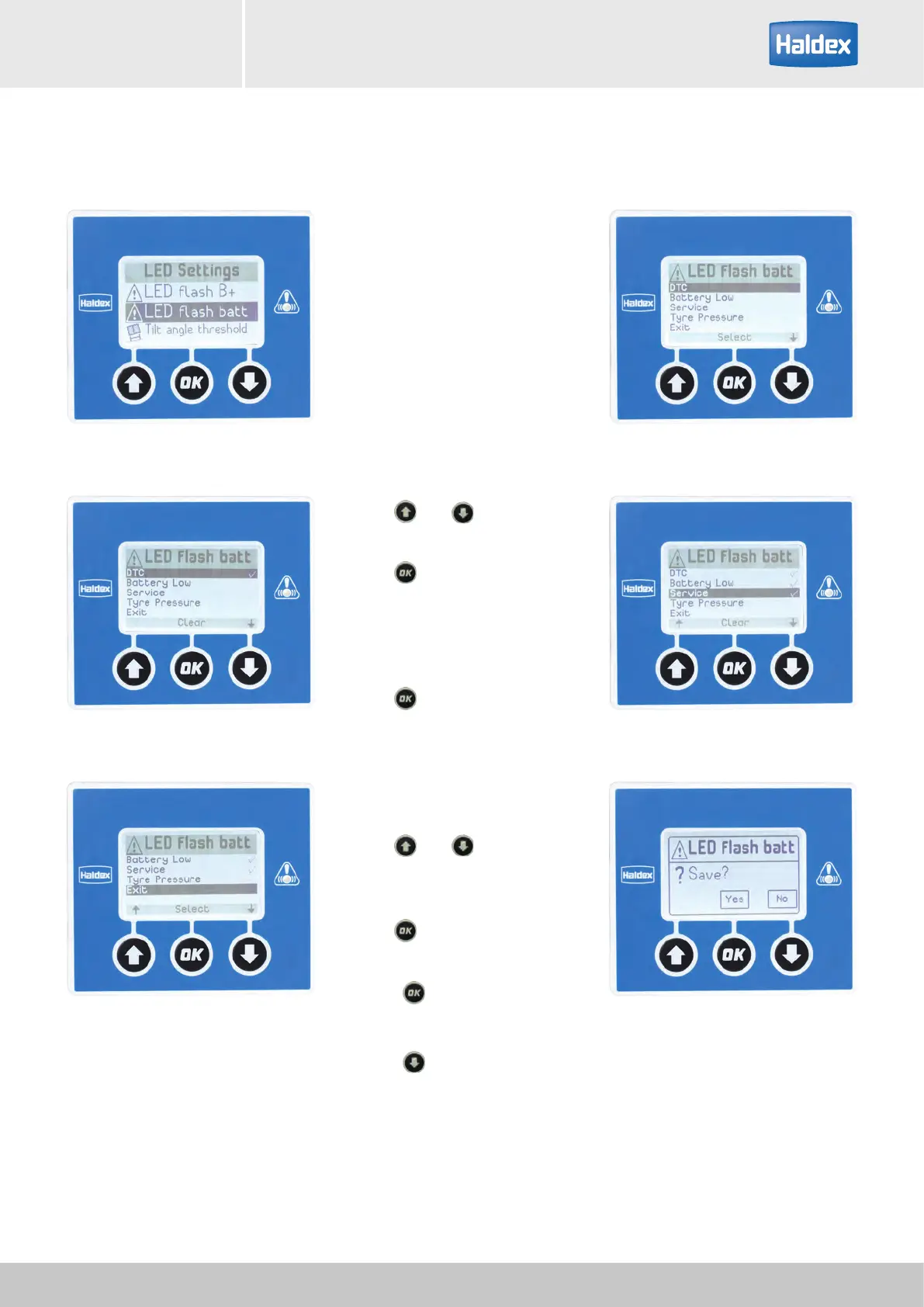
LED flash batt:
Sets the configuration of the
service LED when the EB+ Info
Centre is battery powered.
The PIN will need to be entered
before commencing (see "Settings /
EB+ Info Centre / Unlock" on page
58).
Use the
and buttons to
highlight the action from the list.
Use the
button to select the
highlighted action.
The selected line is identified with a
tick on it.
Use the
button to clear the
highlighted action.
All number or combinations of the
actions can be selected.
Exit:
Use the
and buttons to
highlight the Exit action from the
list.
Use the
button to select the exit
option and go to the save menu.
Press the
button to save and
exit to the LED settings menu.
or
Press the
button to exit without
saving.
Settings / LED settings / LED ash battery
EB+ Info CentreOperator's guide
71
2021 Innovative Vehicle Solutions



 To Next Page