7
NOTICE! Danger of damage!
When the coolbox is switched o by the inbuilt battery monitor, the vehicle battery will no longer
be fully charged. Avoid starting the vehicle repeatedly or operating without rst recharging the
vehicle battery through driving (alternator charging) or connecting a battery charger.
At the “H3” level, the battery monitor responds faster than at the “H1” and “H2” levels.
When the coolbox is supplied by the vehicle battery, select the battery monitor level “H3” for
maximum protection. If the coolbox is connected to a supplementary leisure battery, the battery
monitor level “H1” should suce. The user should decide which level of protection they require.
• Switch on the coolbox.
• There are 3 levels of low voltage battery protection to choose from and set: H1, H2 and H3.
Touch the “UP “ and “DOWN” buttons at the same time for about ve seconds. A ashing “H1”
or “H2” or “H3” will appear on the display screen. Touch the “UP +” button or “DOWN -” button
to select the battery monitor level “H1” or “H2” or “H3” that is required. The selected monitor
level “H1” or “H2” or “H3” will ash on the display screen for a few seconds after setting,
before the display returns to the current temperature.
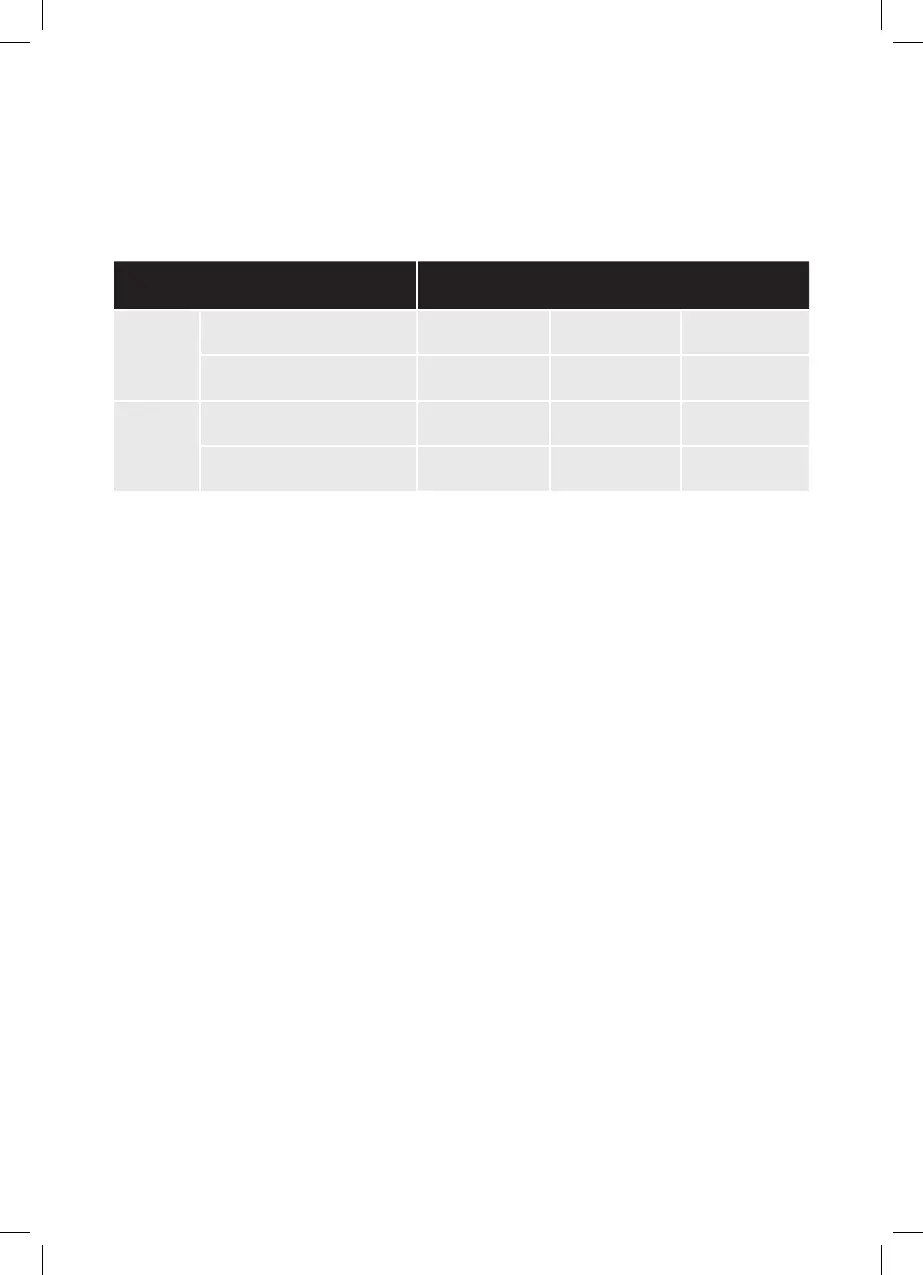
Monitor Level H1 H2 H3
12V
Switch-o voltage 10.3V 10.8V 11.3V
Restart voltage 11.1V 11.8V 12.6V
24V
Switch-o voltage 21.5V 22.3V 24.3V
Restart voltage 22.7V 23.7V 25.7V
4.5 Coolbox Working Mode Setting:
• Coolbox working mode selection:
There are two working modes:
HH working mode:
The coolbox will work normally in this mode.
The LED “on” light will be red in this working mode.
ECO working mode:
the coolbox is in energy saving mode.
The LED “on” light will be green in this working mode.
Touch the “set” button twice. There will be a ashing “HH” or “ECO” display on the screen. Use
the “UP +” and “DOWN -” buttons to select the mode you what. The working mode letter “HH”
or “ECO” will ash on the screen for a few seconds, and then the display screen will return to
display the current temperature.
HAL4345_80142_414734 - Halfords 30L Compressor Coolbox - Manual.indd 7HAL4345_80142_414734 - Halfords 30L Compressor Coolbox - Manual.indd 7 25/01/2021 13:2825/01/2021 13:28


 To Next Page