To Turn On/Off Your HALO Charger
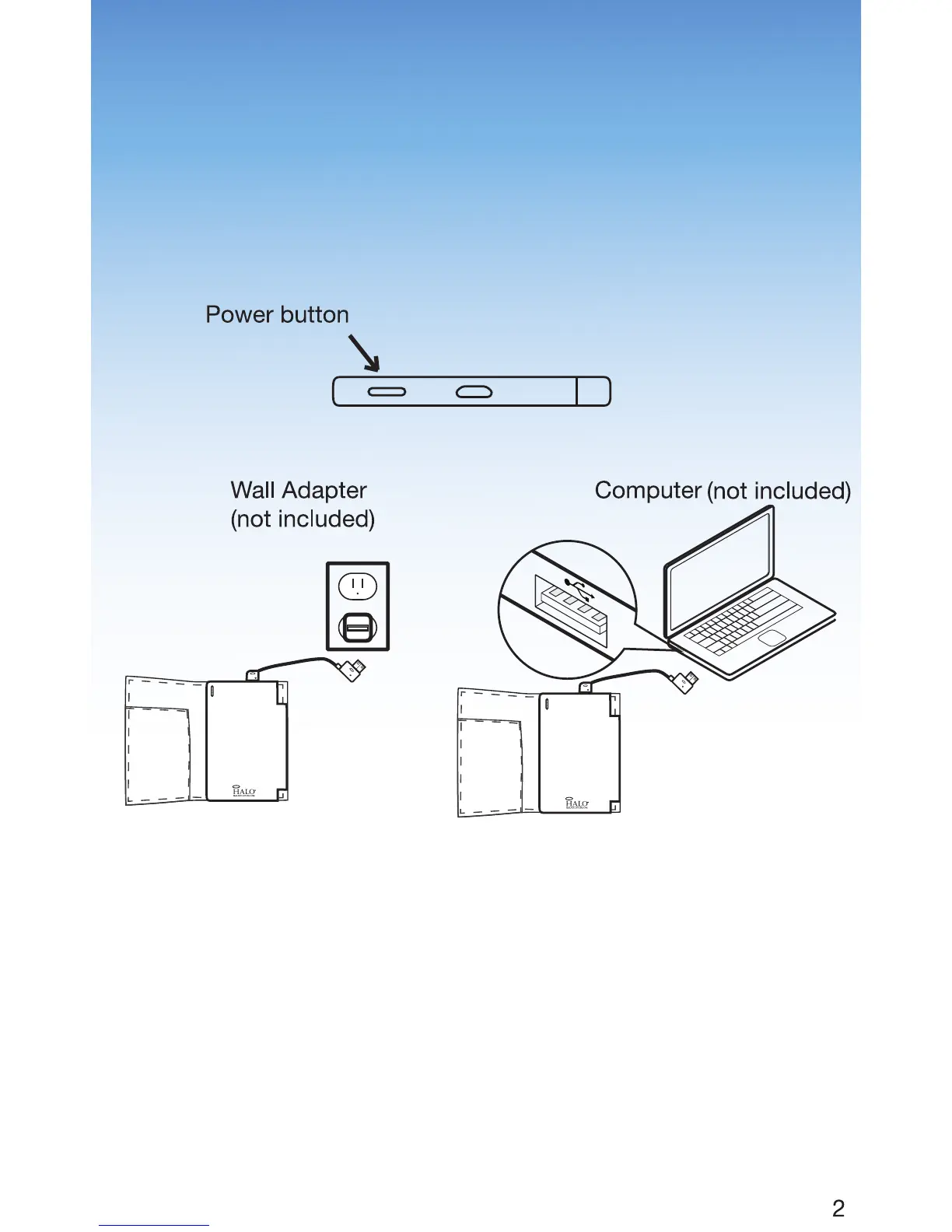
To turn on, press the power button, and the LED lights on
the front of your charger will illuminate. To turn off, press and
hold the power button for three seconds. Your HALO
charger has an auto On/Off feature. Your HALO charger
will turn on when plugged into any electronic device. It will
turn off after 30 seconds of being unplugged from an
electronic device.
Charging Your HALO Charger
1. Using the provided detachable Standard USB-Micro
USB cable, plug the Micro USB end into your charger’s
Micro USB IN port.
2. Next, connect the Standard USB end of the detachable
Standard USB-Micro USB cable into the Standard USB
port on your computer (not included) or an AC adapter
(not included) that accepts Standard USB. Your HALO
charger will automatically begin charging.
Note: When recharging your HALO charger please allow
6 hours to fully recharge the unit.
100
75
50
25
100
75
50
25
h
r
h
r
h
r
h
r


 To Next Page