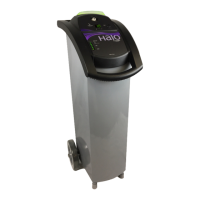
HaloFogger® Operation Manual_1911
How to Use the HaloLog™ Data Logger
Compatible with Apple® iDevices and Android® Devices that have Bluetooth 4.0
The HaloLog™ App free of charge to download.
For Apple® iDevices, please visit the App Store.
For Android® Devices, please visit Google’s Play Store.
What does HaloLog™ App Do:
Keeping track of treatment compliance is important in certain environments. The HaloLog™ allows
applicators to use an Apple® iOS devise (i.e. iPhone or iPad) to:
• Download and view a time-stamped record for treatment cycles via a Bluetooth® connection.
• Ability to record or document treatment location and other information for each cycle on the iOS App.
• View total hours of operation for a specic HaloFogger.
• From the iOS App, download and email a le that contains the date, time, and run duration, along with any
notes, for each HaloFogger operation since rst deployment.
• Monitor dierent HaloFogger units with the same Apple iOS device.
How the HaloLog Feature Works:
The HaloLog data logger features an integrated Bluetooth device with a ‘real time’ clock and sucient
memory to record 30,000 run cycles.
The integrated logger automatically keeps a record of the date and time the HaloFogger starts & stops a
dispensing run. It also keeps track of the total operating hours (dispensing) of the HaloFogger.
With the HaloFogger plugged into a power source, an iOS device with the HaloLog App installed can be
connected to the HaloFogger data logger via Bluetooth. The HaloLog App does not need to be connected
to a fogger before a treatment run is started. The on-board data logger captures all of the operating data,
which can be reviewed later with the HaloLog App after each run, or as necessary.
An operator stands within 10’ of a HaloFogger unit, and opens the HaloLog App. The app searches for
the HaloFogger and once found, the serial number of that HaloFogger will appear. Once a connection is
established, the date, time and duration of the HaloFogger treatment cycles can be viewed on the iOS
device; and notes and/or location details can be entered for each cycle. Note: Only one iDevice with the
HaloLog App installed can be connected to a HaloFogger at a time.
For archiving and printing, a CSV data le can be emailed directly from the HaloLog App and then imported
into Excel for analysis and reporting.
The HaloLog data logger contains a rechareable battery that is charged every time the HaloFogger® is
connected to a power source. If the HaloFogger is used infrequently, it is recommended to leave the device
plugged in overnight once every three months.
System Requirements for compatible Devices
Bluetooth® 4.0 (BT LE), also known as Bluetooth Low Energy and Bluetooth Smart, rst appeared in smart
phones in 2011. It is required for the hando feature of iOS 8 and Yosemite.
Apple Devices: App supports the following Apple devices which are Bluetooth 4.0 equipped:
iPhone • iPhone 4 or newer
iPad • iPad, 3rd generation or newer
Android Devices: • App supports all Android devices that have OS 5.x+ (Lollipop)


 To Next Page
 Loading...