EasyManua.ls Logo

Halosil HaloFogger STD 1911 - User Manual

Halosil HaloFogger STD 1911
18 pages
Print Icon
To Next Page IconTo Next Page
Loading...
READ AND SAVE THESE INSTRUCTIONS
Operation Manual
110V | 220V
STD
1911
®
Question and Answer IconNeed help?

Do you have a question about the Halosil HaloFogger STD 1911 and is the answer not in the manual?

Summary

Read and Save These Instructions

HaloFogger Component Overview

Device Parts Identification

Identifies key external parts of the HaloFogger, including handles, nozzle, timer, and reservoir.

Status Indicator Light Guide

Explains the meaning of the Halo device's status lights: solid green, flashing green, flashing red, and solid red.

Safety Precautions and Warnings

Critical Caution Statements

Details crucial cautions for user safety, including child safety, PPE, and electrical hazards during operation.

Operational Warnings

Highlights warnings related to the actual use of the HaloFogger, including disinfectant, placement, and fogging parameters.

Getting Started with HaloFogger

Initial Setup and Charging

Covers essential pre-operation steps: charging the internal battery and downloading instructions.

Device Setup and Filling

Provides step-by-step guidance for connecting power, opening the reservoir, and filling it with disinfectant.

Basic Operating Procedure

Details the fundamental steps for operating the HaloFogger, including timer setting and initiating treatment.

Operational Guidelines

Recommended Fogging Times by Room Size

Chart providing timer settings based on room volume (ft³/m³) for effective fogging.

Determining Safe Re-Entry Times

Explains methods for calculating minimum safe re-entry times after fogging, considering protocols and H2O2 levels.

Specialized Fogging Procedures

Fogging Multi-Room Spaces

Instructions for fogging rooms with an adjacent interior room, including positioning and measurement.

Bathroom Preparation for Fogging

Specific preparation steps for bathrooms to ensure proper aerosol circulation, such as opening toilet lids and shower curtains.

HaloLog Data Logger Functionality

HaloLog App Capabilities

Describes the HaloLog App's features for tracking compliance, recording treatment data, and monitoring operations.

Data Logger Operation

Explains the integrated Bluetooth logger's function for recording date, time, and duration of fogging runs.

Device System Requirements

Lists the necessary Bluetooth 4.0 system requirements for compatible Apple and Android devices.

Connecting HaloLog App to HaloFogger

Establishing a Bluetooth Connection

Step-by-step guide to connecting the HaloLog App to the HaloFogger via Bluetooth.

Connection and Range Considerations

Information on connection status indicators, effective range, and limitations on multiple device connections.

HaloLog App Interface Navigation

Halo List Screen Details

Describes the Halo List screen, showing found foggers and stored data logs on the iDevice.

Run Events Screen Explained

Details the Run Events screen, displaying run IDs, connection status, and data management options.

Managing Run Event Data

Editing Run ID Information

Instructions for adding or editing details like room, building, operator, and comments for each run event.

Classifying Events as Billable

Guides on marking events as billable or non-billable, affecting CSV file inclusion and total run time.

Removing Run Events

Describes the process of marking events as deleted, excluding them from CSV files and total time.

Data Export and Backup Procedures

Restoring Deleted Events

Explains how to remove the 'DELETED' status from a run event, making it visible again.

Sending Data via Email

Details how to select data ranges and email logged data for reporting, archiving, or backup.

Data Management Utilities

CSV File Usage

Describes how the HaloLog App creates CSV files for MS Excel, facilitating data manipulation and reporting.

Utility Screen Functions

Explains the Utility Screen's purpose for monitoring data exchange and erasing logs from the iDevice.

Device Maintenance

Nozzle Cleaning and Alignment

Provides detailed, step-by-step instructions for cleaning and properly aligning the HaloFogger nozzle.

Funnel Cleaning Procedure

Outlines the process for checking and cleaning the fluid funnel for debris to ensure proper operation.

Troubleshooting Common Issues

Troubleshooting Symptom Table

A table listing common symptoms, probable causes, and recommended solutions for HaloFogger operation.

Customer Service Contact

Provides contact information for customer service if troubleshooting steps do not resolve the problem.

Parts and Supplies Information

Replacement Parts Catalog

Lists available replacement parts for the HaloFogger, including power cords and nozzle assemblies, with part numbers.

Re-Order Numbers for Supplies

Provides re-order numbers for the HaloFogger unit, disinfectant, and chemical indicator strips.

Warranty and Registration

Halosil International Warranty Coverage

Explains the six-month warranty coverage, exclusions, and conditions that can void the warranty.

Extending Standard Warranty

Details how to register the HaloFogger purchase to extend the standard warranty to one year.

Overview

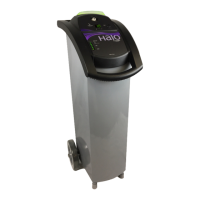
The HaloFogger is a portable disinfection device designed for use in various environments, including healthcare facilities. It operates by dispensing a dry mist of HaloMist™ All-Purpose Disinfectant, a hydrogen peroxide-based solution, to achieve broad-spectrum disinfection. The device is available in 110V and 220V versions, catering to different electrical standards.

Function Description:

The primary function of the HaloFogger is to provide whole-room disinfection by aerosolizing a disinfectant solution into a fine mist. This mist disperses throughout a room, reaching all surfaces, including hard-to-reach areas, to kill bacteria, viruses, and fungi. The device is designed for ease of use, with a digital timer that allows users to set the fogging duration based on room size. After the fogging cycle, a specified re-entry wait time is required to allow the hydrogen peroxide concentration to drop to safe levels. The HaloFogger is intended for use in unoccupied rooms and requires users to follow strict safety protocols, including wearing personal protective equipment (PPE) when handling the disinfectant and during re-entry before the wait time has expired.

Important Technical Specifications:

  • Power: Available in 110V and 220V models.
  • Disinfectant Capacity: The reservoir holds two gallons (7.6 liters) of HaloMist™ All-Purpose Disinfectant.
  • Fogging Time Settings: The digital timer allows setting fogging times from 10 to 60 minutes, corresponding to room sizes ranging from 1,400 to 10,500 cubic feet (40 to 300 cubic meters).
  • Re-Entry Wait Times: Minimum wait times range from 110 minutes for a 10-minute fogging cycle to 210 minutes for a 60-minute fogging cycle. These times are crucial for safety and effectiveness.
  • Nozzle: High-precision nozzle designed to dispense a dry mist.
  • Mobility: Equipped with large wheels for easy maneuvering.
  • Data Logging: Features an integrated HaloLog™ Data Logger with Bluetooth 4.0 connectivity. This logger records up to 30,000 run cycles, including date, time, and run duration. It has an internal back-up battery that requires charging for 24 hours before first use and overnight every three months if used infrequently.
  • Compatibility (HaloLog™ App):
    • Apple Devices: iPhone 4 or newer, iPad 3rd generation or newer.
    • Android Devices: All Android devices with OS 5.x+ (Lollipop).

Usage Features:

  • Status Indicator Light: A light on top of the device indicates its operational status:
    • Solid Green: Plugged in and ready for use.
    • Flashing Green: Reservoir door not closed correctly or an error has occurred.
    • Flashing Red: 30-second countdown after pressing the Start button.
    • Solid Red: Device is on and dispensing disinfectant (room should be unoccupied).
  • Digital Timer: Allows precise setting of fogging duration based on room size guidelines provided in the manual.
  • Start Button: Press and hold for 2 seconds to initiate the countdown and treatment process.
  • Disinfectant Fluid Level Indicator: Shows the amount of disinfectant in the reservoir and indicates when a refill is needed (Full, Refill, Empty).
  • Reservoir Door and Funnel Port: The door pushes and lifts open to expose the funnel port for easy refilling.
  • HaloLog™ App Integration:
    • Treatment Compliance Tracking: Records time-stamped data for each treatment cycle.
    • Location and Information Recording: Allows users to document treatment location and other relevant information for each cycle.
    • Total Hours of Operation: Displays the total operating hours for a specific HaloFogger.
    • Data Export: Enables downloading and emailing of CSV files containing date, time, run duration, and notes for archiving and reporting.
    • Multi-Unit Monitoring: Allows monitoring of different HaloFogger units with a single iOS device.
    • Run Events Screen: Displays a list of all downloaded Run IDs with specific information (Run ID, Room, Building, Operator, Date, Cycle Start/Stop Time, duration).
    • Run ID Screen: Allows adding specific information for each treatment cycle (room number, building name, operator, comments).
    • Billable/Non-Billable Events: Users can mark run events as billable or non-billable, which affects their inclusion in downloadable CSV files.
    • Deleting Events: Allows marking events as "DELETED" for error correction, preventing them from appearing in CSV files or affecting total run time.
    • Email Functionality: Facilitates sending logged data via email for reports, archiving, and data backup.
    • Utility Screen: Monitors data exchange between the HaloFogger and the iDevice in real-time and allows erasing data logs from the iDevice (without affecting the internal data logger).
  • Room Preparation: Specific instructions for fogging rooms with a second interior room (e.g., bathroom) and special room prep for bathrooms (e.g., lifting toilet lid, opening shower curtains).
  • Safety Warnings: Emphasizes the importance of using only HaloMist™ disinfectant, positioning the device securely, using the supplied electrical cord, unplugging before moving, and protecting the device from impact or fluid entry.

Maintenance Features:

  • Nozzle Cleaning and Alignment:
    • Recommended for optimum performance (e.g., weekly if used daily).
    • Involves disconnecting the power cord, removing the nozzle with a 5/8" wrench, separating the main bolt from the nozzle insert, soaking parts in soap and water, rinsing, reassembling, and reinstalling.
    • Crucially, the main bolt must be positioned to ensure a uniform gap around the nozzle tip for proper stream.
  • Funnel Cleaning:
    • Regular visual inspection for debris.
    • Wiping with a clean, water-dampened towel if debris is present.
    • Ensuring the funnel screen is in place.
  • HaloLog™ Data Logger Battery: Requires overnight charging every three months if the device is used infrequently to maintain the internal back-up battery.
  • Troubleshooting Guide: Provides a table of symptoms, probable causes, and solutions for common operational issues (e.g., no mist, blinking indicator light, no power, knocking noise, interrupted procedure).
  • Replacement Parts: Lists part numbers for common replacement items such as power cords, nozzle assembly, disinfectant cases, power modules, vent covers, and chemical indicator test strips.
  • Warranty and Registration:
    • Standard six-month warranty, extendable to one year upon registration within 30 days of purchase.
    • Warranty is void if not used with HaloMist™ disinfectant, repaired by unauthorized personnel, or if security seals are broken.
    • Requires retaining original shipping box for return shipping.

Halosil HaloFogger STD 1911 Specifications

General IconGeneral
BrandHalosil
ModelHaloFogger STD 1911
CategoryDehumidifier
LanguageEnglish