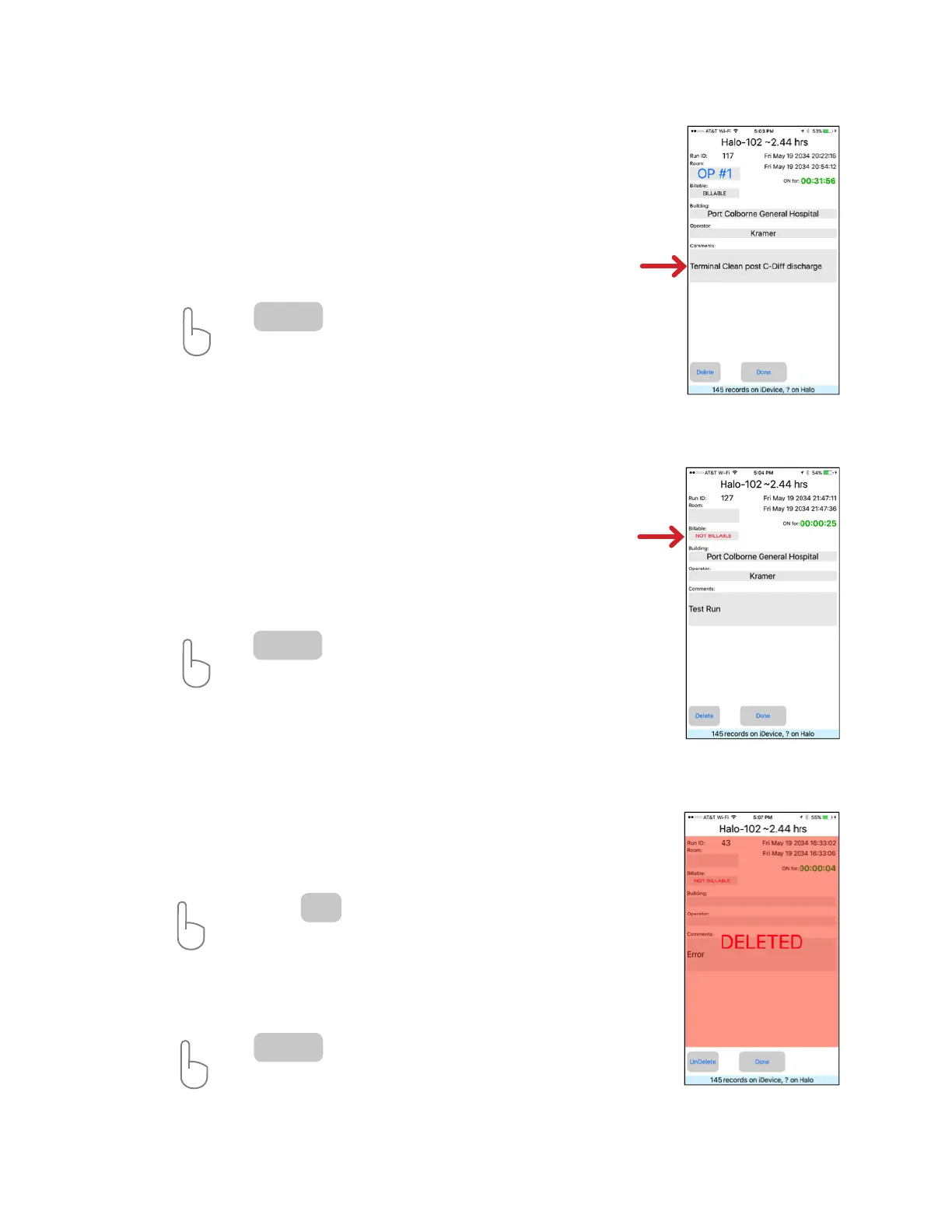
In this screen, specic information about the treatment cycle can be added. By tapping
on a text block, a room number, building name or location, the name of the operator and
additional comments for that run cycle can be entered.
For convenience, the last entered building name is stored and will come up as a default
for each HaloFogger. The operator information is stored and will come up as a default for
all HaloFoggers monitored by the iDevice.
ACTION: Tap on any text block to update. A keyboard will appear to edit
information. The “Comments’” text block is limited to 178 characters.
Tap when nished to return to Run Events screen.
Run ID Screen
Identifying Run Events as Billable or Non-Billable
For convenience, all run events will identied BILLABLE as a default. Events that are not
treatments (a test run for example) can be identied as NON-BILLABLE. These events will
not appear in the downloadable CSV le, but will be reected in the total HaloFogger
Run Time.
ACTION: Tap on the”Billable” text block to change event to NON-BILLABLE.
Change is highlighted in RED.
Tap when nished to return to Run Events screen.
Done
Done
Deleting Events
Mark events DELETED by pressing the delete button. This function can be used to mark
errors or other unforeseen events. These ID’s will not appear in the downloadable CSV
le and will NOT be reected in the HaloFoggers total time.
ACTION: Tap
A conrmation window will appear. Tap ‘Ok” to continue.
Entire event ID screen will be highlighted in RED.
Tap to return to Run Event Screen.
The run event will appear highlighted in RED with the word DELELTED shown.
Delete
Done
HaloFogger® Operation Manual_1911


 To Next Page