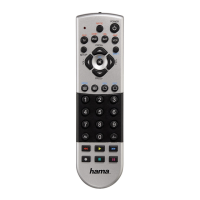
5.4 Code Identification
The Code identification offers you the possibility, to
determine an already entered code.
5.4.1 Press the SETUP key until the LED indicator is
permanently lit.
5.4.2 Select the device you want to control using
the device key (e.g. TV). A successful selection
is indicated by the LED with one flash follo-
wed by permanent light.
5.4.3 Press SETUP key. The LED indicator flashes
once followed by permanent light.
5.4.4 To find the first digit, press the numeric keys
from 0 to 9. The LED indicator flashes once
to indicate the first digit of the 4-digit code
number.
5.4.5 Repeat step 5.4.4 for the second, third and
fourth digit.
CODES
TV VCR SAT DVD
AUX AMP CBL DVBT
6. Special Functions
6.1 Punch Through Channel
The Punch Through Channel allows the PROG+ or
PROG- commands to bypass the currently controlled
device and switch the channels on a second device.
All other commands remain uninfluenced.
To activate the punch through channel setting:
• Pressdesireddevicemodekey(e.g.TV).
• Pressandhold“PROG+”key.
• Pressdesiredddevicemodekey(e.g.SAT).
• Release“PROG+”(theindicatorashesonceifthe
setting is activated).
To deactivate the punch through channel setting:
• Pressdesireddevicemodekey(e.g.TV).
• Pressandhold“PROG-„key.
• PressdesireddeviceModeKey(e.g.SAT).
• Release“PROG-”(theindicatorashestwiceifthe
setting is deactivated).
6.2. Punch Through Volume
The Punch Through Volume allows the VOL+ or VOL-
commands to bypass the currently controlled device
and adjust the volume on a second device. All other
commands remain uninfluenced.
To activate the punch through volume setting:
• Pressdesireddevicemodekey(e.g.TV).
• Pressandhold“VOL+”key.
• Pressdesireddevicemodekey(e.g.SAT).
• Release“VOL+”(theindicatorashesonceifthe
setting is activated).
To deactivate the punch through volume setting:
• Pressdesireddevicemodekey(e.g.TV).
• Pressandhold“VOL-”key.
• Pressdesireddevicemodekey(e.g.SAT).
• Release“VOL-”(theindicatorashestwiceifthe
setting is deactivated).
6.3. MACRO POWER
Macro Power enables you to turn two A/V devices on/
off simultaneously.
To activate the macro power setting:
• Pressdesireddevicemodekey(e.g.TV).
• Pressandhold“POWER”key.
• Pressdesireddevicemodekey(e.g.SAT).
• Release“POWER”(theindicatorashesonceifthe
setting is activated).
To deactivate the macro power setting:
• Pressdesireddevicemodekey(e.g.TV).
• Pressandhold“POWER”key.
• Pressdesireddevicemodekey(e.g.SAT).
• Release“POWER”(theindicatorashestwiceif
the setting is deactivated).
7. MAINTENANCE
• Donotmixnewandusedbatteriesfor
powering the Universal Remote Control, as old
batteries tend to leak and may cause power
drain.
• Donotusecorrosiveorabrasivecleanserson
your Universal Remote Control.
• KeeptheUniversalRemoteControldustfreeby
wiping it with a soft, dry cloth.
8. TROUBLESHOOTING
Q. My Universal Remote Control does not work at
all!
A. Check your A/V device. If the device’s main
switch is turned off, your URC cannot operate
your device.
A. Check whether your batteries are inserted
properly and are in the correct +/- position.
A. Check whether you have pressed the correspon-
ding device mode key for your device.
A. If the batteries are low, replace the batteries.
Q. If several Device Codes are listed under the
brand of my A/V device, how
can I select the correct Device Code?
A. To determine the correct Device Code for your
A/V device, test the codes one by one until most
keys work properly.
Q. My A/V equipment responds only to some of the
commands.
A. Try other codes until most keys work properly.
9. Service und Support
If you have questions on the product, you are
welcome to contact Hama Product Consulting.
Hotline: +49 9091 502-115
For further support information please visit:
www.hama.com
10
11
00011413man_cs_de_el_en_es_fi_fr_hu_it_nl_pl_pt_ro_ru_sk_sv_tr.indd 10-11 05.04.12 10:23


 To Next Page
 Loading...