4
5. Care and Maintenance
Danger –risk of death from electric shock
Disconnect the mains plug from the socket beforestarting any cleaning work.
Warning -risk of cutting on the cutting rollers
Do not touch the cutting rollers.
Warning -damage to the device from moisture
Ensure, when cleaning, that no moisturepenetrates the device in order to avoid
irreparable damage to it.
5.1 Emptying the container
• Switch the device off -asdescribed in 4.2 Switching the device off -and disconnect
the mains plug.
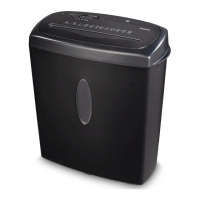
• Lift the device head (1) off the waste container (6).
• Empty the container.
• Place the device head (1) back on the waste container (6).
• Reconnect the device -asdescribed in 3. Installation/Setup -tothe power supply.
5.2 Cleaning the device
• Switch the device off -asdescribed in 4.2 Switching the device off -and disconnect
the mains plug.
• Clean the device with adry cloth. In cases of heavy soiling, the cloth can be dampened
alittle.
• Allow the device to dry completely afterwards.
• Reconnect the device -asdescribed in 3. Installation/Setup -tothe power supply.
5.3 Cleaning /oiling the cutting rollers
Note
• Oil the cutting rollers after each emptying of the waste paper basket in order to
prolong the shredder's service life.
• Youcan nd an appropriate selection of cleaning products at
www.hama.com.
• Switch the device on -asdescribed in 4.1 Switching the device on.
5.3.1 Cleaning with Hama cleaners for shredders (item number: 113820)
• Apply the Hama cleaner for shredders (item number: 113820) in several strips onto a
piece of DIN A4-size paper.
• Insert the paper into the centreofthe intake shaft (3). The cutting rollers switch on
automatically.
• Once the cutting process is complete, the device is ready for operation again.
5.3.2 Cleaning with cleaning paper
• Insert the cleaning paper into the centreofthe intake shaft (3).The cutting rollers switch
on automatically.
• Once the cutting process is complete, the device is ready for operation again.
6. Troubleshooting
Error Possible cause Remedy
The cutting rollers do not
switch on automatically
when material to be
shredded is inserted.
The operating switch (2) is
in the "OFF" position.
Move the slider switch
(2) to the "ON/AUTO"
position.
The connecting cable
(7) is not connected
correctly.
Ensurethat the mains
plug is in the mains
socket.
The socket is not live. Check the domestic fuses.
The device is faulty.Notify Customer Services.
The device switches itself
off after aprolonged
period of use and cannot
be switched back on.
The device has become
too hot.
Switch the device off and
allow it to cool down for
at least 25 minutes.
7. Technical data
Input voltage 220-240 V~
Mains Frequency 50 Hz
Max. power consumption 150 W
Dimensions (W xHxD)28.5 x32.2 x13.5 cm
Weight (net) 1580 g
Weight (gross) 1880 g
Basket capacity for paper 8litres
Max. noise level 70 dB
Max. cutting performance -paper (70 gsm) 7sheets (DIN A4 paper)*
Max. cutting performance -paper (80 gsm) 6sheets (DIN A4 paper)*
Max. cutting speed 2.8 m/minute
Max. Feed Width (Paper) 220 mm
Cutting Size (Paper) 6mm
Max. constant operation time 2minutes
Nominal idle period min. 25 minutes
Protection class (as per DIN 66399) 1
Safety levels (as per DIN 66399) P-2
*Thicker paper,moistureorany voltage other than that permitted may reduce the
performance.
8. Warranty Disclaimer
All of the technical information, data and instructions regarding operation contained in
these operating instructions was up to date at the time of printing and is provided based
on previous experience and to the best of our knowledge.
Hama GmbH &CoKG assumes no liability and provides no warranty for damage resulting
from improper installation/mounting, improper use of the product or from failuretoobserve
the operating instructions and/or safety notes.


 To Next Page